14215700-IG, Edition 8.0
April 2018, Original document
177
Configuring Redundancy
Note:
Not relevant to the Spectralink IP-DECT Server 400.
This section describes how to configure a redundant server solution:
l Configuration of the redundancy feature requires the acquisition of redundancy licenses.
l Configuration of setting is performed through the web based Administration Page of the Spec-
tralink IP-DECT Server 6500 under Configuration > Redundancy.
Redundancy Licenses Generation
In the following you will find information about ordering redundancy licenses, Authentication Product
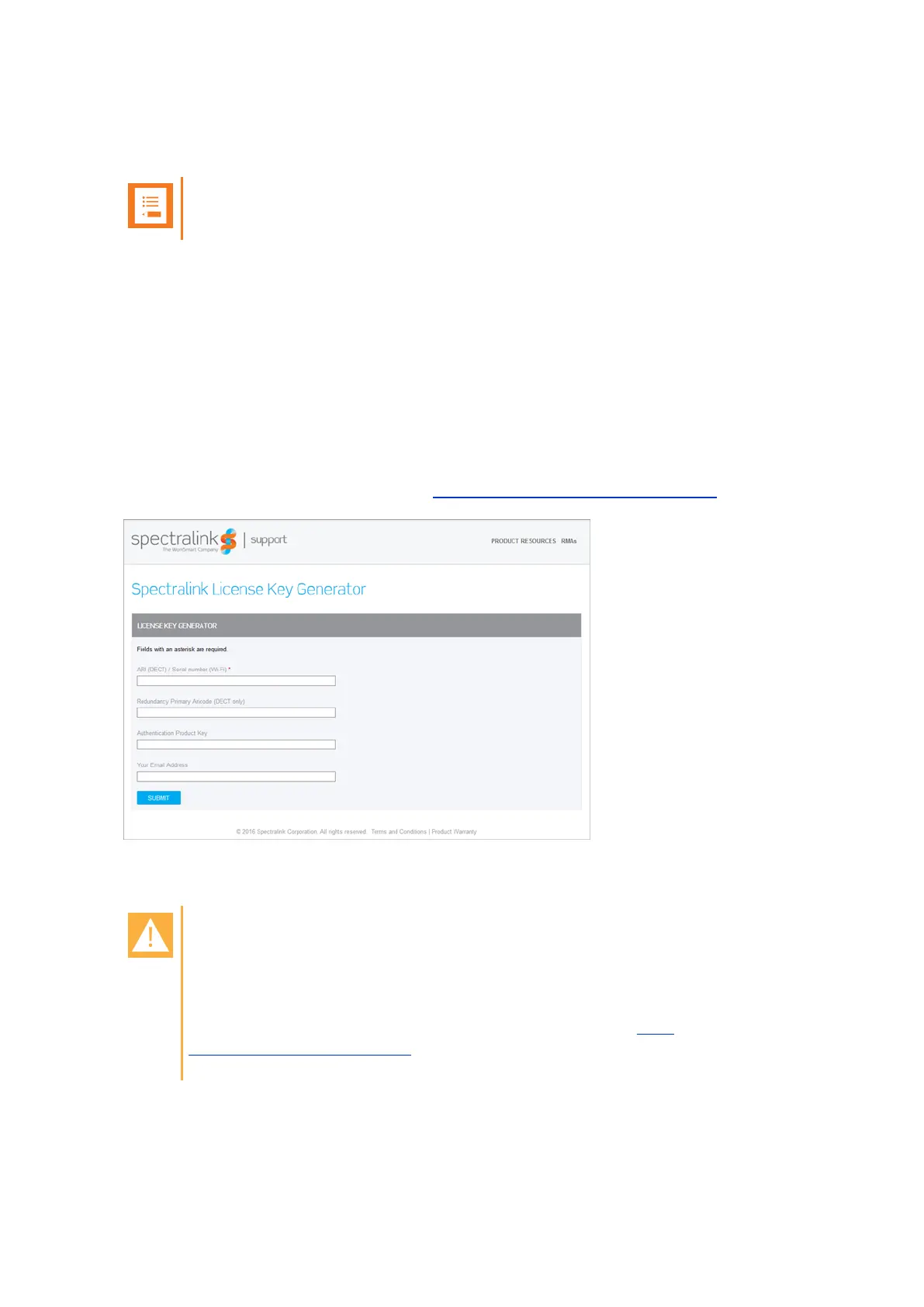
Keys and final redundancy license key generation using the License Key Generator.
Authentication Product Keys are used to generate the final license using the License Key Generator
on Spectralink Corporation's support portal: http://support.spectralink.com/keycode.
In the License Key Generator you bind the received Authentication Product Key to a specific Server
ARI code.
Caution:
When an Authentication Product Key has been tied to an ARI code using the License
Key Generator, the license has been used, a specific license cannot be untied from this
ARI code again.
If a license has been tied to a wrong ARI code, please contact Tech-
nicalsupport@spectralink.com for help. In the worst case, it may be necessary to buy a
new license.
Spectralink IP-DECT Server 200/400/6500 Installation and Configuration Guide



 To Next Page