14215700-IG, Edition 8.0
April 2018, Original document
180
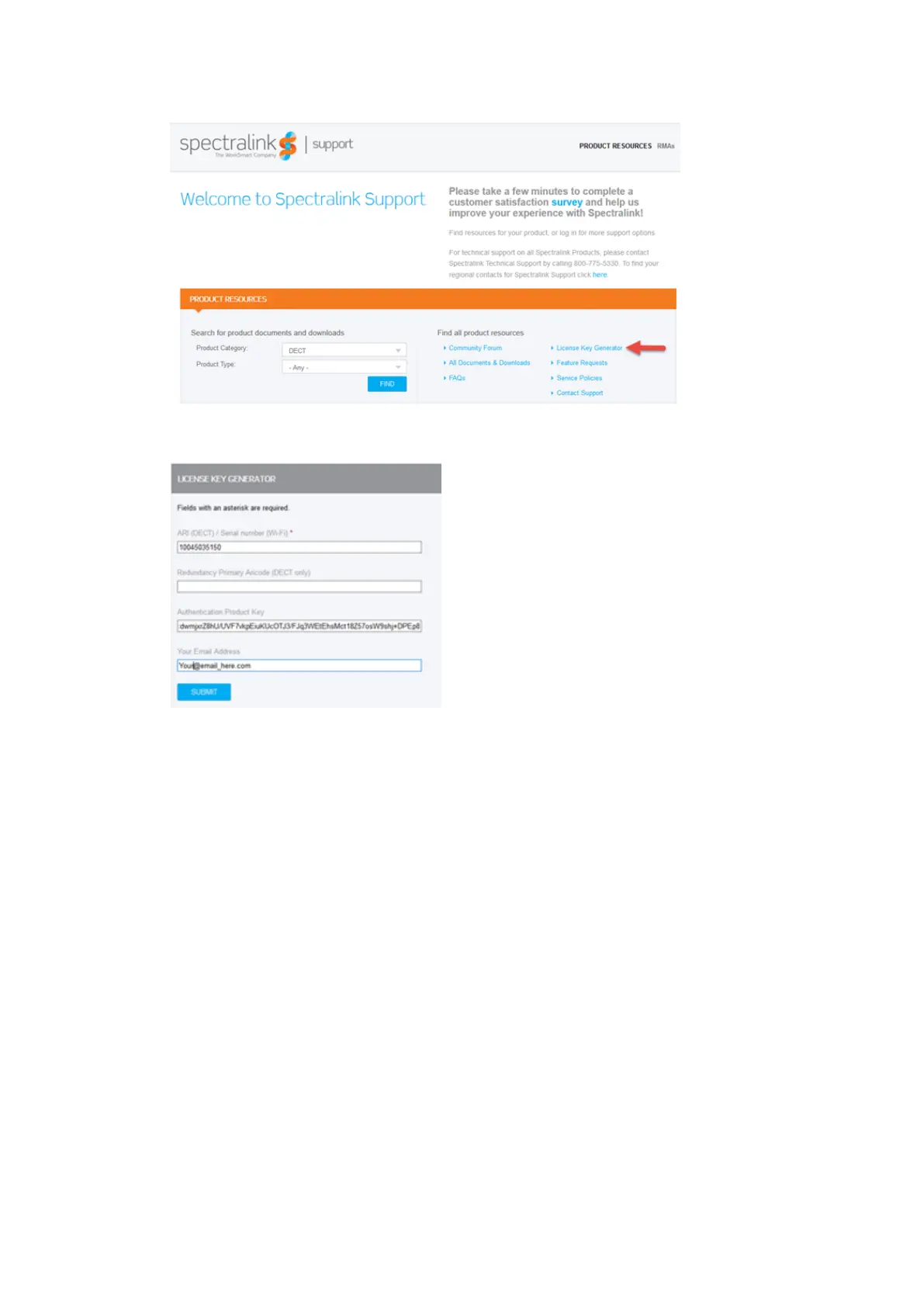
The following Spectralink License Key Generator screen appears:
5. Generate the license for the master Spectralink IP-DECT Server 6500 by doing the following:
l In the ARI (DECT) / Serial number (Wi-Fi) field, enter the ARI of your master Spectralink
IP-DECT Server.
l In the Authentication Product Key field, enter the specific Authentication Product Key
from the license.txt document received by e-mail (copy the key from the document and
paste it in the field).
l In the Your Email Address field, enter your email address.
l Click Submit.
l The webpage will output the license and an email with the new license code will be sent to
Spectralink IP-DECT Server 200/400/6500 Installation and Configuration Guide



 To Next Page