SVAN 948 USER MANUAL .
4 - 70
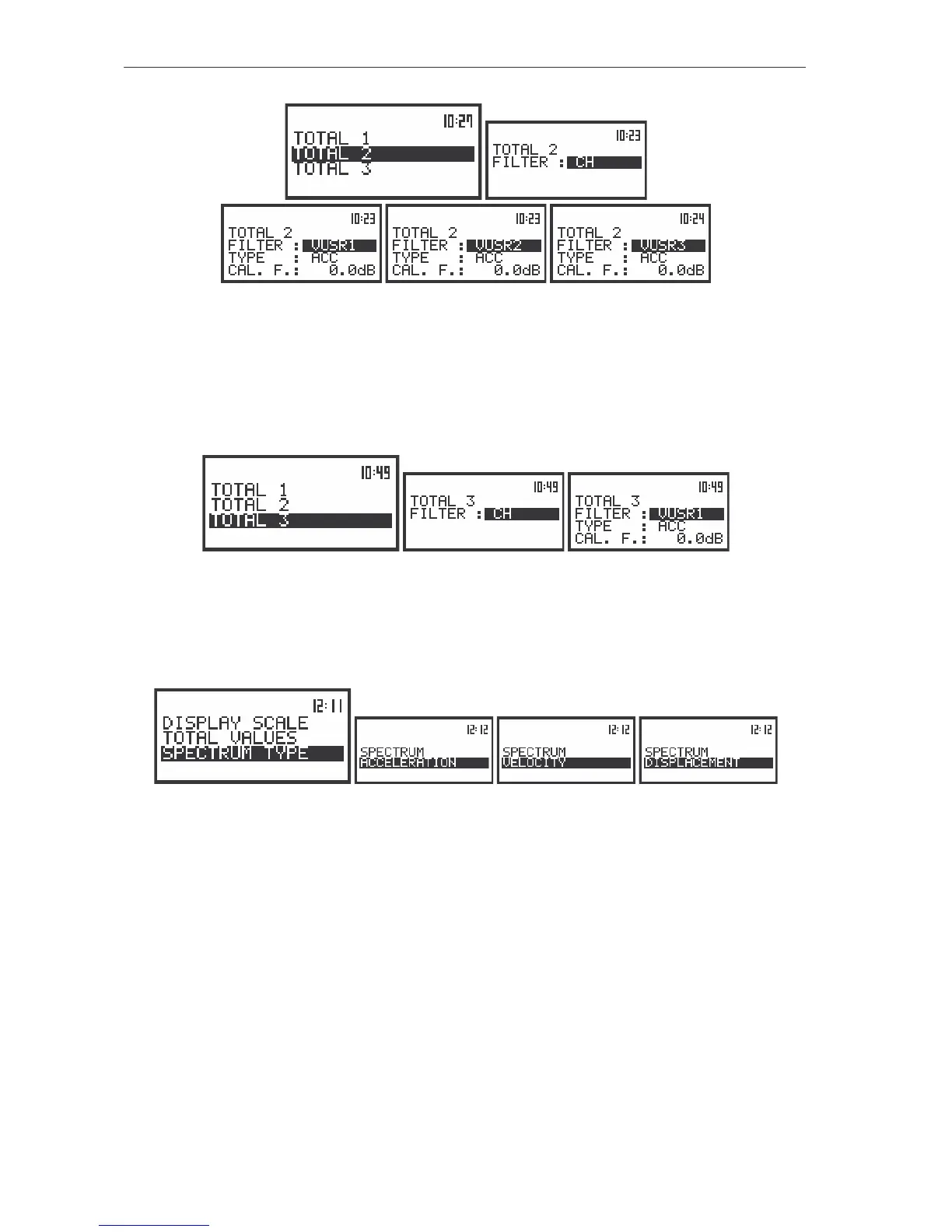
The view of the displays with the settings influencing the TOTAL values
presented in the SPECTRUM mode in selected CHANNEL
The third TOTAL value is measured with the weighting filter:
• selected in the third channel (CH) or
• specified as VUSR1, VUSR2, VUSR3 or
• which name and coefficients are sent to the instrument using the unit’s interface and special functions
described in App. A.
The view of the displays with the settings influencing the TOTAL values presented in the SPECTRUM mode
The results of 1/3 OCTAVE analysis, so-called spectrum, can be presented as the acceleration,
velocity or displacement spectrum. The type of the spectrum is selected in the SPECTRUM TYPE window
of the DISPLAY SETUP sub-list (path: MENU / DISPLAY / DISPLAY SETUP / CHANNEL x /
SPECTRUM TYPE / ACCELERATION, VELOCITY or DISPLACEMENT).
The view of the displays with the settings influencing 1/3 OCTAVE analysis results presentation in the
SPECTRUM mode
The results of 1/3 OCTAVE analysis are always calculated and saved as the acceleration spectrum.
The ACC text given in the first left column indicates that the acceleration spectrum is presented on the
display.
In order to present the velocity spectrum the linear accelerometer value from each 1/3 OCTAVE
filter is divided by 2π
ππ
πf
c
, where f
c
is the exact central frequency of the mentioned filter. The VEL text is
presented in the first column of the display in this case indicating the type of the spectrum.
In order to present the displacement spectrum the linear velocity value from each 1/3 OCTAVE filter
is divided by 2π
ππ
πf
c
, where f
c
is the exact central frequency of the mentioned filter. The DIL text is given in
the first column of the display in this case indicating the type of the spectrum.



 To Next Page