SVAN 948 USER MANUAL
4 - 71
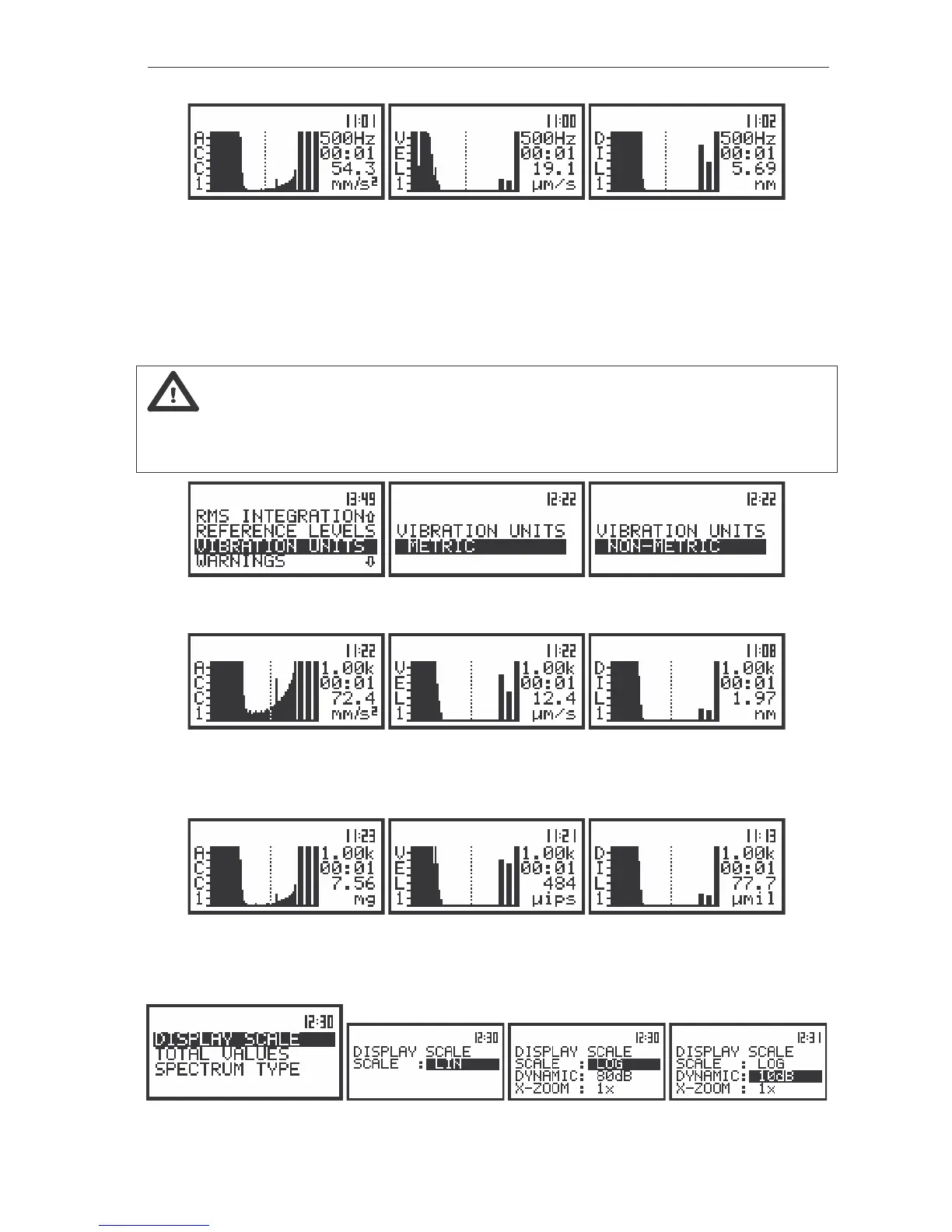
The view of the displays in 1/3 OCTAVE analysis with the acceleration, velocity and displacement spectrum
expressed in LINear (path: MENU / DISPLAY / DISPLAY SETUP / CHANNEL x / DISPLAY SCALE / LIN), METRIC
units (path: MENU / SETUP / VIBRATION UNITS / METRIC) for CHANNEL 1
The read-out of the interested spectrum value can be done by means of the cursor controlled by the
<
>, <
> push-buttons. On the right side of the display the selected 1/3 octave filter centre frequency (or
the selected TOTAL) is given, the current time of registered spectrum, the numerical value corresponding
to the position of the cursor and the units are displayed in the consecutive lines.
Note: The displayed units during the measurement or analysis of vibration signal depends on
the different settings made in the VIBRATION UNITS (METRIC or NON-METRIC), the VIBR.SCALE
position of DISPLAY SCALE (LIN or LOG) and the weighting FILTER set in CHANNELS x (for
acceleration, velocity or displacement measurements).
The view of the displays with the different linear vibration units
The displays in 1/3 OCTAVE analysis with the acceleration, velocity and displacement spectrum expressed in
LINear (path: MENU / DISPLAY / DISPLAY SETUP / CHANNEL x / DISPLAY SCALE / LIN), METRIC units (path:
MENU / SETUP/ VIBRATION UNITS / METRIC)
The view of the displays in 1/3 OCTAVE analysis with the acceleration, velocity and displacement spectrum
expressed in LINear (path: MENU / DISPLAY / DISPLAY SETUP / CHANNEL x / DISPLAY SCALE / LIN), NON-
METRIC units (path: MENU / SETUP / VIBRATION UNITS / NON METRIC)
The view of the displays with the different display scale; LINear or LOGrithmic units selection



 To Next Page