SVAN 948 USER MANUAL
3 - 3
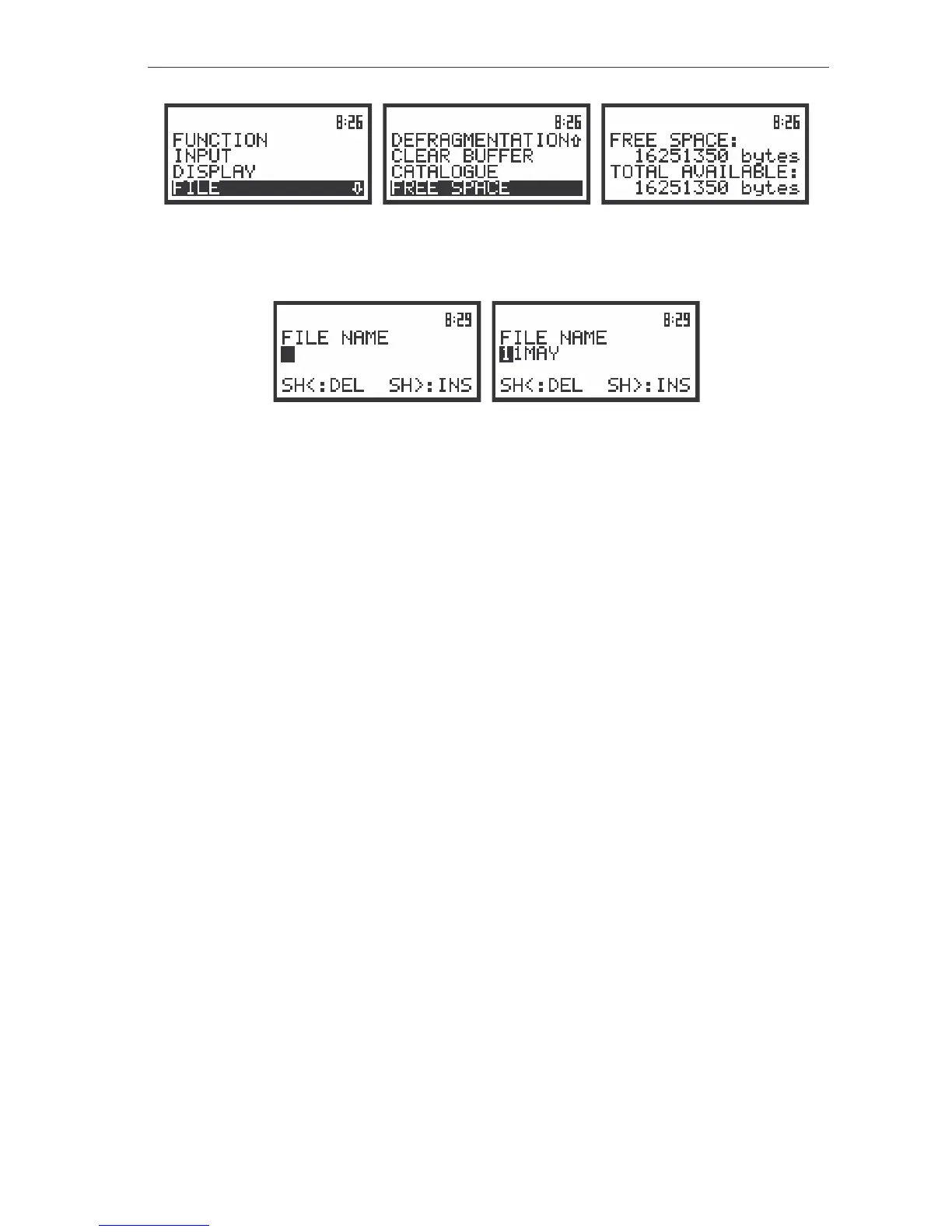
The view of the displays during and after the accessing the FREE SPACE window (path: MENU / FILE)
In order to close such window the user has to press the <ESC> push-button. In the instrument there
are also windows which are used for entering text (i.e. the name of the file).
The displays during the edition of the text which has to be name of the file saved in instruments memory
Below the structure of the elements of the main list is presented. The more detailed description of
the FUNCTION and INPUT lists is given in Chapter 4 and the DISPLAY, FILE, AUX. FUNCTIONS
and SETUP lists – in Chapter 5.
v FUNCTION (one of the main lists available after pressing the <MENU> push-button)
MEASUREMENT FUNCTION (sub-list)
§ LEVEL METER (position); available values: [ ] / [*]
§ 1/1 OCTAVE (position); available values: [ ] / [*]
§ 1/3 OCTAVE (position); available values: [ ] / [*]
§ FFT (position); available values: [ ] / [*]
CALIBRATION (sub-list)
§ CHANNEL x
• BY SENSITIVITY (sub-list)
o SENSIYIVITY (position); available values of the calibration level:
10 µV / ms
-2
.. 10 V / ms
-2
(in the case of vibration measurements) and
50 µV / Pa .. 50 V / Pa (in the case of sound measurements)
o CAL. FACTOR (position); it displays the calculated calibration factor
• BY MEASUREMENT (sub-list)
o CAL. LEVEL (position); available values of the calibration level:
100 mm / s
2
.. 1 km / s
2
in the case of vibration measurements (or 100 dB ..
180 dB if the reference level was set to 1 µm / s
2
and the LOG (logarithmic)
scale was selected in the DISPLAY SCALE sub-list)
54dB .. 134dB in the case of sound measurements
o CAL. FACTOR (position); it displays after the measurement the calculated
calibration factor



 To Next Page