9 - 2 DS7708 2D Vertical Slot Scanner Product Reference Guide
Connecting a Keyboard Wedge Interface
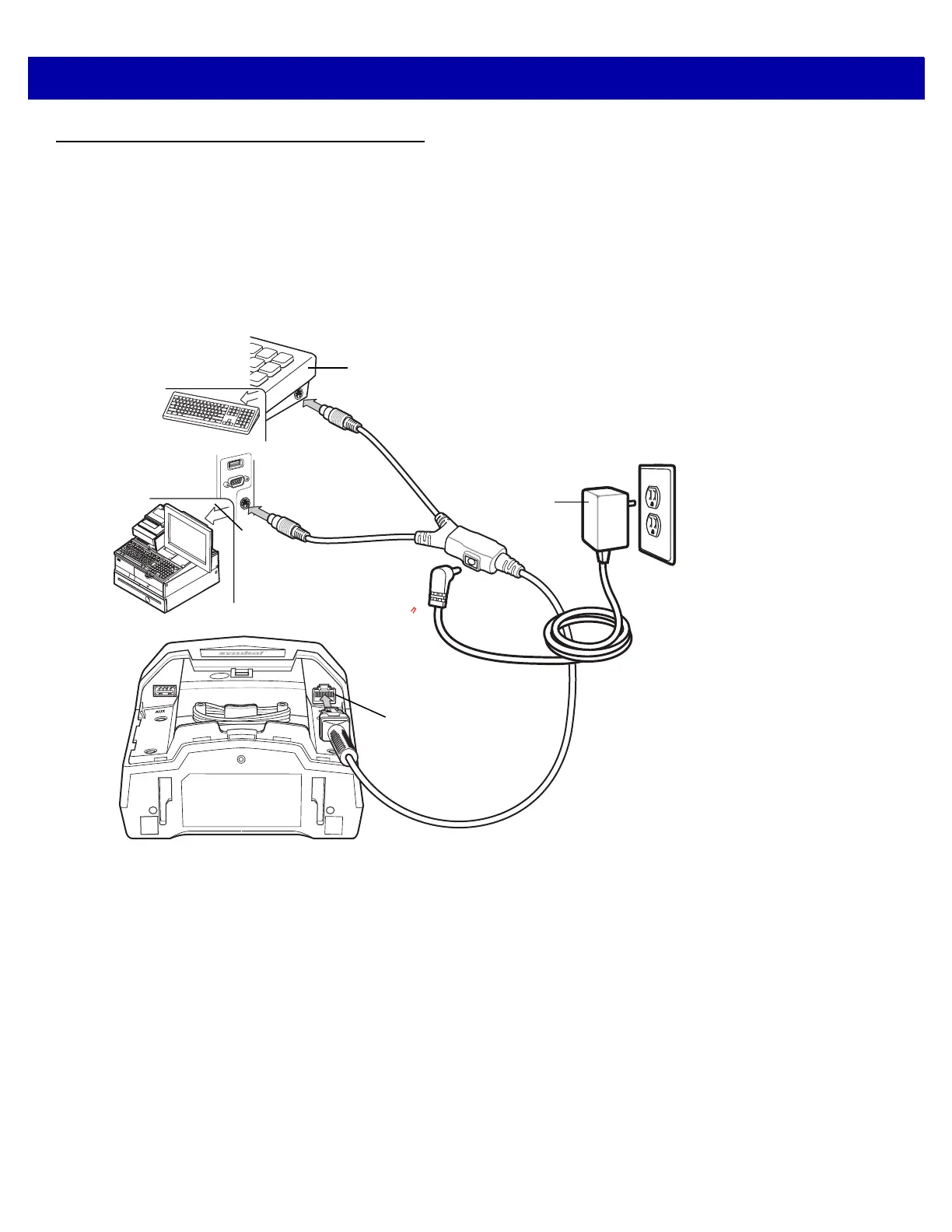
There are two possible configurations for connecting to a Keyboard Wedge host:
•
The DS7708 connects directly to the host computer and keyboard using the keyboard wedge Y-cable
(see Figure 9-1).
•
The DS7708 connects directly to the host computer and keyboard using the keyboard wedge Y-cable,
and an auxiliary scanner connects to the DS7708. A 12 volt power connection is required when using an
auxiliary scanner (see Figure 9-2).
Figure 9-1
Keyboard Wedge Connection - 5 Volt Power Supplied Externally
Host
Host Port
Keyboard
5 Volt Power
Supply



 To Next Page