GETTING STARTED 1 - 13
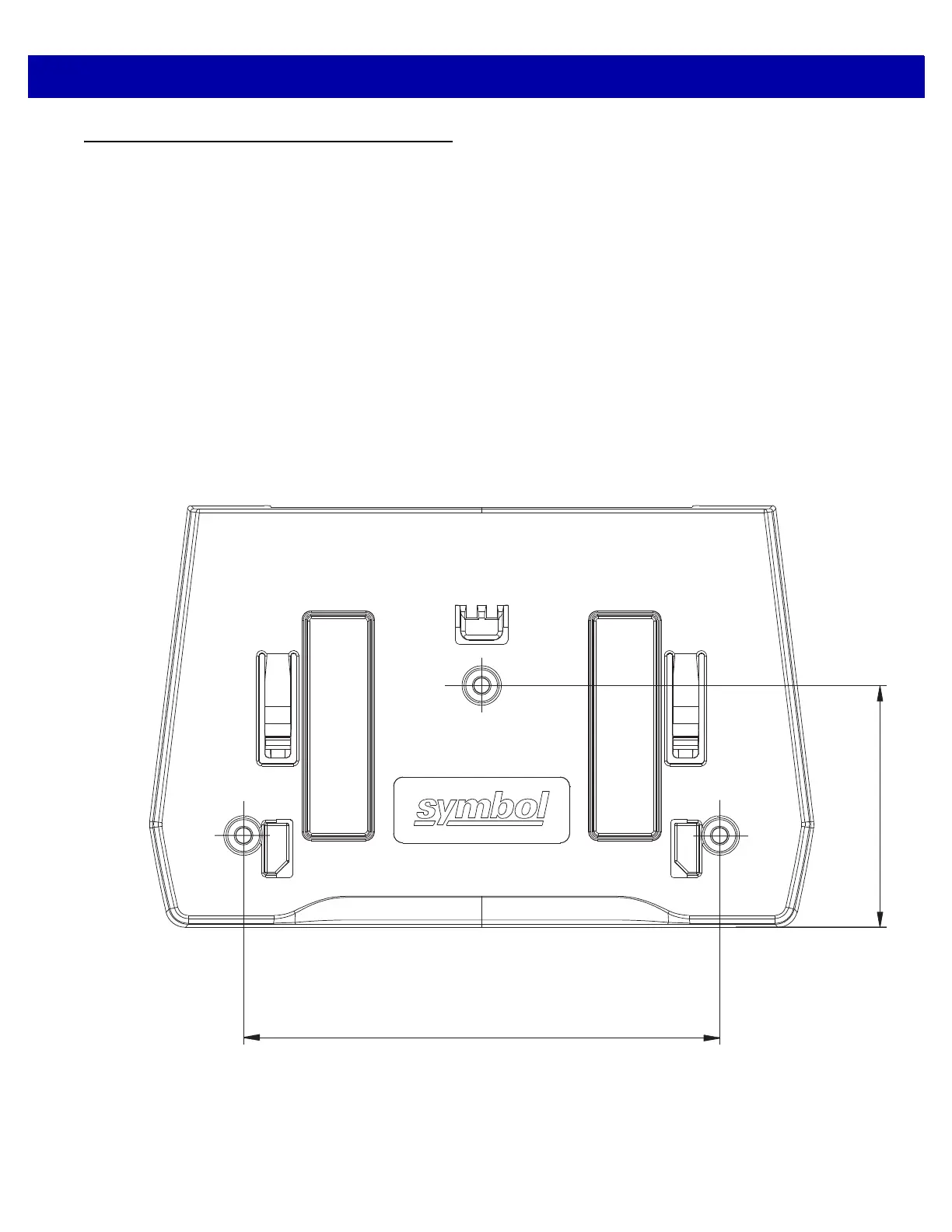
Table Mount Template
The recommended method of installation is attaching the scanner to the table top using the double-sided tape
provided on the bottom of the bracket. If you wish to mount the bracket to the table top with screws use the
template provided in Figure 1-14.
To use this template:
1. Print the actual size of this page. Do not scale.
2. Determine the location for installing the scanner.
3. Tape the template to the table.
4. Drill the three holes using the template.
5. Place the mounting bracket in position over the drilled holes with the Symbol logo facing up.
6. Insert three screws (not provided) through the holes and fasten to the table surface.
Figure 1-14
Table Mount Template
4.26 in. (108.20 mm)
2.16 in. (54.88 mm)



 To Next Page