GETTING STARTED 1 - 5
Removing and Replacing the Back Cover
Removing the Back Cover
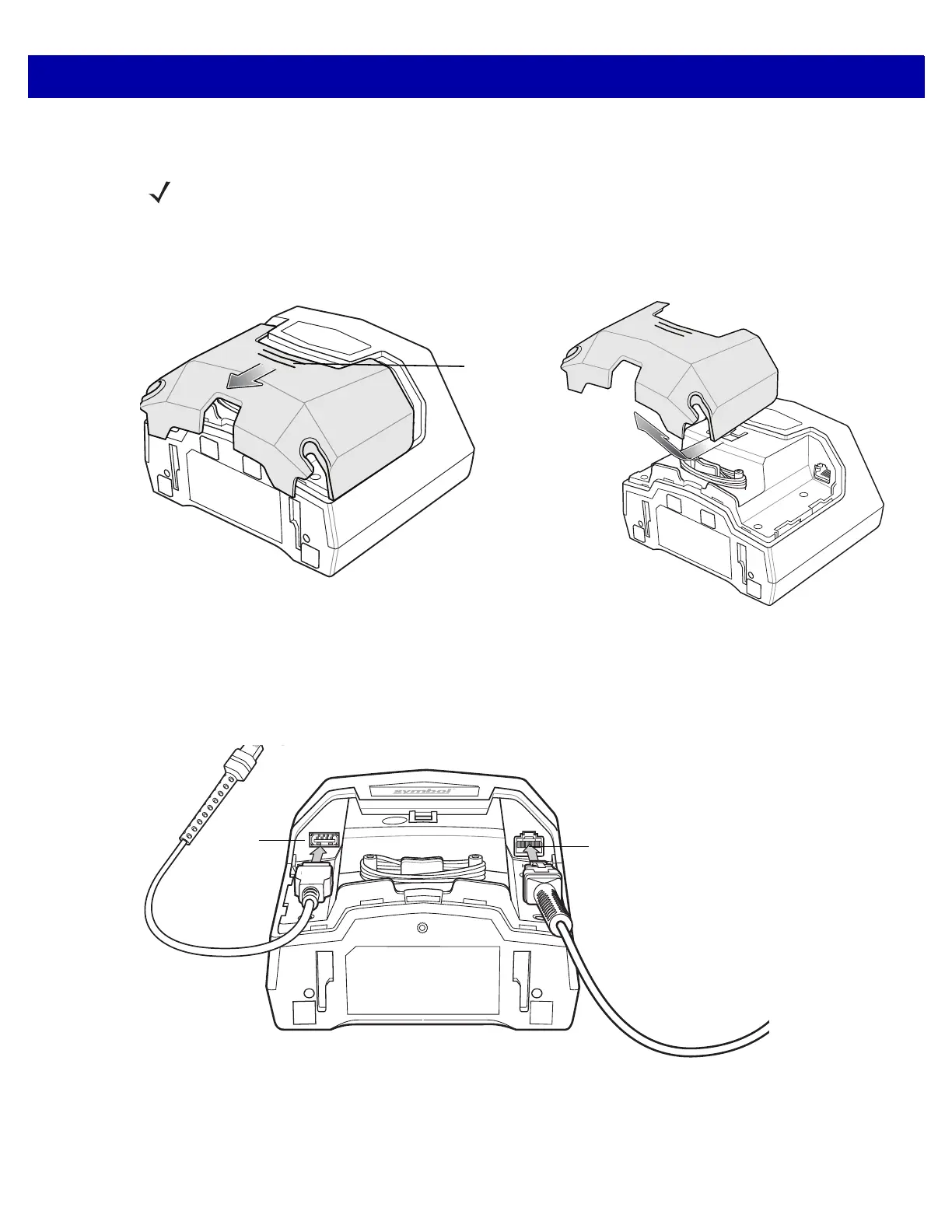
To remove the back cover, lightly press on the indentations at the top of the cover, slide downward until it
becomes free, and lift up off the scanner.
Figure 1-5
Removing the Back Cover
Installing the Cable(s)
Insert the host cable into the RJ-45 connector on the back right of the scanner. Insert auxiliary scanner cable
(optional) into the USB connector on the back left of the scanner. Replace the back cover (see Replacing the
Back Cover on page 1-6)
Figure 1-6
Installing Cables
NOTE For instructions on host and auxiliary scanner cable connections, see the applicable host interface
chapter.



 To Next Page