2 - 2 DS7708 2D Vertical Slot Scanner Product Reference Guide
Scanning Bar Codes on Products
Install and program the scanner.
For the best scanning performance, the table top or surface area cover
ed by the active scan area should be
free of any designs (for example, stripes or patterns). Ideally, that area should be a light, solid color.
The DS7708 includes an automatic Object Detection wakeup system th
at provides a high swipe speed and
reduces power consumption. The red Illumination has two power levels mode: Idle Mode for object detection
and Full Illumination for scanning. When any object is presented in front of the window opening, the red
illumination changes from Idle Mode to Full Mode, but automatically returns to Idle Mode when the object is
removed. When the object presented in the Field of View (FOV) includes a bar code, the DS7708 scans the
bar code, and if the bar code is successfully decoded, the illumination LEDs automatically return to Idle Mode
when the object is removed.
The DS7708 is able to adjust the FOV by a reading a co
mmand bar code
and prevent decoding undesired bar
codes that are in the FOV.
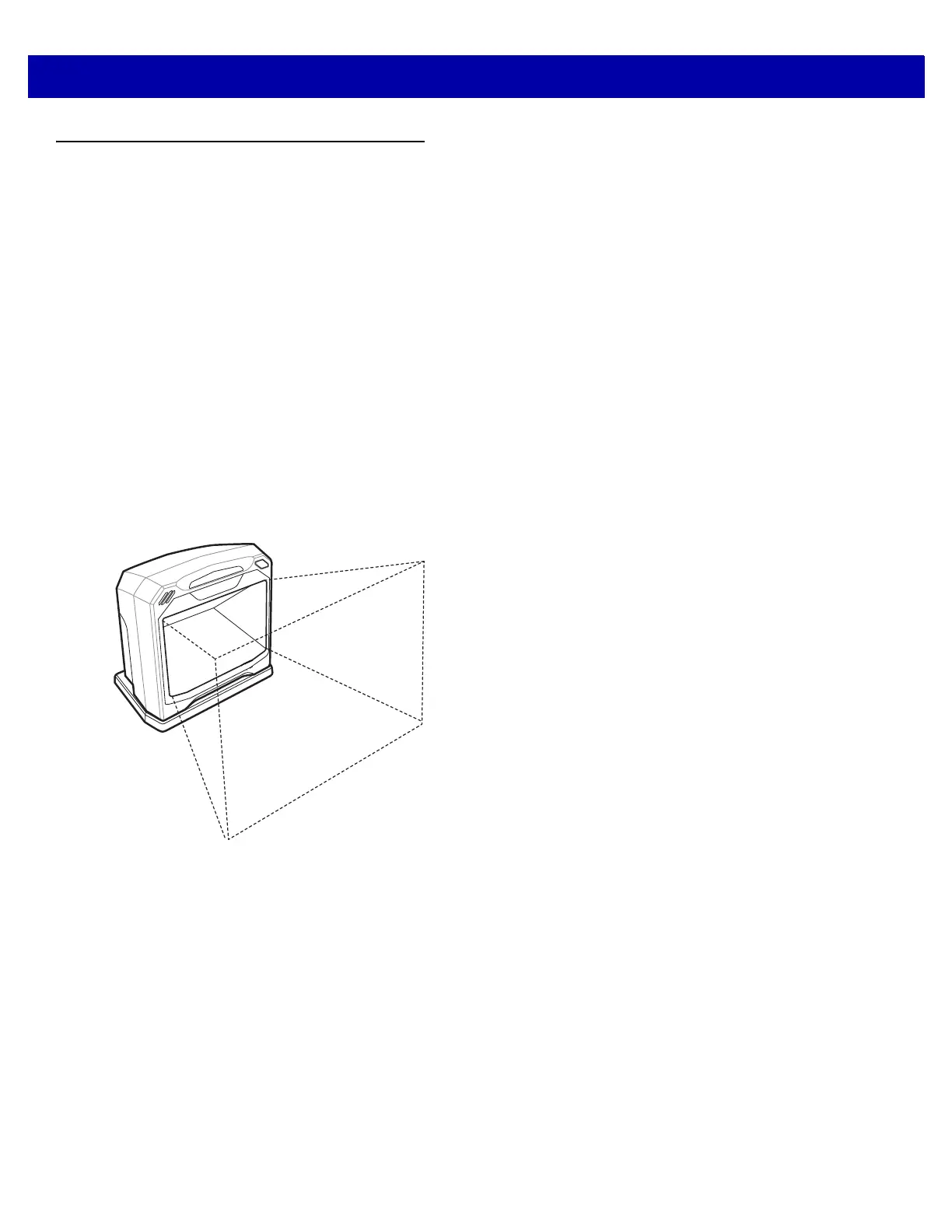
Active Scan Area
The active scan area is the area in front of the scanner window opening in which a bar code can be decoded.
The dotted area represents the active scan area.
Figure 2-1
Active Scan Area
To scan a bar code:
1. Ensure all cable connections are secure.
2. Orient the item with the bar code facing the
scanner window.
3. Present the item anywhere within the active scan
area.
4. Upon successful decode, the scanner beeps and
the green LED flashes momentarily.



 To Next Page