1 - 6 DS7708 2D Vertical Slot Scanner Product Reference Guide
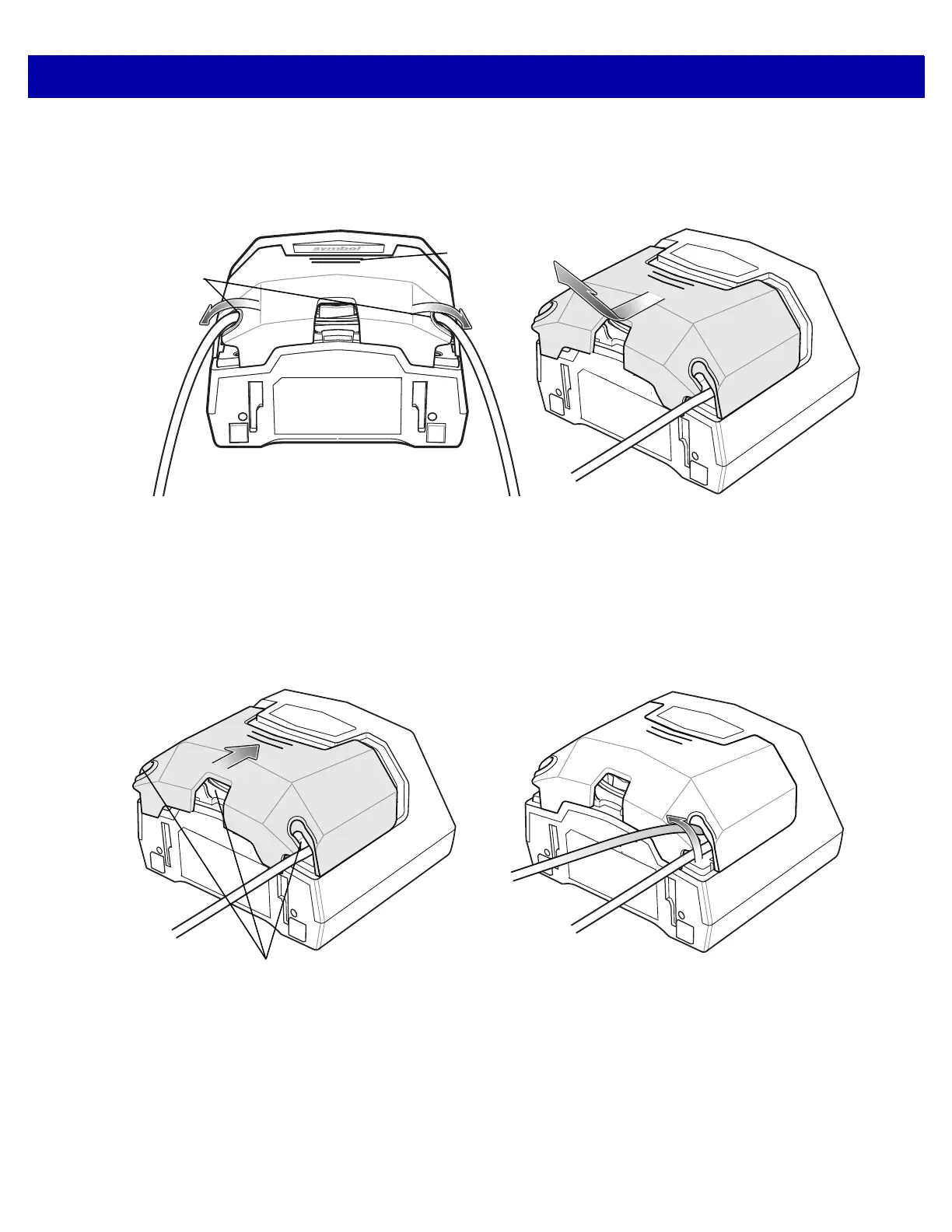
Removing the Back Cover with Cables Installed
To remove the back cover with cables installed, slide the cable(s) out of the cable retaining slots to ensure they
can move freely, lightly press on the indentations at the top of the cover, slide downward until it becomes free,
and lift up off the scanner.
Figure 1-7
Removing the Back Cover with Cables Installed
Replacing the Back Cover
The back cover has three channels to route the outgoing cables so that they are organized and do not hinder
the scanner’s placement. Place the back cover on the back of the scanner and ensure the cables are
positioned appropriately to be routed through one or more of the cable routing channels. Route the cables
through the nearest channel.
Press the cover and slide upwards until it snaps into place.
Figure 1-8
Replacing the Back Cover
Configuring the Scanner
To configure the scanner, use the bar codes in this manual, or use the 123Scan²
configuration program (see
Chapter 14, 123SCAN2).
The scanner supports RS-232, IBM 468X/469X, Keyboard Wedge,
and USB to interface with a host system.
Each host-specific chapter describes how to set up each of these connections.
2. Press
1. Slide Out of
Retaining
Slots



 To Next Page