GETTING STARTED 1 - 3
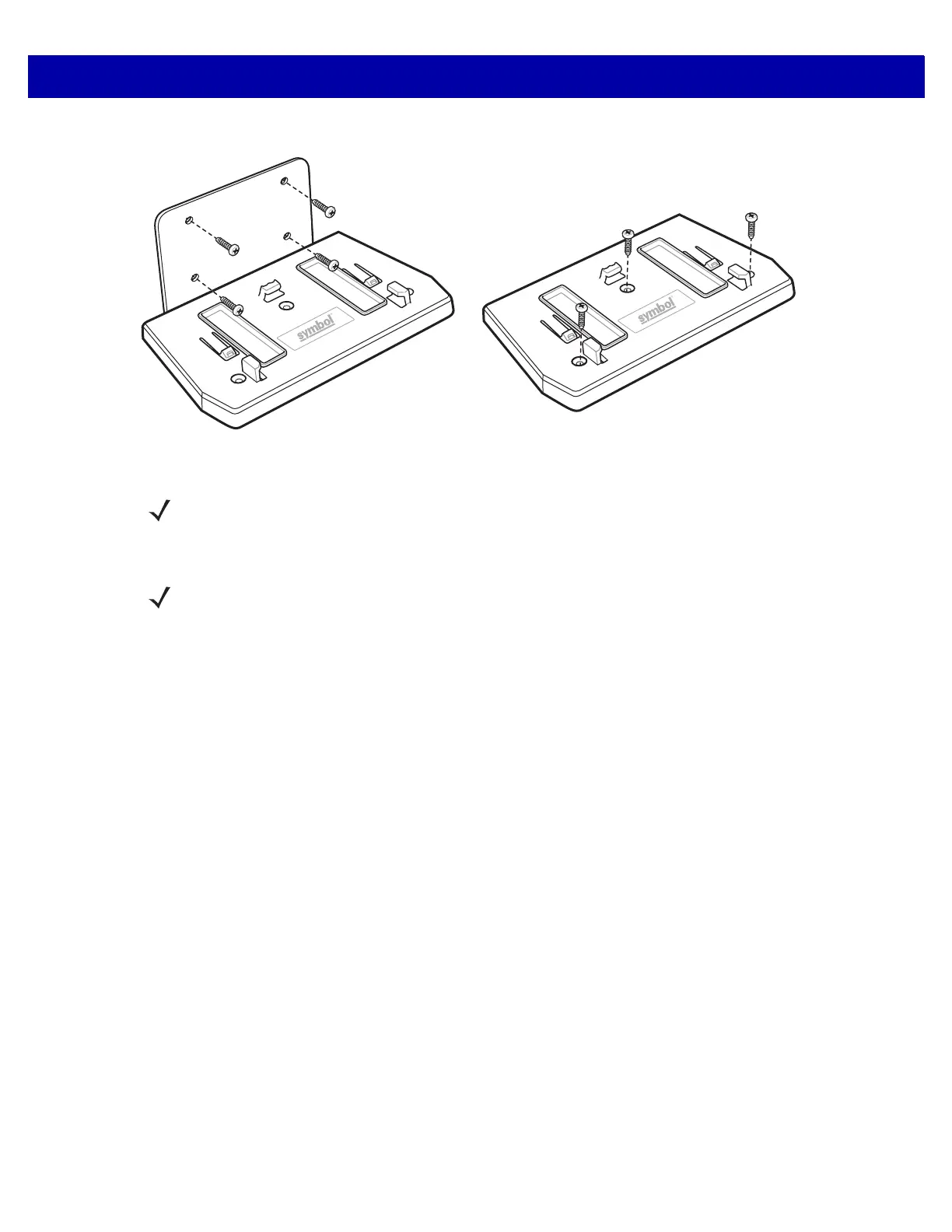
Figure 1-4
DS7708 Mounting Accessories
The DS7708 Vertical 2D Slot Scanner supports the following interfaces:
•
USB connection to a host. The scanner defaults to the HID keyboard interface type. To select other USB
interface types, scan programming bar code menus or use the Windows-based programming tool
123Scan². International keyboards are supported. See Appendix B, COUNTRY CODES to program the
keyboard to interface with a USB host.
•
TTL-level RS-232 connection to a host. The scanner defaults to the standard RS-232 interface type.
Modify communication between the scanner and the host either by scanning bar code menus or using
the Windows-based programming tool 123Scan².
•
Connection to IBM 468X/469X hosts. User selection is required to configure this interface. Modify
communication between the scanner and the IBM terminal either by scanning bar code menus or using
the Windows-based programming tool 123Scan².
•
Keyboard Wedge connection to a host. The scanner defaults to the
IBM AT Notebook
interface type. The
host interprets scanned data as keystrokes. International keyboards are supported. See Appendix B,
COUNTRY CODES to program the keyboard to interface with a Keyboard Wedge host.
•
SSI communications link between the scanner and a serial host. It provides the means for the host to
control the scanner.
Table Top Mount - Using Tape or Screws
(screws not Included)
Wall Mount
NOTE The recommended method of table top installation is attaching the scanner to the table top using the
double-sided tape provided. See Mounting the Scanner (Optional Hardware Required) on page 1-8.
NOTE The DS7708 automatically adapts to the host to which it is connected.



 To Next Page