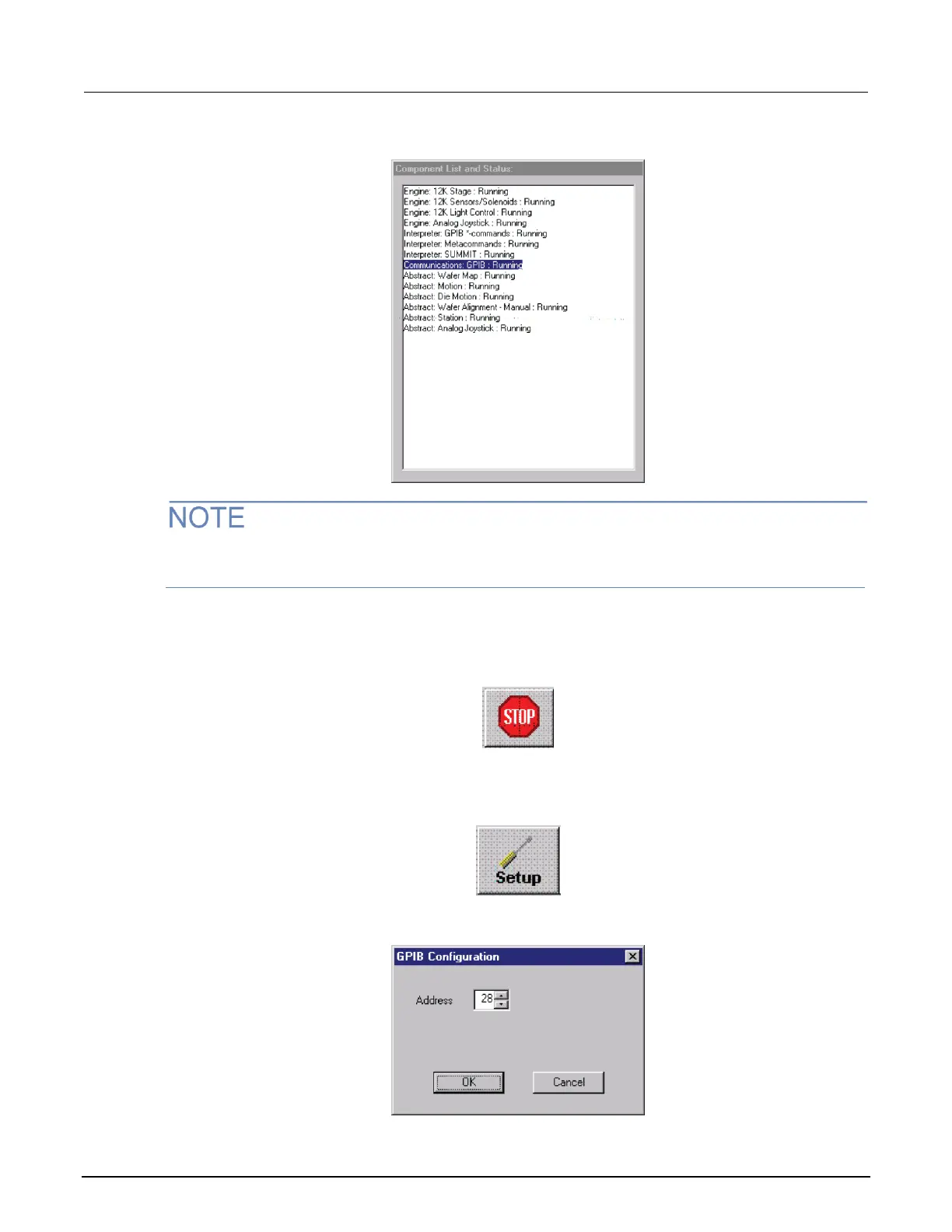
Figure 238: Component list and status window
If the Communications: GPIB component is not on the list, you must add it. To add it, click Add
from the Add component dialog box, then select Communications: GPIB.
6. If the Communications: GPIB component is running, click the Stop button, or proceed to the
next step (setup).
Figure 239: Stop button
7. Click the Setup button to open the GPIB configuration window.
Figure 240: Setup button
Figure 241: GPIB Configuration window



 To Next Page
 Loading...