Search for and add existing tests from the Test Library
To search for and add existing tests from the Test Library:
1. Choose Select.
Figure 44: Select highlighted
2. Select Tests.
3. Type vds into the search box.
4. Select Search.
5. Scroll to the vds-id test.
6. Select Add to add it to the project tree.
7. Drag the vds-id test to between the two connectpins actions.
8. Clear the search box.
9. Type cv into the search box.
10. Select Search.
11. Scroll to the cv-nmosfet test. Select Add to add it to the project tree.
12. Drag the cv-nmosfet test after the second connectpins action.
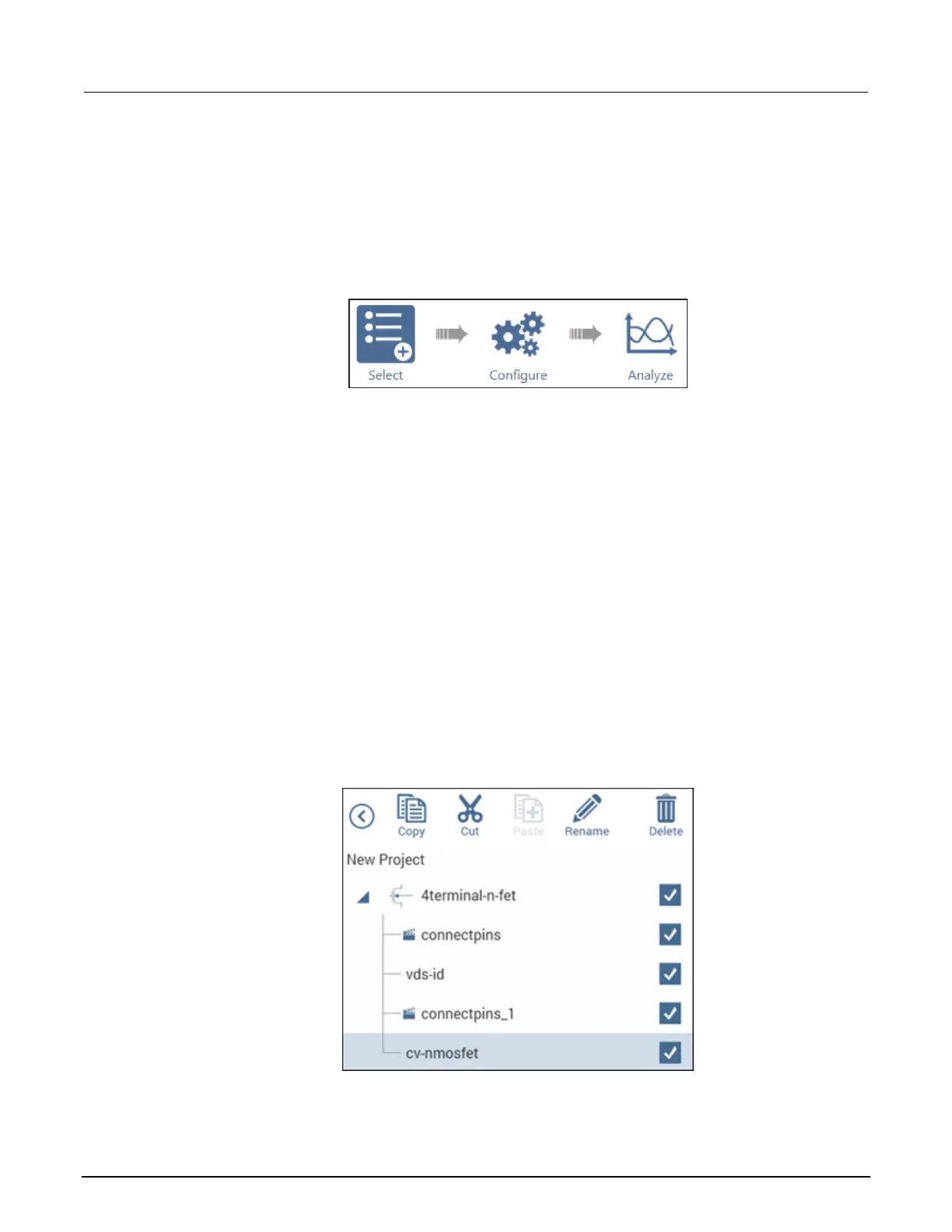
Your project tree looks like the following figure.
Figure 45: Project tree showing tests and actions in the proper order



 To Next Page
 Loading...