6. Add the Prober Move to Next Site (prober-move) action.
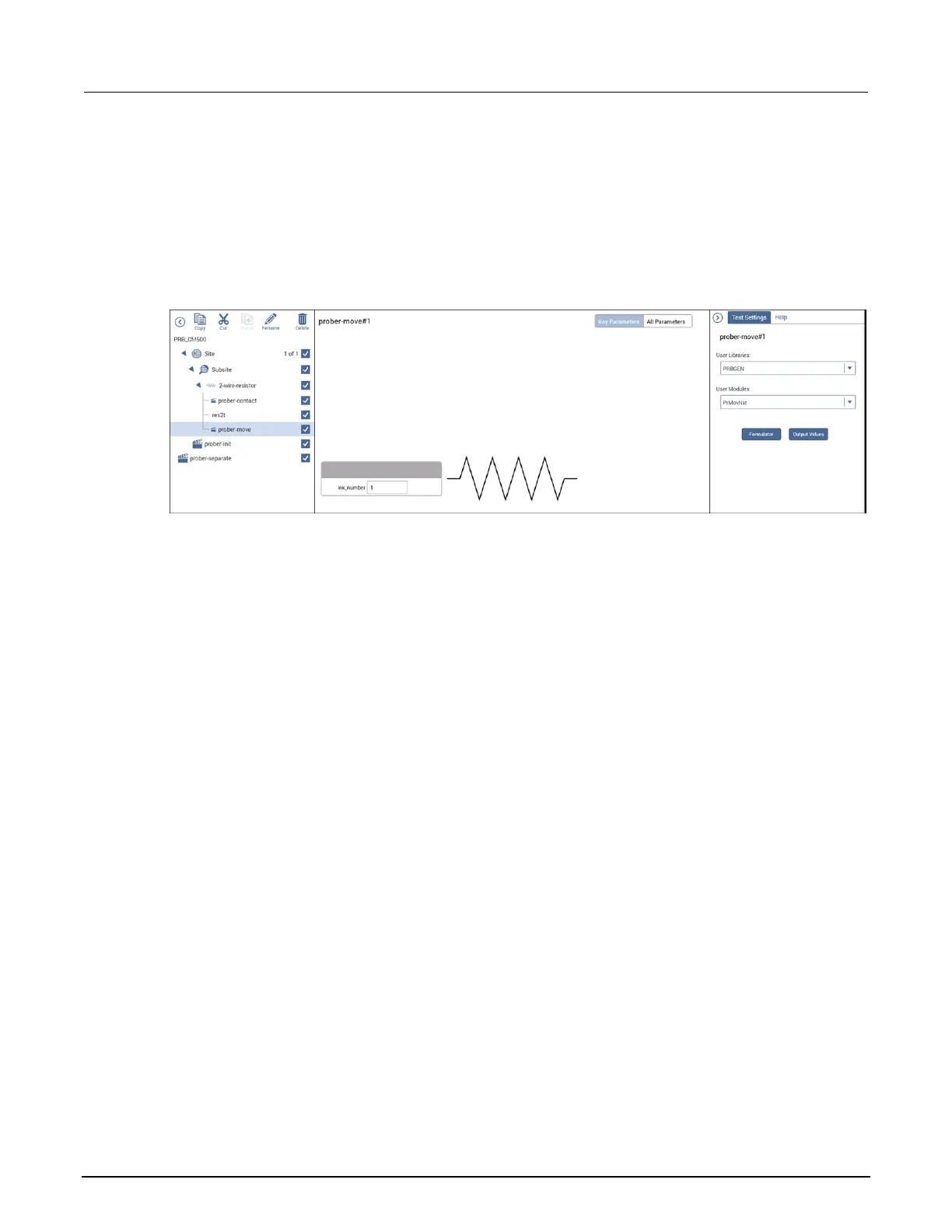
7. Drag prober-contact so that it is immediately before your test.
8. Drag prober-move so that it is immediately after your test.
9. Select Configure.
10. For prober-move, set the inknumber to 1 if you need to trigger inker 1; otherwise, set it to 0.
Figure 323: prober-next in the project tree
Probesites Clarius project example
On the 4200A-SCS, use Clarius to open and run the probesites project using the new
configuration file, which allows you to execute the project for this prober. This project uses a Series
700 Switching System and the connect action to change the instruments connected to each pin
without changing the physical configuration.
To set up probesites:
1. In Clarius, choose Select.
2. Select the Projects library.
3. In the Search box, enter probesites.
4. Create the probesites project.
5. Select Configure.
6. Set the prober-init mode to 6.
7. Set the subprobtype. If the CM500 prober is presently not at its first site, set the subprobtype to
1; otherwise, set it to 0.



 To Next Page
 Loading...