5. Save by clicking the pcIndie save button and assigning the listing a unique file name (*.idp).
Figure 220: pcIndie save button
6. To open an existing program listing file, click the pcIndie open button in the pcIndie window.
Select the file and click OK.
Figure 221: pcIndie open button
Use KCon to add a prober
On the 4200A-SCS, use KCon to add the prober to the configuration:
1. Open KCon.
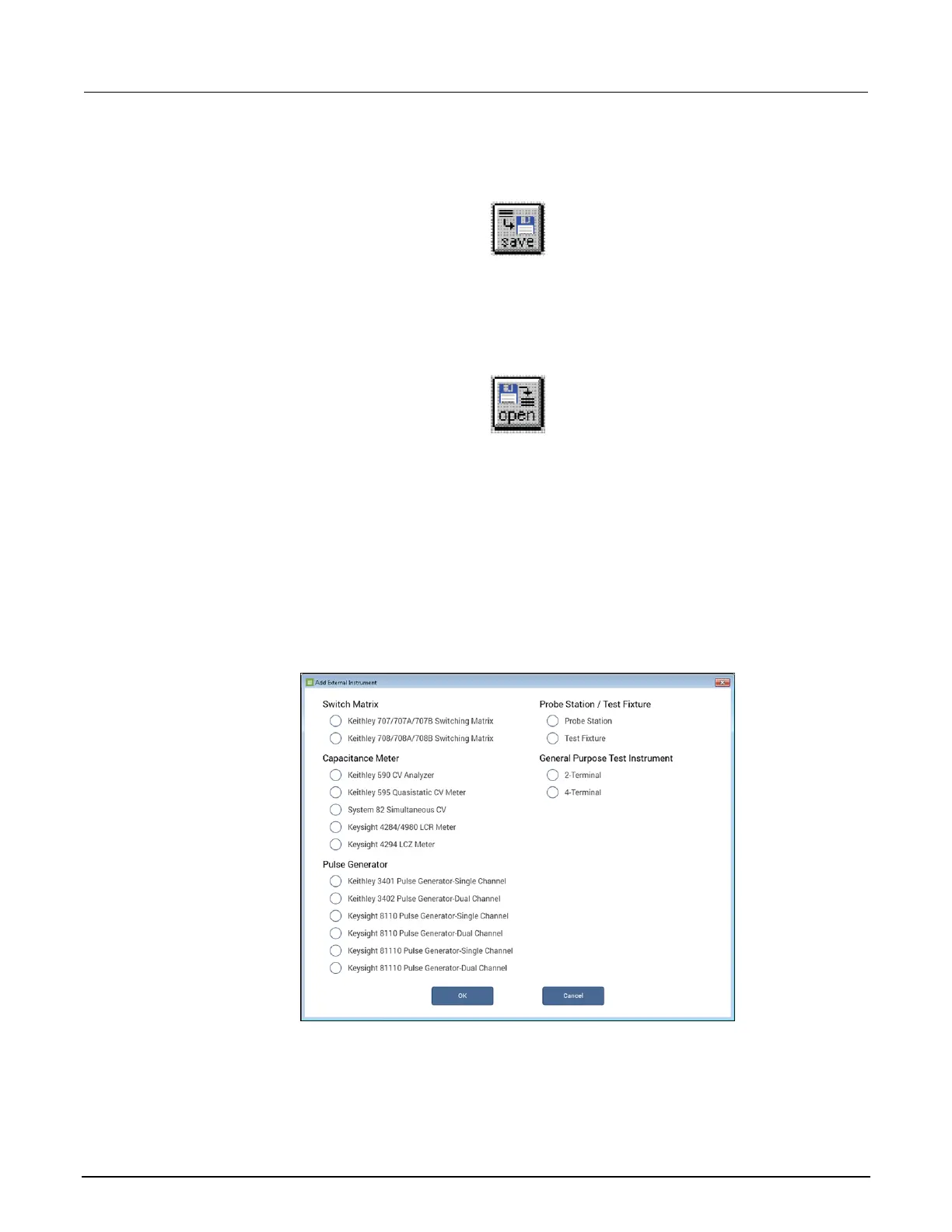
2. At the bottom of the System Configuration list, select Add External Instrument. The Add
External Instrument dialog box is displayed.
Figure 222: Add a prober in KCon
3. Select Probe Station.
4. Select OK. KCon displays the properties for the prober.


 To Next Page
 Loading...