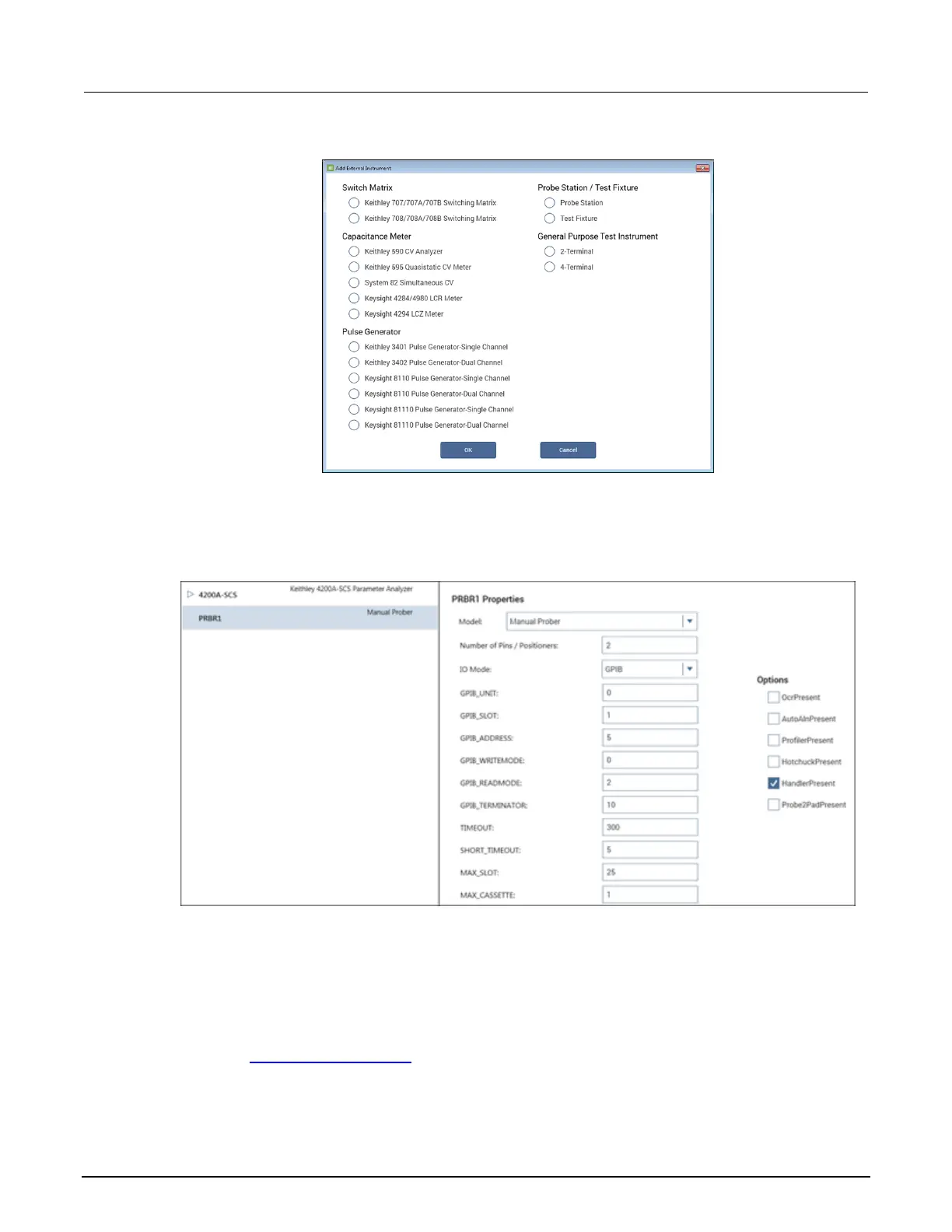
Figure 275: Add a prober in KCon
3. Select Probe Station.
4. Select OK. KCon displays the properties for the prober.
Figure 276: Use KCon to select a prober
5. Select the Cascade 1200 prober as the model.
6. Make sure the Number of Pins / Positioners is correct. The number of pins defined here
determines the pins that are available to assign to a switch matrix card column.
7. Verify the IO Mode is set to GPIB.
8. Verify the GPIB_ADDRESS is set to the address of the prober. This address was set in the
section Set up communications (on page 13-2). The default address is 28.
9. Select Save.
10. Exit KCon.



 To Next Page
 Loading...