X35 Monitor Air Seeder Setup
6.41
6.6.1.2 Tank Grouping
Depending on how the implement profile was
created, using the Bourgault factory profiles or if it
was a custom one (refer to
Section 6.2 - Creating
New Implement Profile), selection of the tank
grouping will be done differently.
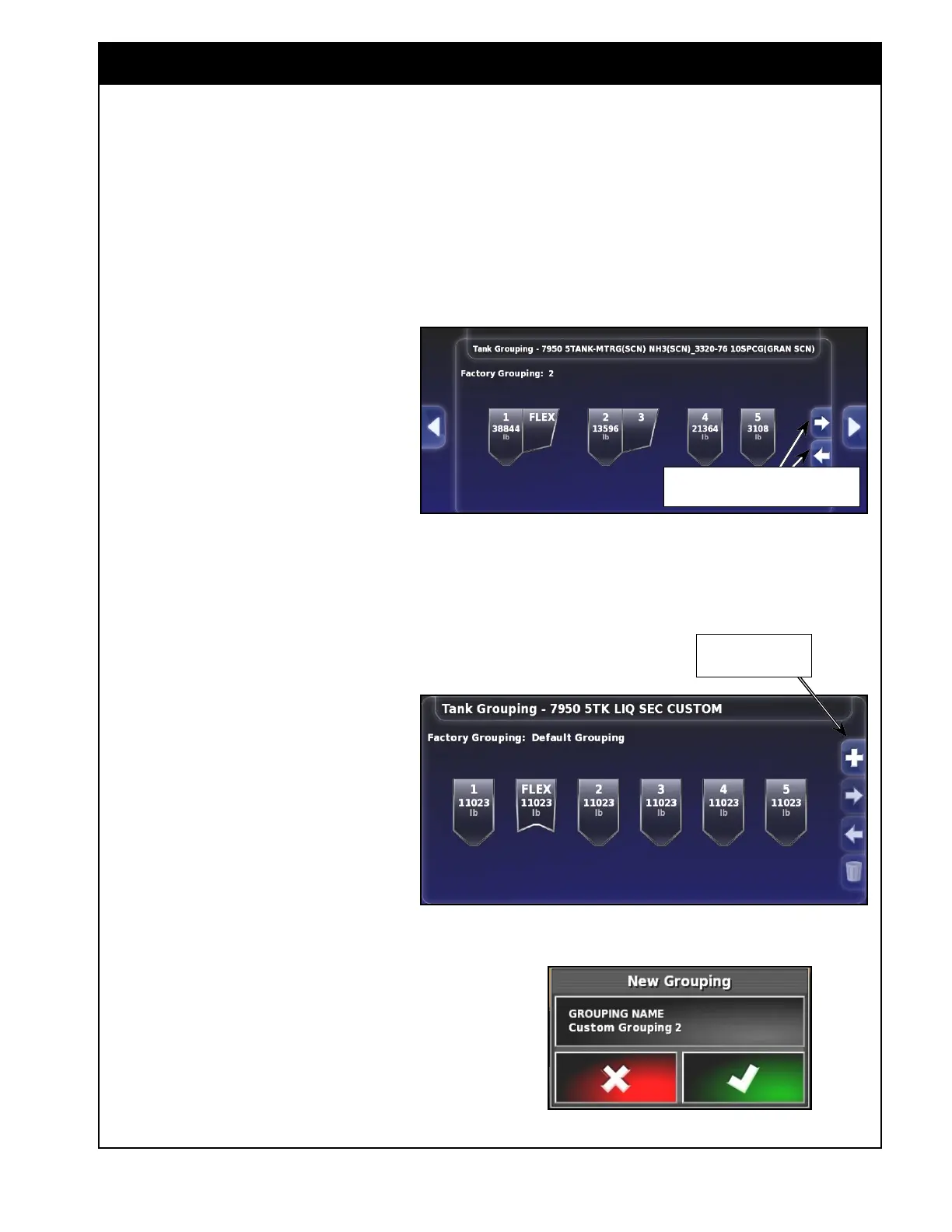
6.6.1.2.1 Selecting from Factory Groupings
This section applies when an implement profile
was created based on a Bourgault factory
profile.
Refer to
Figure 6.56.
1. Using the arrow buttons, select the
correct tank grouping, if multiple
tanks are being combined and
metered from one auger.
2. Confirm your selection.
Figure 6.56 - Tank Groupings
use these controls to scroll between tank
groupings.
Important
Remember that selecting a tank grouping only
sets the monitor up that way and the interconnect
covers on the air seeder tanks will need to be
physically configured the same way. Selecting a
grouping will automatically disable the tanks that
will not be metered from.
Figure 6.57 - Creating Custom Tank Grouping
Figure 6.58 - Add New Grouping Window
6.6.1.2.2 Creating Custom Grouping
This section applies when a custom
implement profile was created.
Refer to
Figure 6.57.
1. The configuration where all tanks are
independent (not combined) will be
used as the default tank grouping.
2. To add a custom configuration select
"+" sign button. "+ New Grouping"
window will appear. Refer to
Figure
6.58.
3. Select the Grouping Name button.
a. A keypad will appear.
b. Enter the desired name for the new tank
grouping.
c. Confirm the new name and then confirm
the adding of the new grouping.
Select this to add new
grouping



 To Next Page