X35 ConsoleOptional Equipment
13.2
13.1 Implement Switch (Auto-Clutch) Feature
The implement switch allows the air seeder to turn
on/off as the tillage implement is lowered/raised.
Note
The following instructions only apply if the
implement switch is connected on the tillage
implement. It is standard on the 3320 and 3710's,
and it is optional on a 5810.
Important
It is highly recommended to enable the in cabin
keypad and/or virtual switches when using the auto
clutch switch. Also, turn off the master switch until
ready to seed. Without the cabin/virtual master
enabled and off, there will be scenarios where the
auto clutch will attempt to turn on the master prior
to desired seeding. For example, if used with a
3320 or 3710 with drill control box powered off.
X20630980.skf
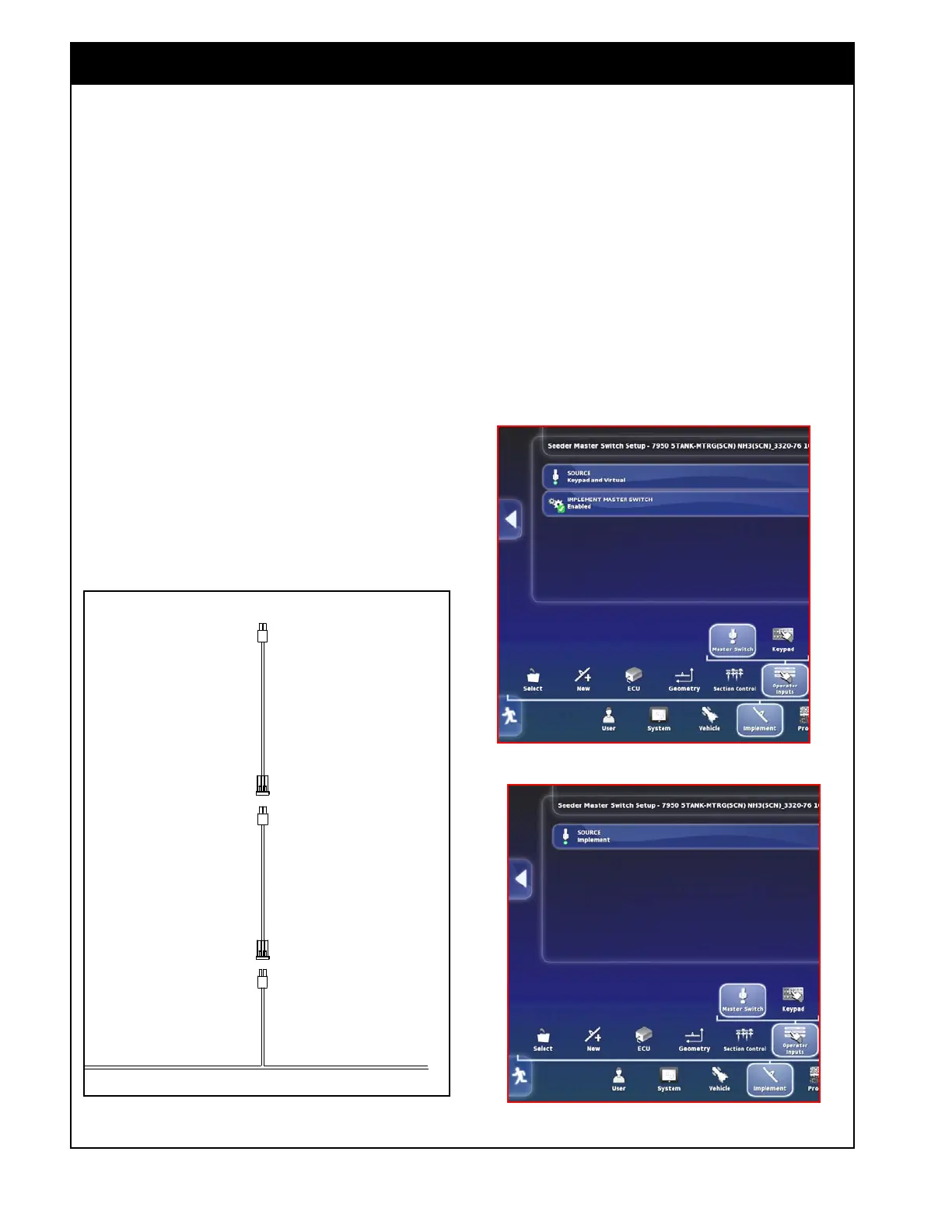
Figure 13.1 - Implement Switch Harness Layout
Figure 13.2 - SwitchBox Setup
Figure - 13.3 - Cabin Switchbox Disabled
Note
Refer to the opener
control switchbox
assembly instructions
for further details.
1. If the cabin keypad/virtual switches are enabled
and the Auto clutch switch is enabled (refer to
Section 6.8 - Operator Inputs and Figure 13.2),
the cabin master has priority over the auto
clutch switch.
a. In that case the in-cab/virtual master would
have to be turned on for the auto clutch
switch to control the Air Seeder.
2. If the cabin keypad/virtual switches are
disabled (refer to Section 6.8 - Operator Inputs
and Figure 13.3), you will not be able to
override the auto clutch switch when required.



 To Next Page