X35 ConsoleOptional Equipment
13.16
b. Zeroing Scale Channels - the channel that
is activated can be zeroed by pressing and
holding the Zero button for 3 seconds.
Important
When zeroing the total tank weight be aware of
the auger/conveyor position (sitting on the ground
or raised off the ground) as it will affect the zero
balance point.
c. The weigh system is factory configured with
a setup numbers and calibration numbers
for each scale link channel. If the scale
weight does not seem to be accurate it can be
calibrated using a known weight of product
that has been added to the tank. The new
calibration number can be calculated using the
formula below. The number is available in
the Scale Link but can be changed through the
X35 settings, refer to Section 6.7.7.
Factory Setup and Calibration numbers
Important
When calibrating it is important to fill the tank at
least half full for increased accuracy.
d. The layout on the console can also be
customized or unused channels hidden if
desired.
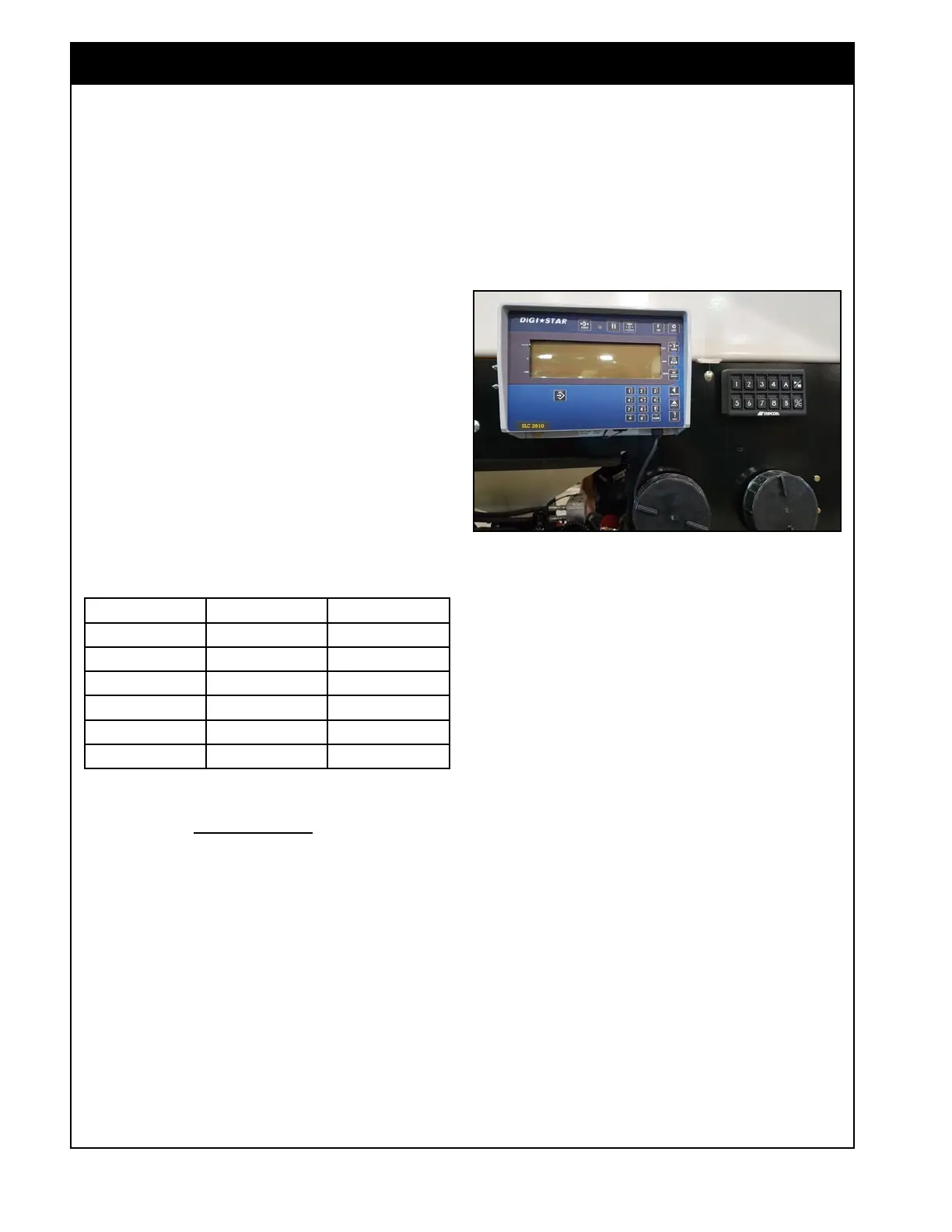
13.4.2 Remote Display SLC2810
The Remote Display SLC2810 will display the
load cell weights and can also be used to configure
the Scale Link. Refer Topcon Remote Display
SLC2810 operator’s manual for configuring extra
settings/functions.
MODEL SET-UP# CAL#
71300 147150 62135
7700/7950 147110 58843
7550 147060 62667
L7800/L7700 147090 41691
L7550 147060 44933
Saddle Tank
162005 1319
New CAL # = Known Weight x CAL #
Displayed Weight
a. Mode - to be able to switch display between
scale channels you need to be in the SCALE
mode. Press the Select button until SCALE is
displayed.
b. Scale Channel Weights - press the Function
button to switch channel displayed. The
channel and name will flash on the screen
briefly before displaying the weight. Whatever
channel is activated will also be displayed on
the Scale Link SL2140 in the console. This
channel will also be displayed on the handheld
remote.
c. Zeroing Scale Channels - the channel that
is displayed can be zeroed by pressing and
holding the Zero button for 3 seconds.
Figure 13.19 - Remote Weights Display



 To Next Page