X35 Monitor System Settings
4.4
4.1.3 Guidance
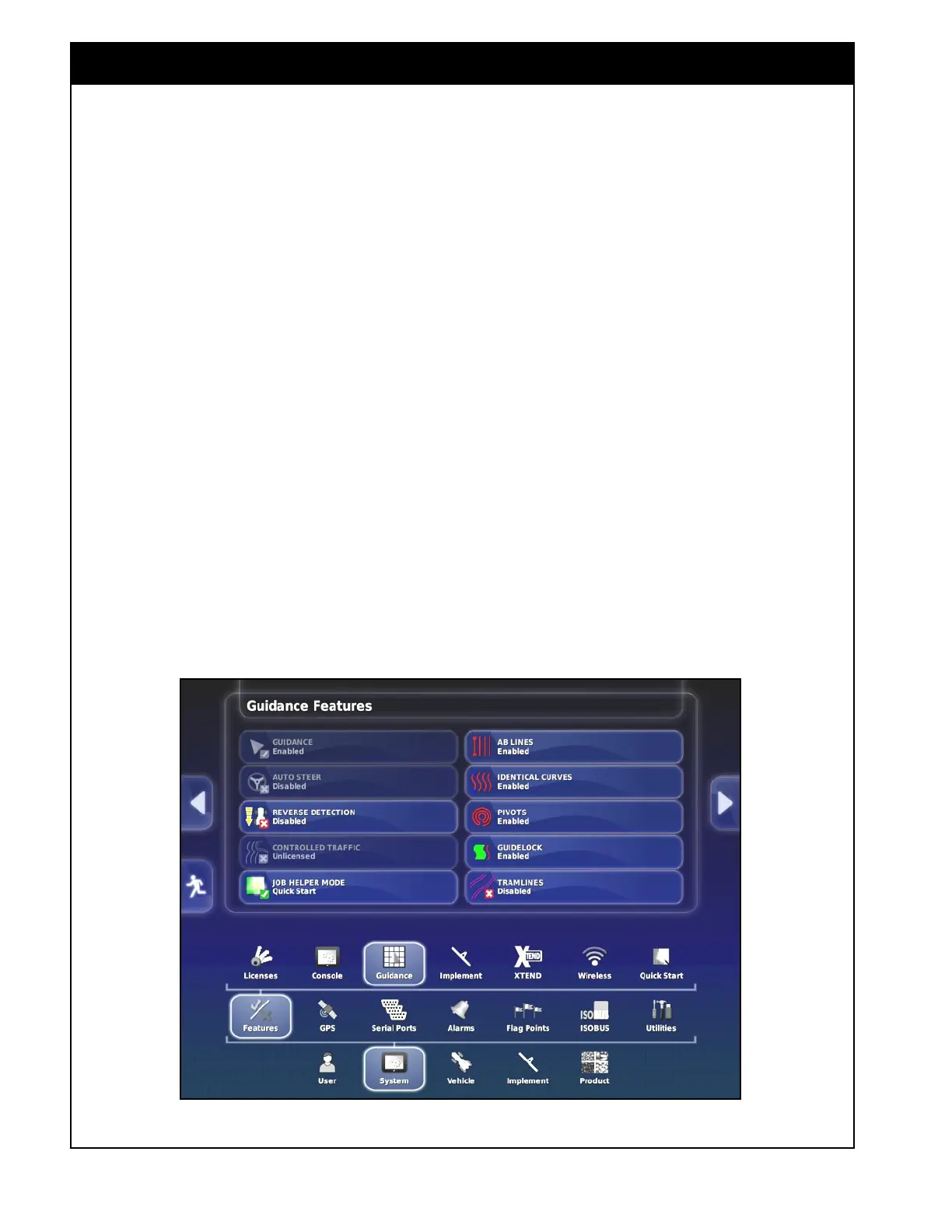
To access the guidance features settings from
the Main Setup menu, select System/Features/
Guidance, refer to Figure 4.3.
1. Guidance - guidance is a standard feature. It
is always enabled.
2. Auto Steer - enables or disables the auto
steer feature, if the vehicle is outfitted with a
Topcon auto steering system such as AES-25.
3. Reverse detection - enables or disables the
detection of a vehicle moving in reverse.
4. Controlled Traffic - this is a locked controlled
traffic feature.
5. Job Helper Mode - allows the user to disable
or select one of the two job helper modes:
Job Assist or Quick Start. An icon for quick
start mode will be displayed on the guidance/
coverage map screen on the right side above
the job/guidance menu.
Figure 4.3 - Guidance Features
a. Job Assist - when the job assist icon
on the guidance/coverage map screen is
selected, it will bring up a window, that
will automatically display some brief
instructions as different job and field
related menus are selected.
b. Quick Start - when the quick start icon
on the guidance/coverage map screen is
selected, it will prompt the operator to
perform an action or enter information that
is required to start/continue with a job.
The quick start help menu is customizable
on the Quick Start setup screen, refer to
Section 4.1.7 - Quick Start.
Note
The rest of the settings on this page are related
to Topcon Auto Steer System. Please refer to the
Topcon Auto Steer Operator’s manual or contact
Topcon Dealer.



 To Next Page