X35 ConsoleOverview
2.4
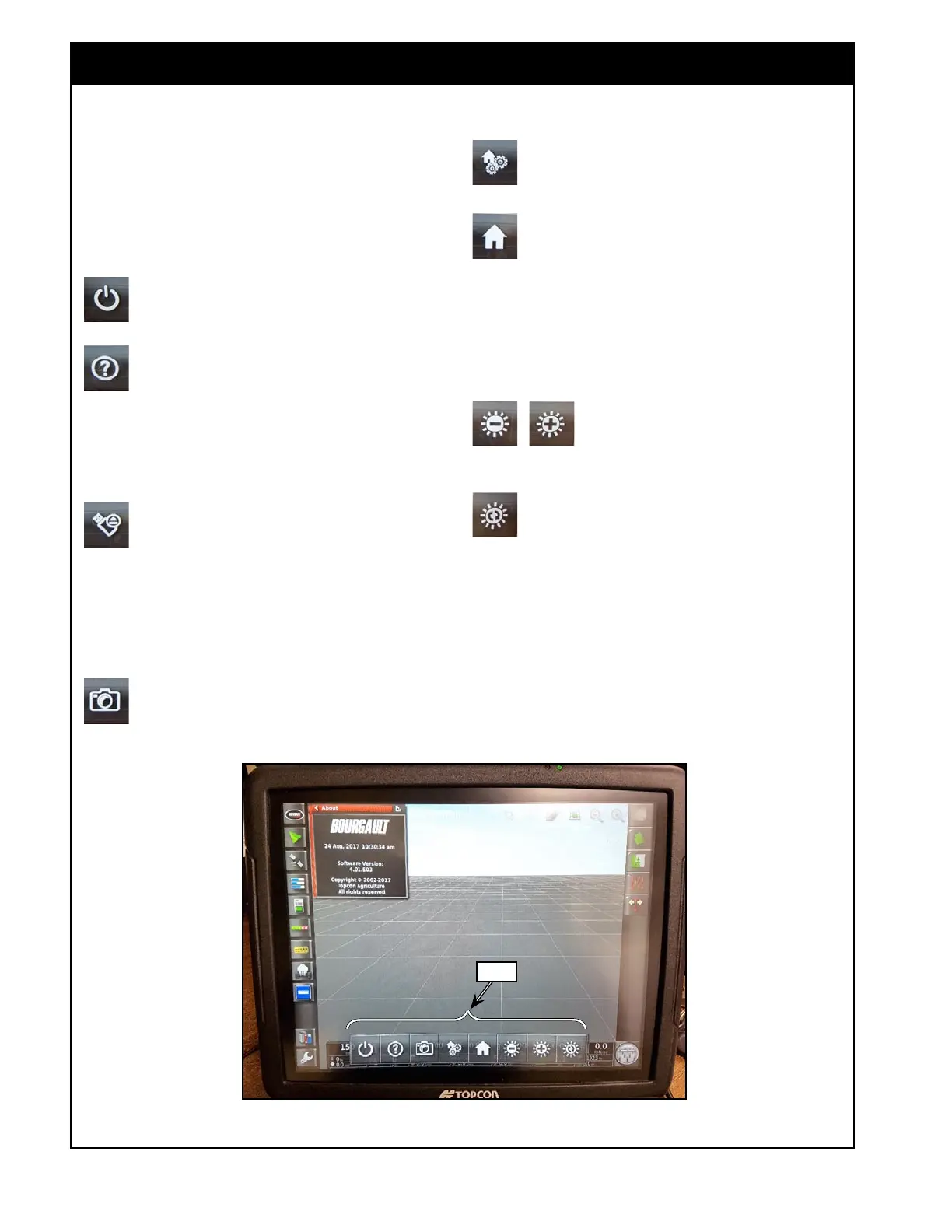
The X35 has some dedicated buttons/controls on
the lower console toolbar which is accessed by
scrolling up from the bottom edge of the screen.
Note: can swipe anywhere on the bottom of the
screen except overtop of any mini-views to access
this toolbar.
The Power Down button prompts you to
continue powering down the console or
cancel.
The Help button provides short descriptions
of the user interface elements on the screen.
Touch the Help button and question marks
appear on the screen next to the icons. Select the
screen element showing a question mark to view
the description. Repress the Help button to exit
this mode.
The Eject USB Media button always needs
to be pressed before removing any USB
devices that are connected to your console
to minimize the chances of damage to the USB
device and to ensure that files are properly saved
onto the device before removing it. A message
will display that it is safe to remove the USB
(only appears when a USB device is inserted).
The Take Screenshot button will take a
screenshot and save it onto a USB storage
device in a folder named “Screenshots”.
(only appears when a USB storage device is
inserted)
The Configure Home Screens button will
open a window to save or replace global
home screens.
The Go to Home Screen button will either
toggle through saved global home screens
or bring up a selection window to select a
global home screen depending on the Global Home
Screen Mode selected in the settings.
For instructions on how to work with global home
screens refer to
Section 2.7 - Working with Global
Home Screens.
The Decrease & Increase Screen
Brightness buttons will increment
the brightness level of the display
as they are pressed.
The Toggle Brightness Mode button will
change brightness of the display to one of
the preset modes: Day, Night or Auto. The
Auto light mode will set the mode automatically
depending on light conditions.
Note: The brightness controls will also change the
brightness of the switchbox LEDs.
2.2 Console Toolbar
Figure 2.6 - Console Tollbar
Tollbar



 To Next Page