X35 Monitor Air Seeder Setup
6.67
6.6.7 Weigh Scales
This allows the optional weigh system to be
integrated into the console to monitor actual
weights. This feature needs to be enabled under
the System/Features/Implement page in order to
show up.
The scale link ECU has 4 channels on it:
- We use the 1st channel (Scale A) for the total
weight of the air seeder.
- use the 2nd channel (Scale B) for the optional
saddle tank if it is installed.
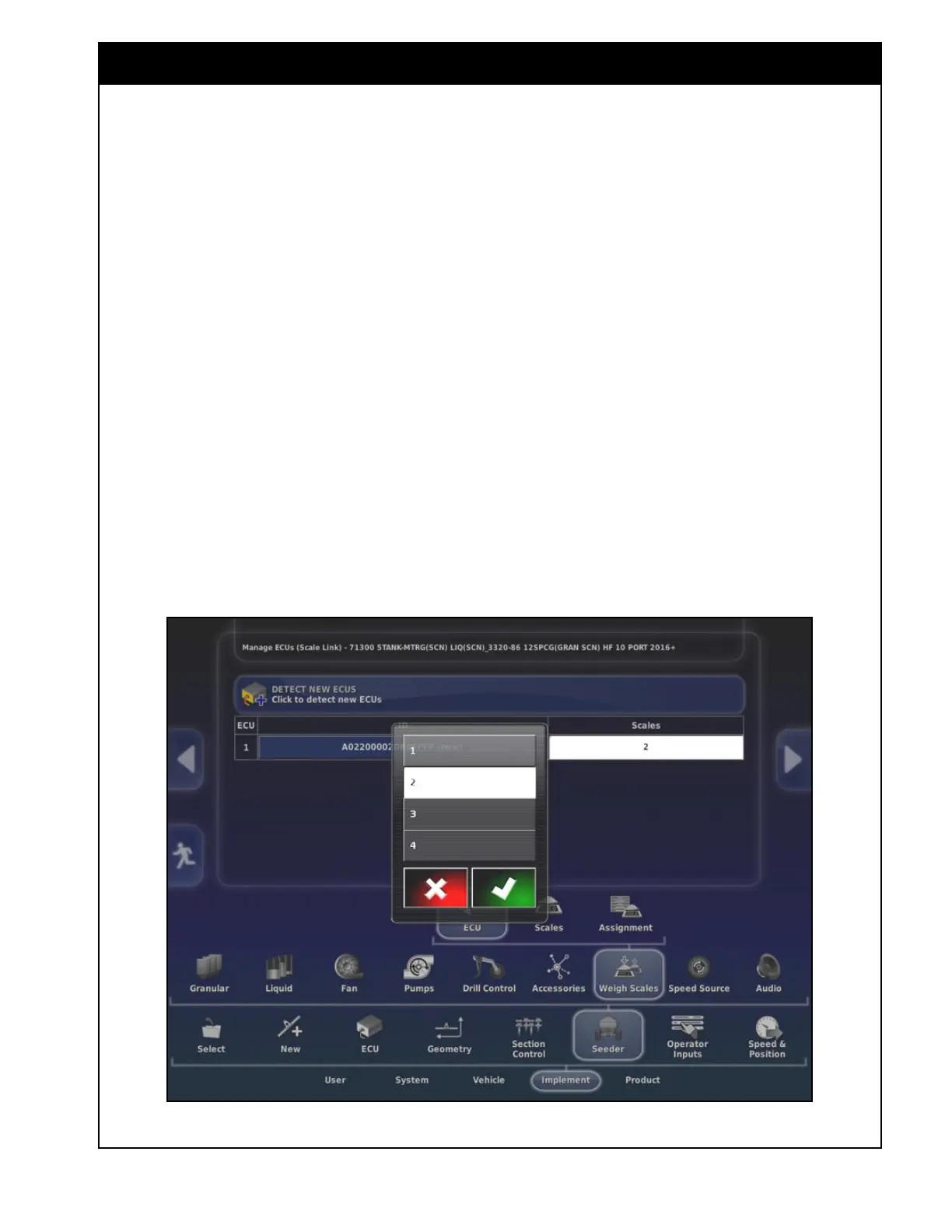
6.6.7.1 ECU
1. The scale link ECU needs to be detected.
Press on the Detect New ECU’s button to
detect the scale link ECU.
2. An ECU will show up in the list with the ID
shown.
3. Select under the Scales column to set how
many scale channels are being used.
a. Set to 1 if no saddle tank is installed.
b. to 2 if the optional saddle tank is
installed.
Figure 6.85 - Weigh Scale ECU - Detect



 To Next Page