X35 Monitor Air Seeder Setup
6.69
6.6.7.3 Assignment
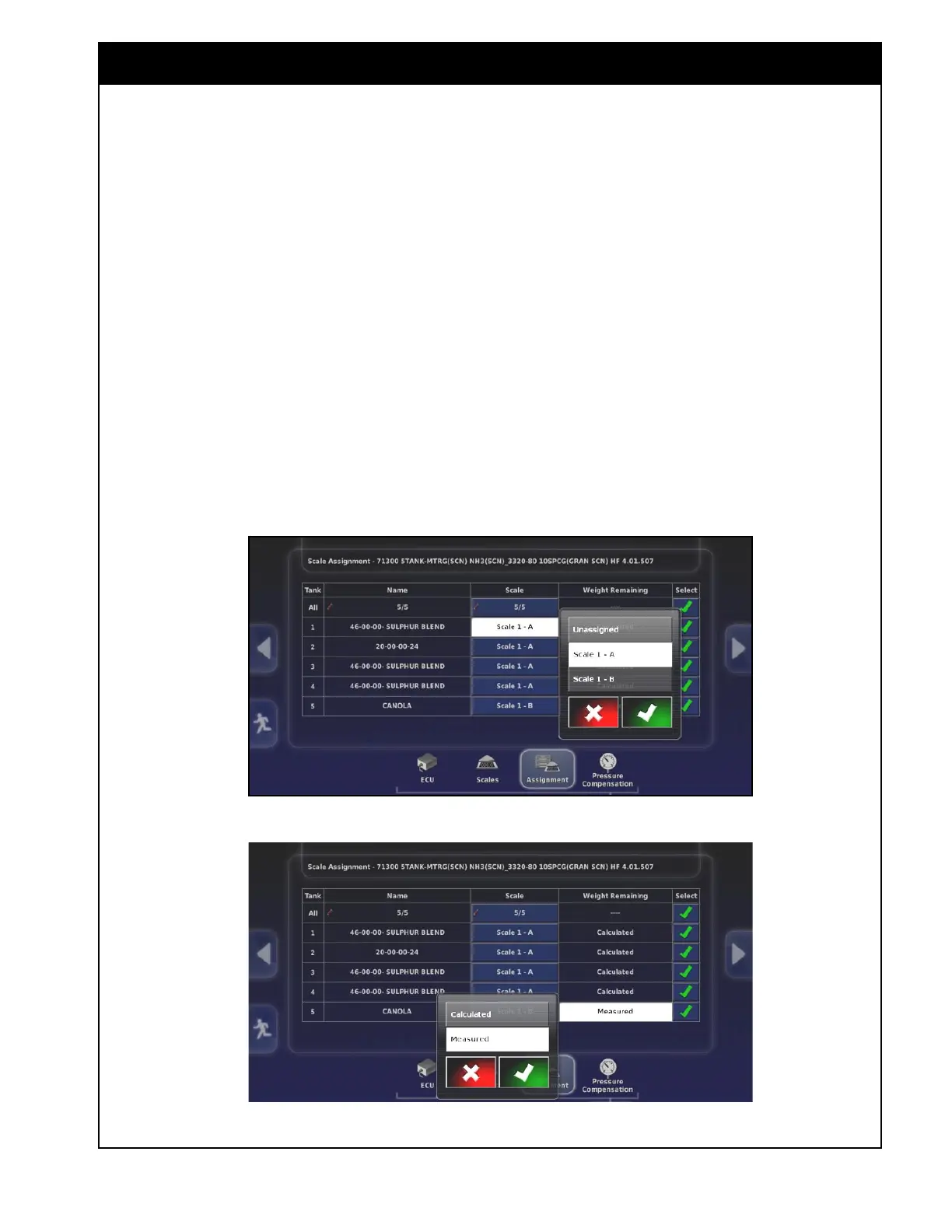
The chart lists all the tanks and the scale channels
they are assigned to.
1. Under the Scale column set the scale channel
for each tank.
a. Set the tanks that are part of the unibody
(tanks 1-4) to Scale 1-A.
b. Set the saddle tank (tank 5) to Scale 1-B.
2. Under the Weight Remaining column set the
tanks with dedicated load cells to monitor the
actual weight.
a. The tanks that are part of the unibody
(tanks 1-4) will default to Calculated.
b. Set the saddle tank (tank 5) to Measured.
Figure 6.87 - Weigh Scale ECU - Assignment
Figure 6.88 - Weigh Scale ECU - Tank Settings



 To Next Page