X35 Monitor Air Seeder Setup
6.5
6.2 Creating a New Implement
Profile
There are 2 options for creating a new implement
profile. Select one of the options explained below.
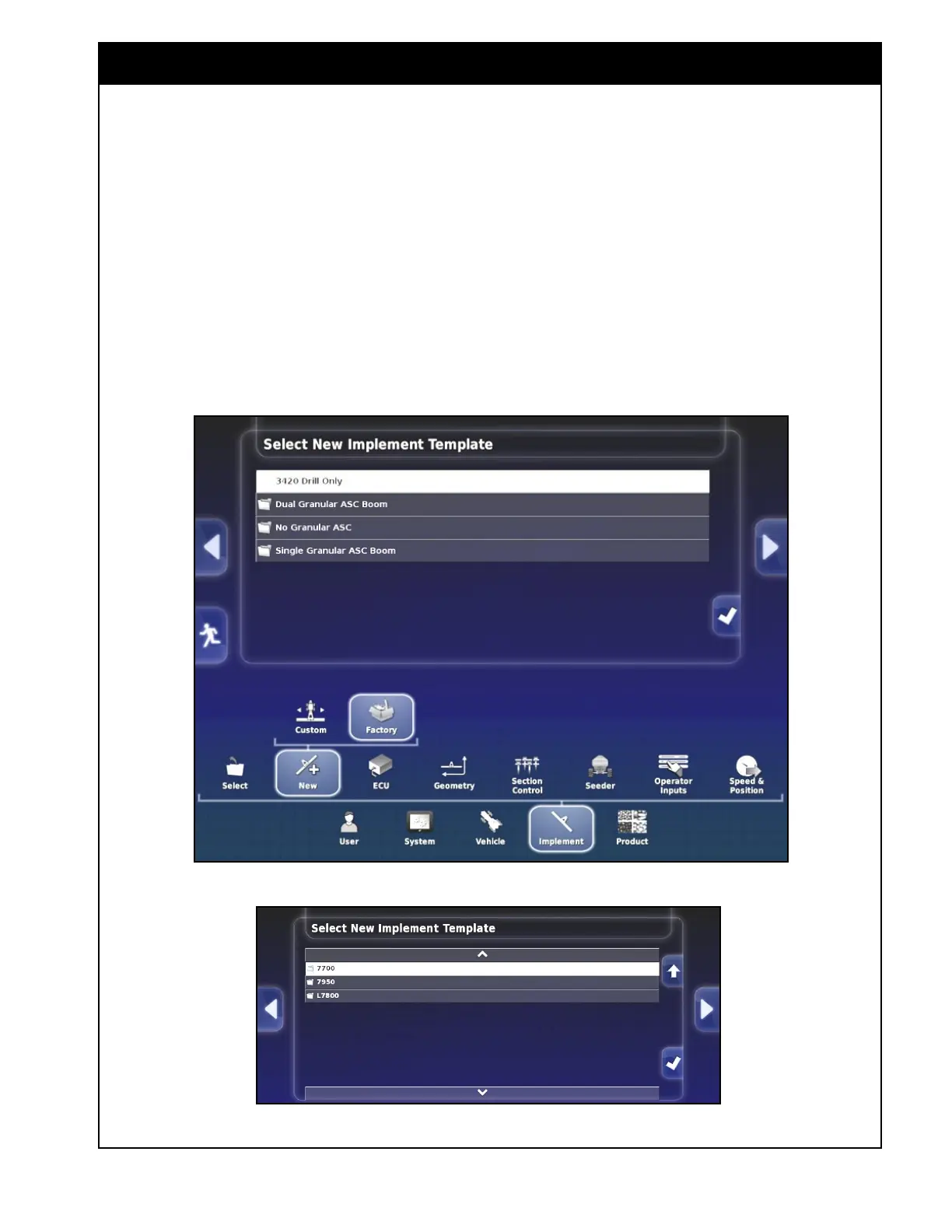
Figure 6.3 - New Implement Based on Factory Template
Figure 6.4 - Selecting Tank Model
6.2.1 Creating a New Profile Based on
Factory Templates
To create new implement profile based on the
factory templates, select the Implement/New/
Factory button and follow instructions below:
1. Select the appropriate folder depending on the
tank configuration, e.g. No Granular ASC or
Single or Dual Granular ASC Boom. Refer to
Figure 6.3.
2. Select a tank model from the list. Refer to
Figure 6.4.



 To Next Page