X35 Console Optional Equipment
13.13
3. During normal operation the Blockage system
status can be checked in one of the following
ways:
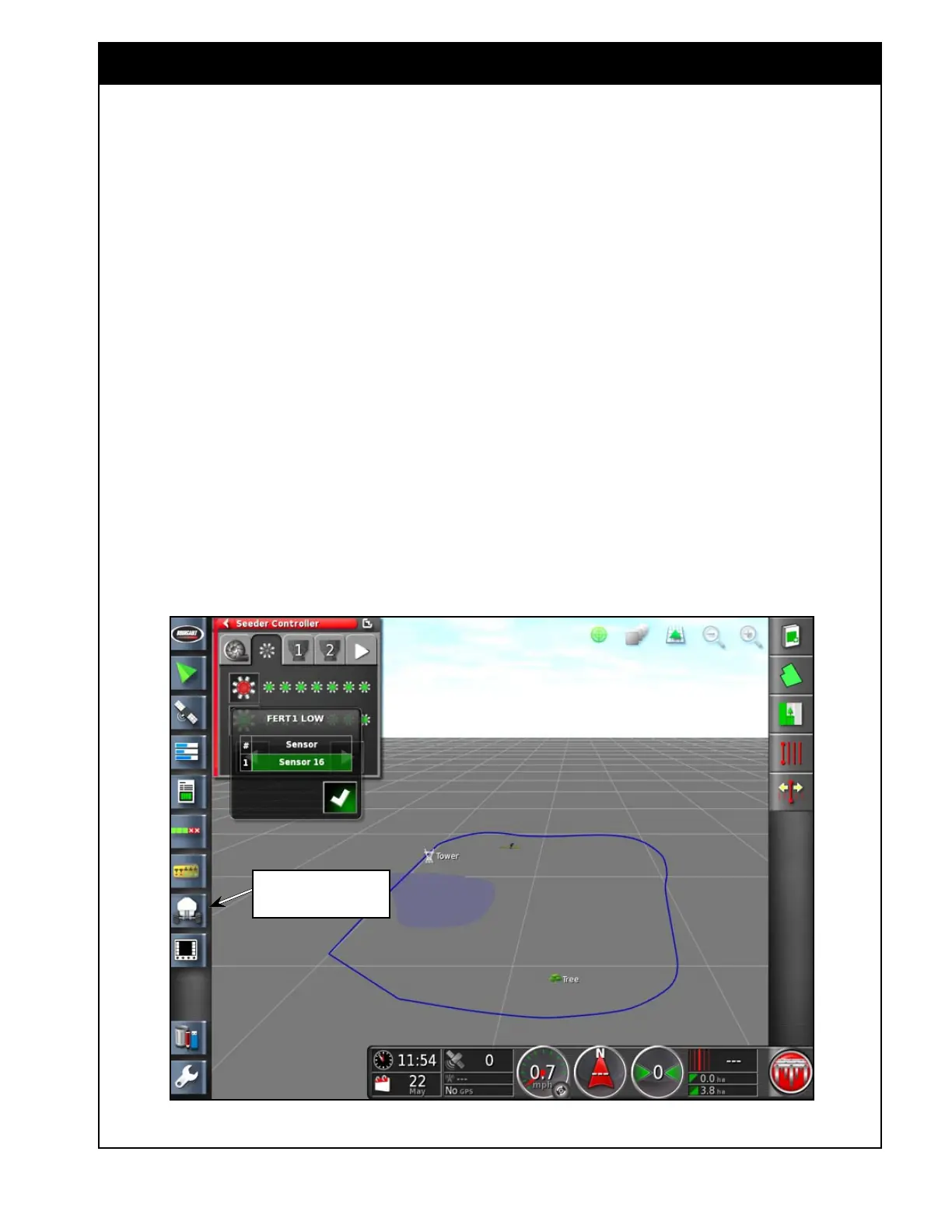
a. With the in Seeder Controller mini-view
window.
i. Open the Seeder controller mini-view
window by selecting air seeder icon,
then select Blocked Head Monitor
tab. Refer to
Figure 13.16.
ii. A window will display all secondary
manifolds on the unit. By pressing
on each manifold it displays the
Head name that can be edited as well
as the sensor assigned to that head.
Figure 13.16 - Blockage System Status
13.3.2 Blockage Monitoring with X35
Console
The EM-24 ECU is installed on the secondary
manifold stand (on the rear left side of the unit)
and communicates with the BH sensors. The
sensors are installed "in-line" on one tertiary line
per secondary manifold. There is a maximum of
20 BH sensors per unit.
The information from this ECU is then sent back
to the X35 console.
To operate the ECU/Sensors:
1. Ensure that the BH sensors and ECU are
installed on the tillage unit.
2. Refer to
Section 6.6.6.2 - Blocked Head
Monitor for more information on setting
the parameters for the blockage sensors and
BHECU.
Select this icon to open
Seeder Controller Mini-View



 To Next Page