X35 Monitor System Settings
4.10
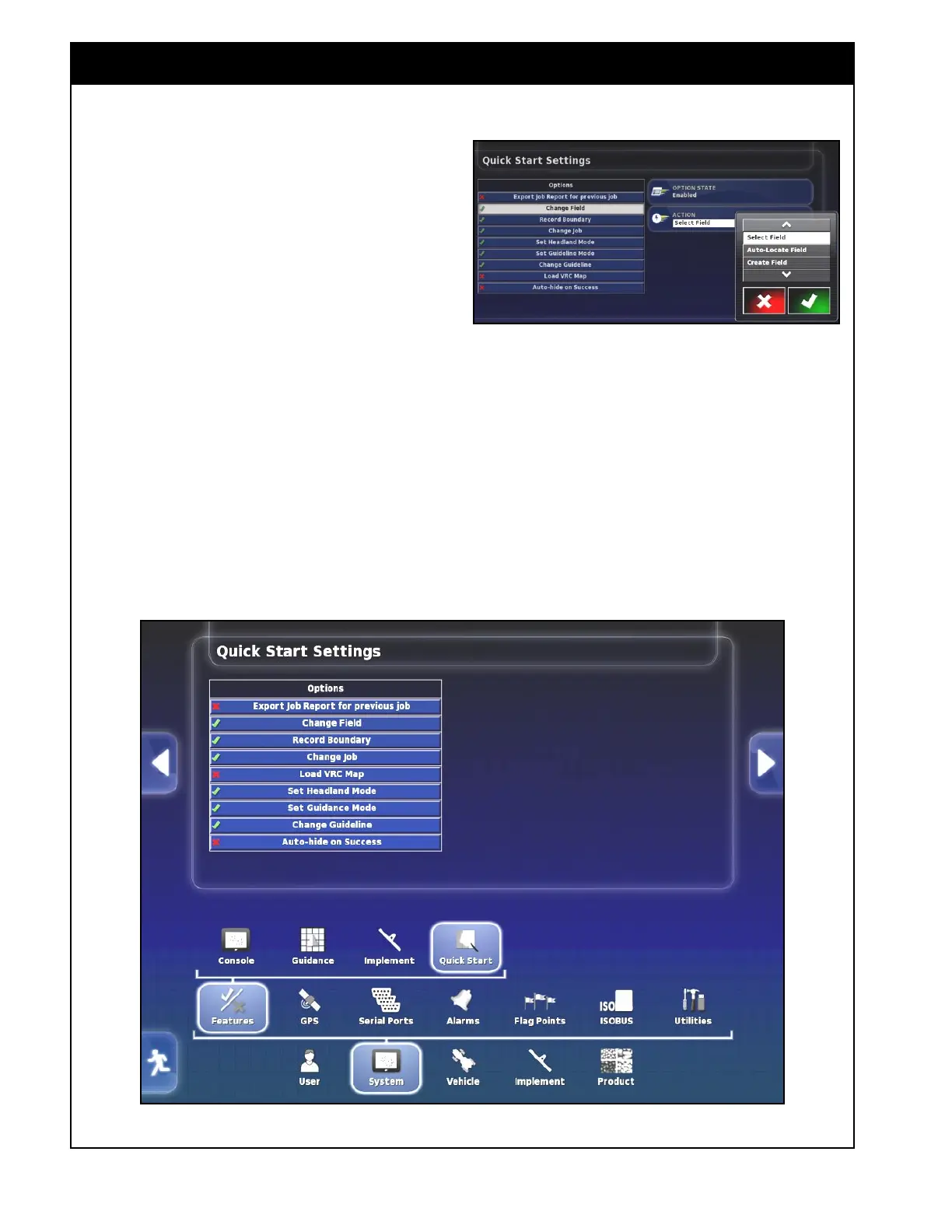
Figure 4.9 - Quick Start Settings
Figure 4.8 - Quick Start - Change Field
4.1.7 Quick Start
When the Job Helper mode is set to Quick Start
(refer to Section 4.1.3 - Guidance), prompts for
specific jobs that will be carried out, can be
customized under System/Features/Quick Start.
There are several options that can be enabled or
disabled. A green checkmark beside the option
indicates that option is enabled, a red cross
indicates that option is disabled.
1. Export Job Report for Previous job - will
automatically export a job report for the
previous job, to the inserted thumbdrive.
2. Change Field - will prompt to select or create
a field, or will select the closest field to a
current location.
3. Record Boundary - will prompt to record a
boundary.



 To Next Page