X35 Monitor System Settings
4.25
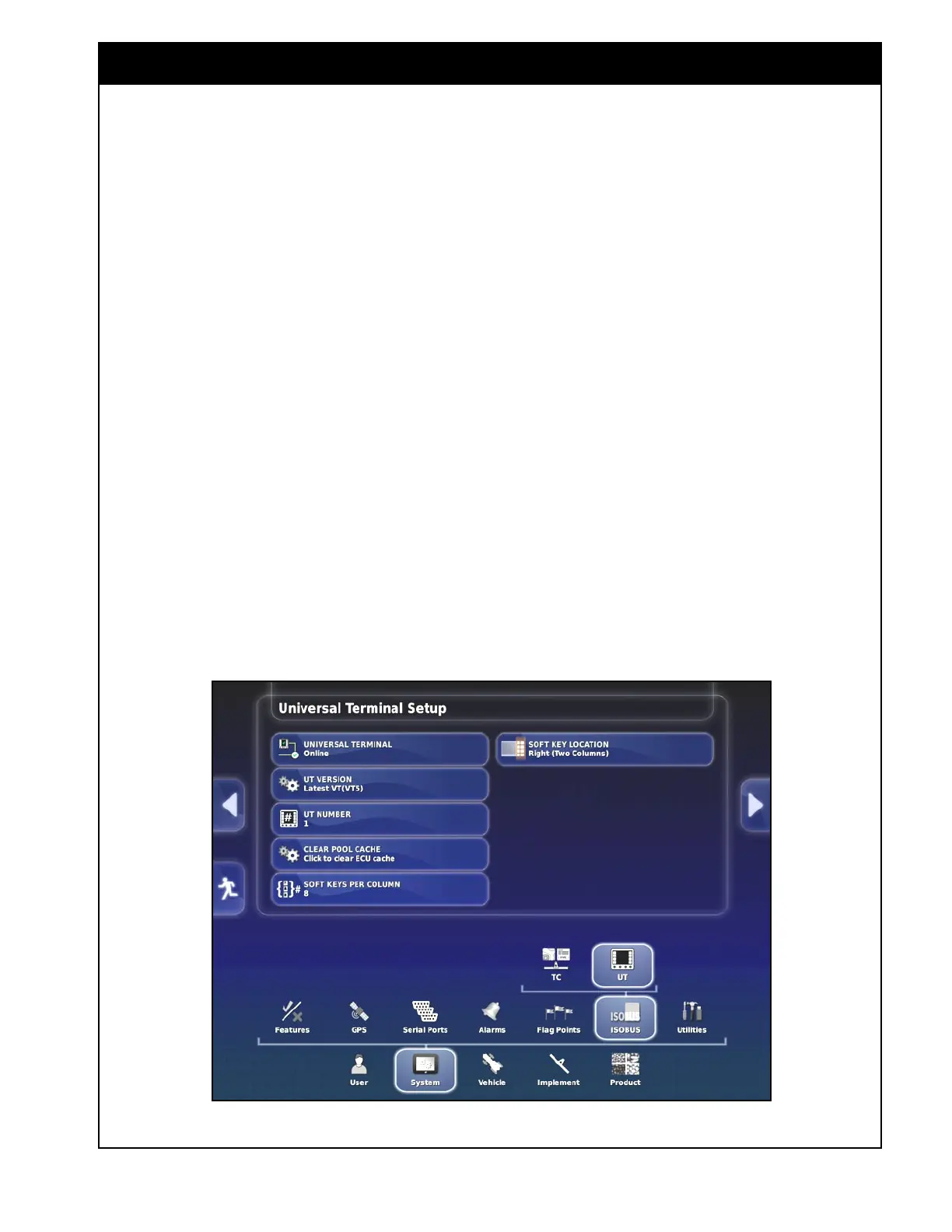
Figure 4.32 - Universal Terminal Settings
4.6.2 Universal Terminal Setup
Access UT (Universal Terminal) settings through
System/ISOBUS/UT (this tab only appears if the
UT is enabled under System/Features/Console).
Configure the UT for operating ISO programs
which are accessed from the left panel on the
operation screen.
1. Universal Terminal - this can be set to online
or offline mode, depending if it is interfering
with other terminals on the ISOBUS..
2. UT Version - set the universal terminal
version.
3. UT Number - can be set to the desired UT
number if multiple displays on the same
ISOBUS (#1 is the primary display).
4. Clear Pool Cache - clears contents of
universal terminal cache, used if error is
displayed.
5. Soft Keys Per Column - can be configured
for the desired size of keys on the UT display.
6. Soft Keys Location - options for configuring
the soft key layout on the UT display..



 To Next Page