X35 Monitor Air Seeder Setup
6.68
6.6.7.2 Scales
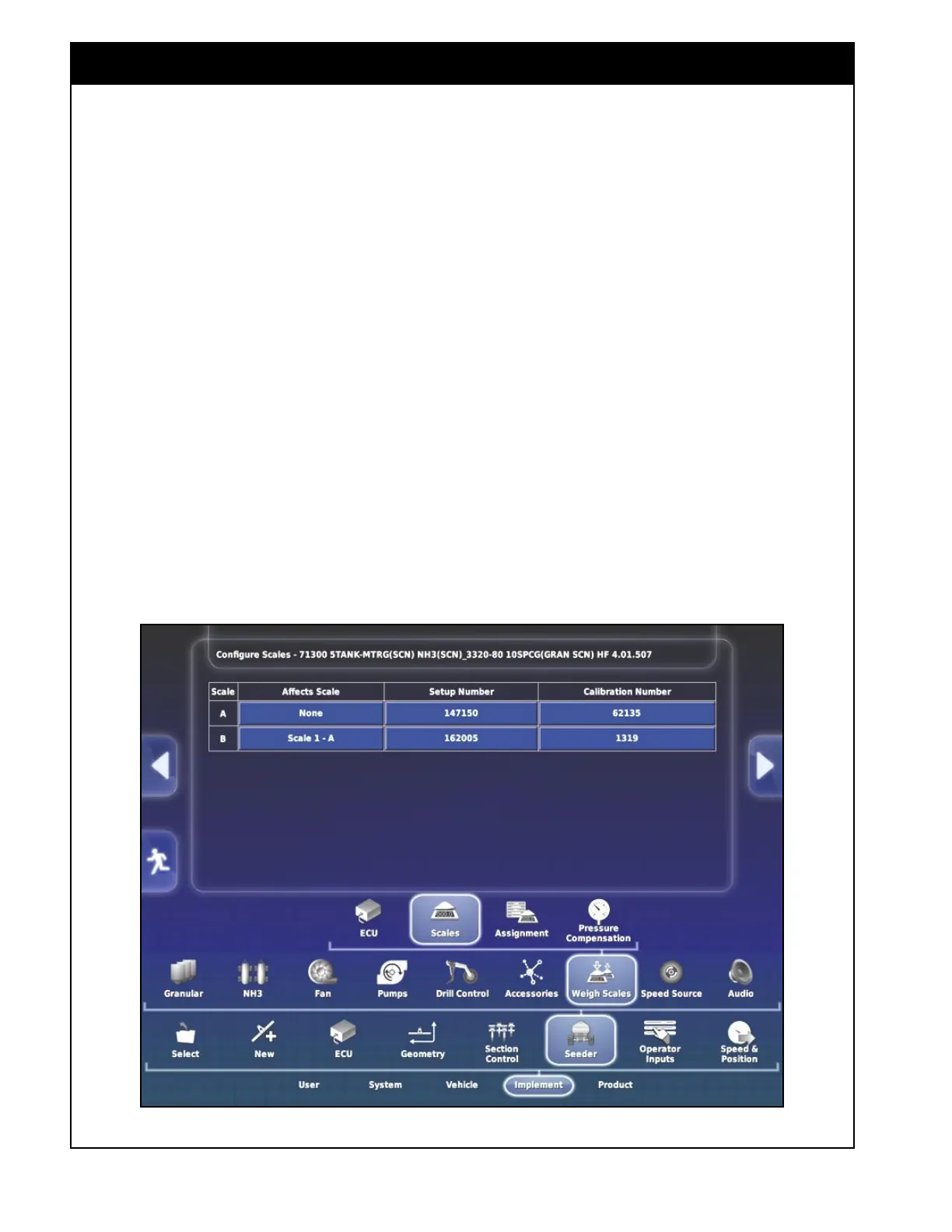
This tab allows you to configure the specific scale
channels. Scale A is configured as the total weight
of the tank. Scale B is the saddle tank if installed.
1. Affects Scale - this setting ensures the weights
are being accounted for when one scale weight
is also being applied to another set of scales.
a. If there is a saddle tank installed then
under the Affect Scale column for the
Scale B row set to Scale 1-A.
b. This will ensure the saddle tank weight is
accounted for in the total weight of the air
seeder.
2. Setup Number - set the appropriate setup
number for each scale channel. This is a
factory setting that is calculated based on the
specific load cells used.
Figure 6.86 - Weigh Scale ECU - Scale Setting
Important
The setup numbers should not be changed from
the factory settings.
3. Calibration Number - set the appropriate
calibration number for each scale channel.
The theoretical value is calculated but can
be adjusted to be more accurate based on a
known weight.
Refer to
Section 13.4 for the model specific factory
setup and calibration numbers and for the weigh
scale calibration procedure.



 To Next Page