X35 Monitor Air Seeder Setup
6.24
6.3.2 ECU Manage
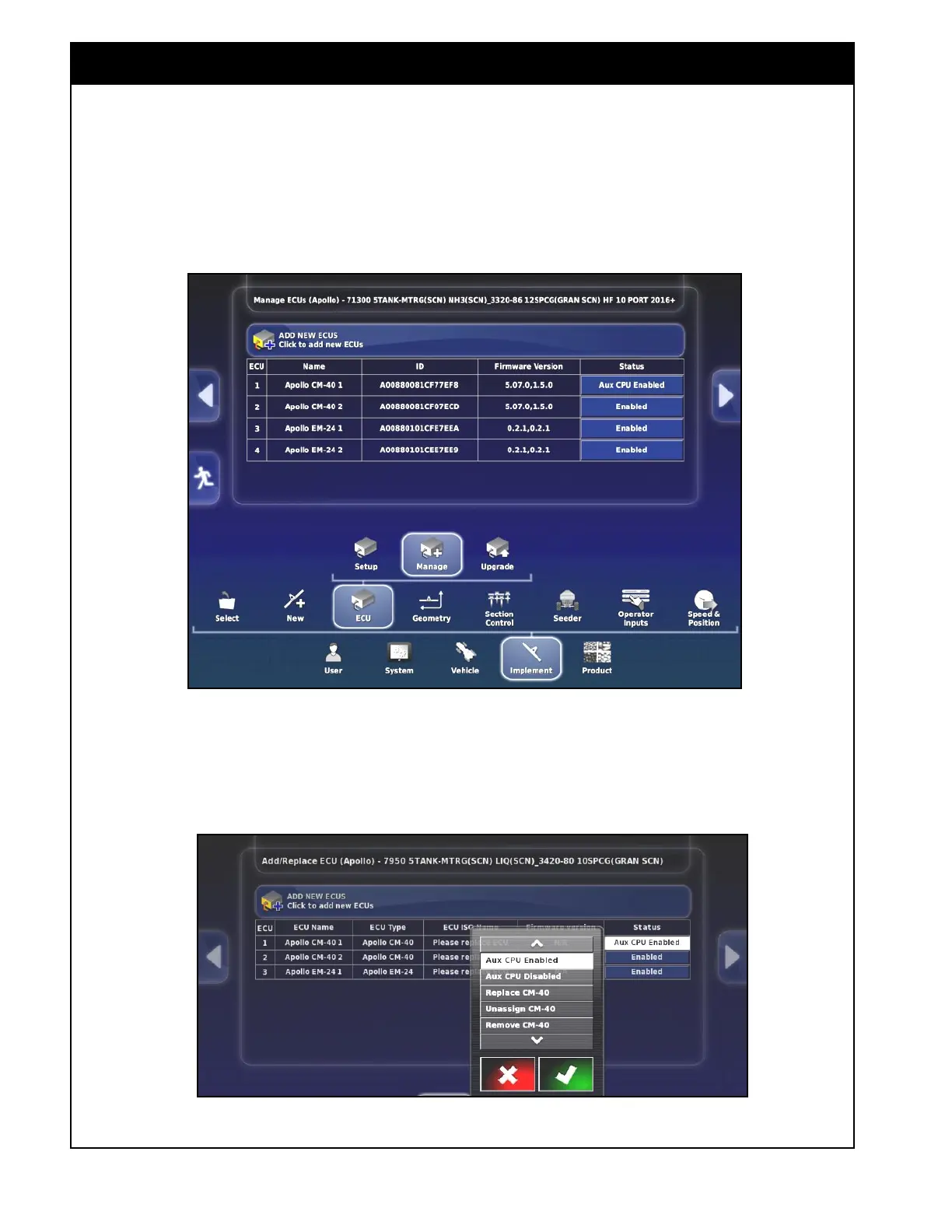
This section is used to detect, add or replace an
ECU. Select the Implement/ECU/Manage button.
Refer to
Figure 6.33.
Figure 6.33 - ECU Manage
1. Select the button in the Status column for the
ECU that needs to be detected or replaced.
Refer to Figure 6.34. A menu window will
appear.
Figure 6.34. - Add / Replace ECU - Status
Important
When creating a new factory profile all of the
ECU's need to be detected individually.



 To Next Page