X35 Monitor Air Seeder Setup
6.61
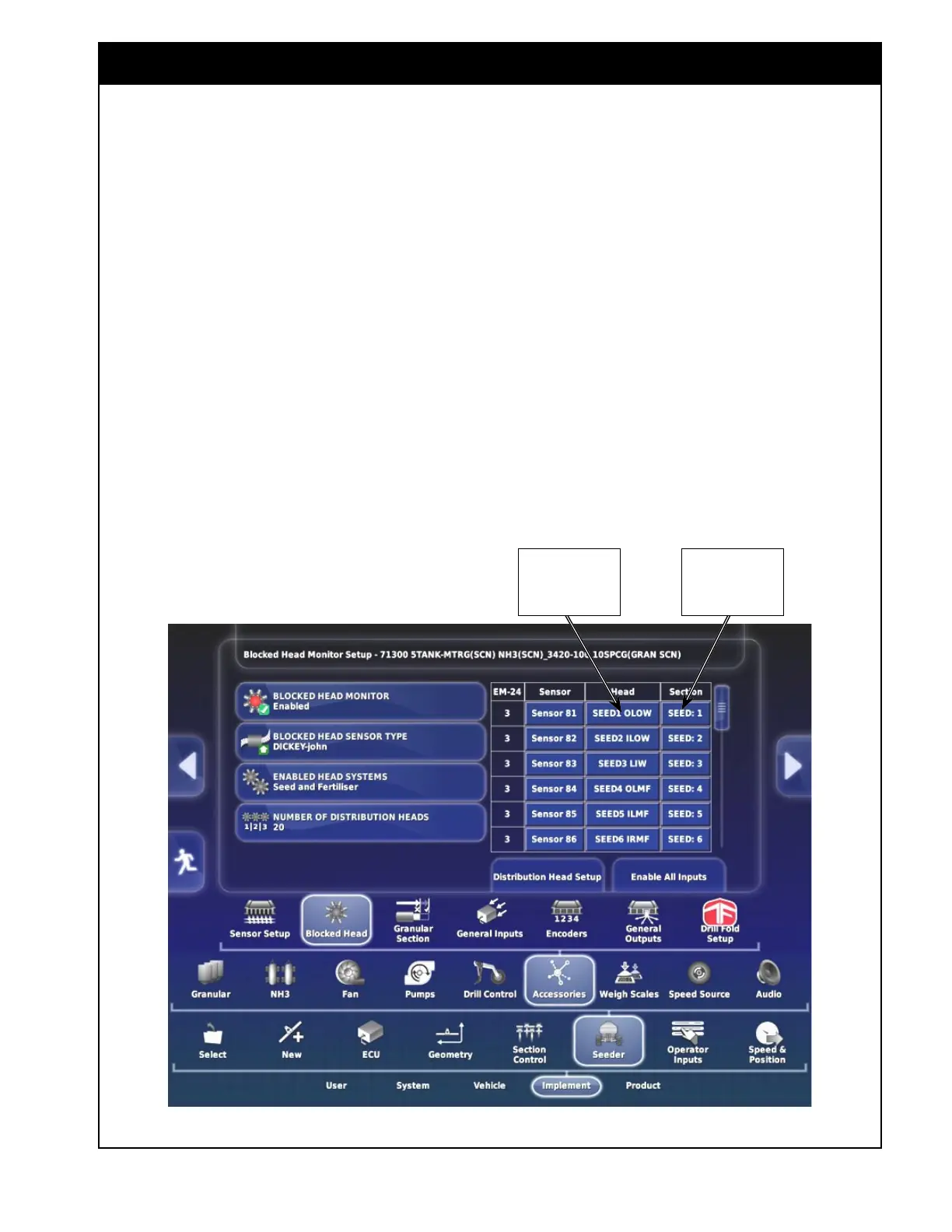
Figure 6.81 - Detect and Assign Sensors
4. Number of Distribution Heads - enter the
number of secondary manifolds on the tillage
unit.
a. enter: 6, 8 or 10 for Single shoot.
b. enter: 12, 16 or 20 for Double shoot.
c. For example (for double shoot): if there are
8 seed manifolds and 8 fertilizer manifolds,
the total number you would enter is 16.
i. In the table, seed heads will be
numbered 1-8 (from left to right
of machine), and fertilizer heads
numbered 9-16 (from right to left of
machine).
d. A list of the Distribution Heads will be
shown, refer to
Figure 6.80.
i.
Each distribution head can be re-
named by selecting a button for
specific distribution head, an input
screen will appear to input the
desired description.
ii. For example: SEED1 LOW (seed 1
left outer wing), SEED5 RMF (seed
5 right main frame), FERT6 IRIW
(fertilizer 6 inside right inner wing).
iii. The naming convention in this
example is also used to name heads
for a factory profile.
5. Select Configure Sensor Inputs button.
a. Select Enable All Inputs, Refer to
Figure
6.80. A list of sensors will appear.
b. Each sensor can be re-named by selecting
it in the table area.
i. An input screen will appear allowing
you to enter the desired description.
ii. For example: S1 H1 (Sensor 1 on
Head 1).
Set the
corresponding Head
for each sensor
Set the
corresponding
section for each
sensor



 To Next Page