X35 Console Overview
2.17
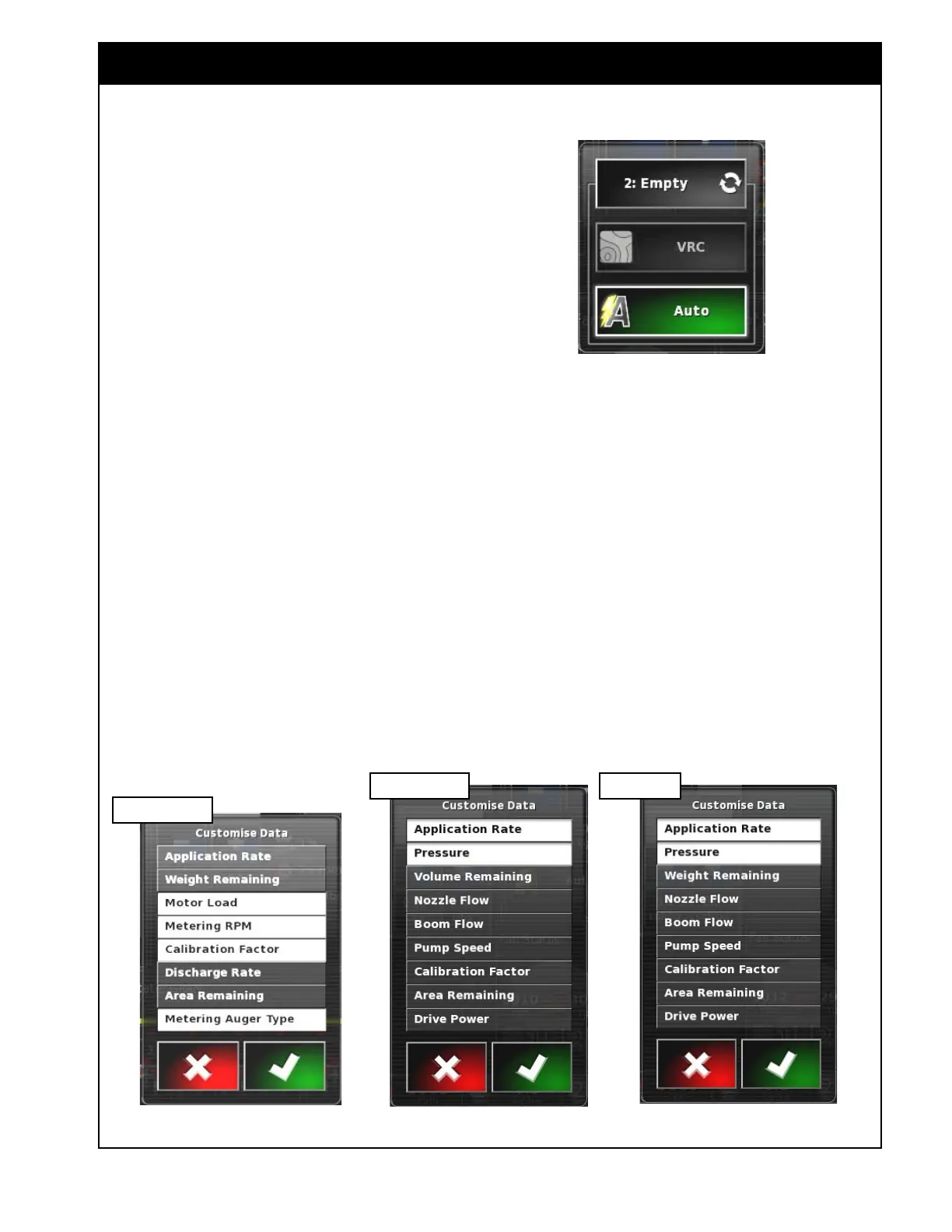
G Rate Control Mode selector - appears only
when the Variable Rate Control is enabled in
Setup/System/Features/Implement and allows
you to select a VRC or Auto control for a
specific tank or all products. Refer to Figure
2.25.
H Viewing Area 1 - displays data related to
the specific tank. This can be customized to
display up to two parameters. When selected,
a Customize Data window will open with a
list of available parameters to be displayed,
refer to Figure 2.26 and Section 2.6.3.1 - Tank
Parameters. Selected items will have white
background.
I Viewing Area 2 - displays data related to
the specific tank. This can be customized to
display up to five parameters. When selected,
a Customize Data window will open with a list
of available parameters to be displayed, refer
to Figure 2.26 and Section 2.6.3.1 - Tank
Parameters. Selected items will have white
background.
Note
Refer to Figure 2.26. Depending on the tank
(granular, liquid or NH3), the list of parameters in
the Customize Data window will be different.
Figure 2.25 - Rate Control Mode Window
Figure 2.26 - Customize Data Window
Granular Tank
Liquid Tank
J Tank Panel Title Bar - displays the name
of the tank (Bin # or Tank #, product name
or empty, or custom name) depending on the
settings, refer to Section 6.6.1 - Granular
Setup and 6.6.2 - NH3/Liquid Setup.
K Product Selection - when selected it will open
up the product setup window for the tank,
where you can select the product for the tank
and adjust the details. Refer to Section 8.1
- Selecting Product.
L Tank Fill - when selected it will open the
Tank Fill Window that is used to add weight/
volume of the product used in the tank. Refer
to Section 8.2 - Filling The Tank.
NH3 Tank



 To Next Page