X35 Monitor System Settings
4.18
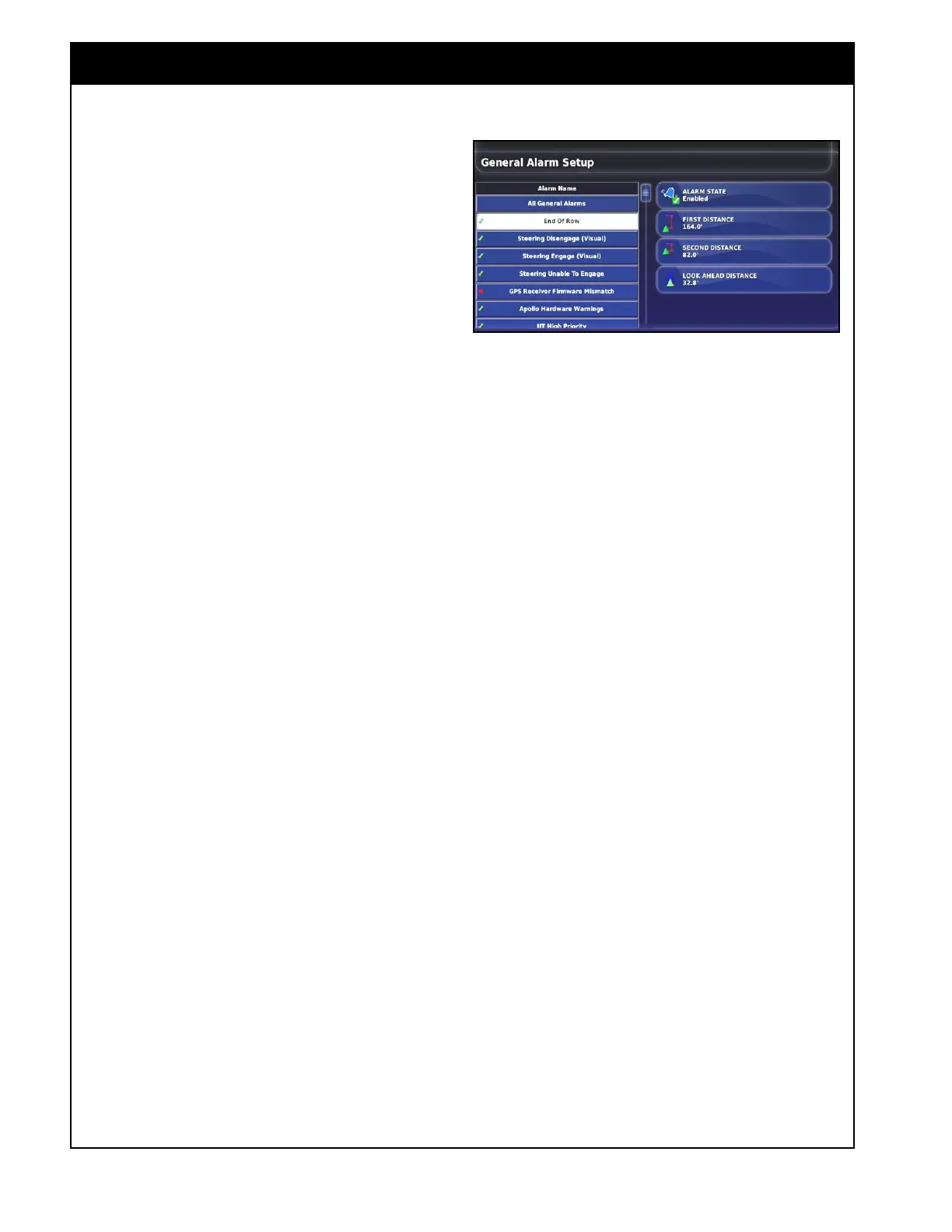
2. End of Row - this alarm will sound and
display when the vehicle is approaching the
boundary at the end of the row It is to notify
the operator to slow down and prepare for
manual control.
For the End of Row alarm to sound, auto
steering must be enabled (in Topcon systems
only). If there is no auto steering, the Look
Ahead Distance function can be used to set
a distance in front of the vehicle icon on the
console screen.
a. First distance - enter the distance where
you want the first alarm to sound. This is
a distance where there is enough time to
get ready for the turn.
b. Second Distance - enter the distance
where you want a second alarm to sound.
This is a distance where you have to
immediately take control of the vehicle.
Note
Distance is measured from the tractor to the
boundary along the wayline.
c. Look Ahead Distance - this provides a
display line in front of the vehicle icon on
the guidance screen, when auto steering is
not in use.
This visual indicator is designed to
assist you in estimating the distance on
the console screen for improved manual
steering performance.
3. The remainder of the alarms only have one
setting Alarm State, and it is used to enable or
disable that alarm.
Figure 4.20 - End of Row Alarms



 To Next Page