X35 Monitor Air Seeder Setup
6.7
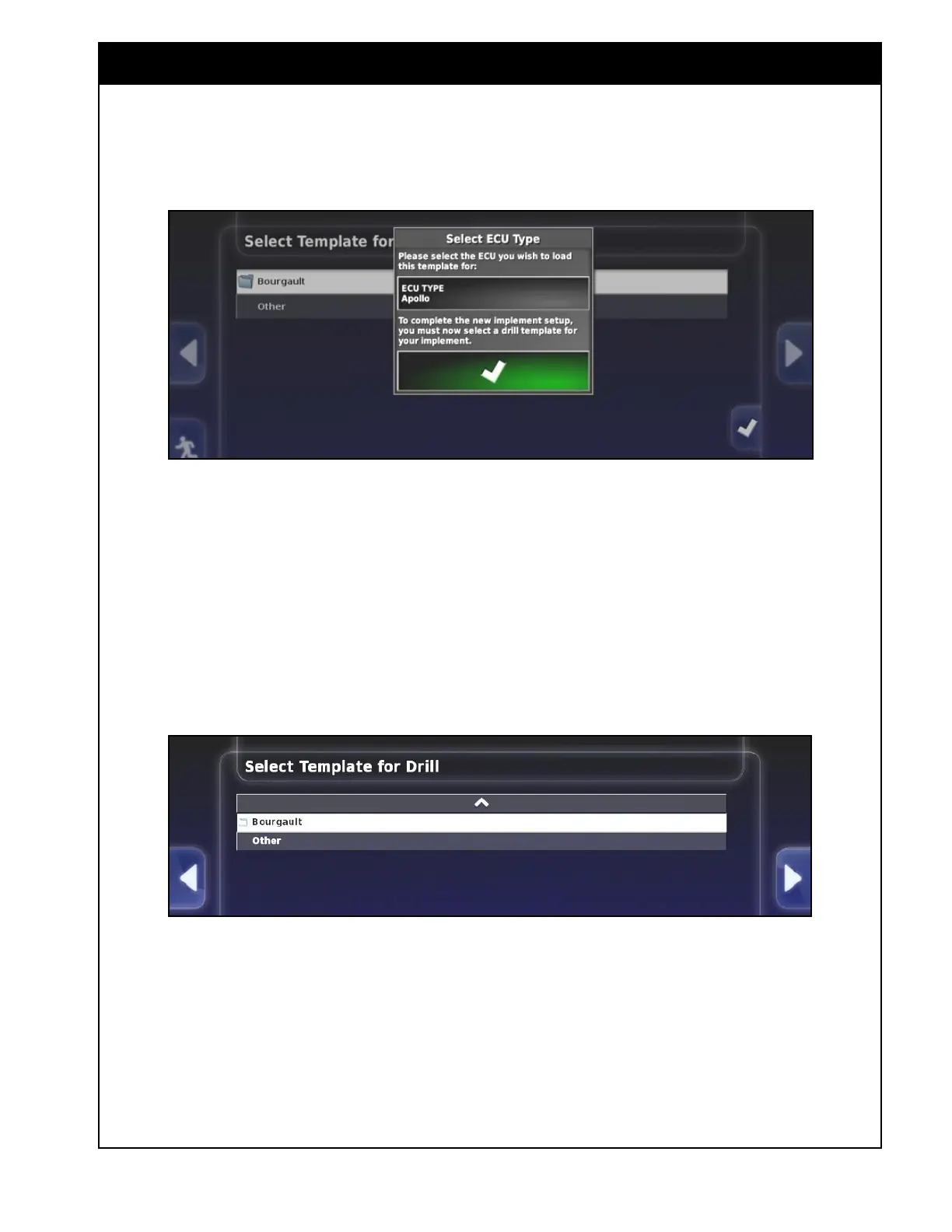
4. Select the appropriate ECU Type which is
Apollo for new machines.
5. Select a Template for a Drill
a. Bourgault - select this for Bourgault units.
If your drill isn’t on the list or you have
a non-Bourgault drill select a similar drill
and use as a template to modify and match
your drill.
b. Other - will not apply specific Bourgault
settings and will require extra user inputs.
6. If Bourgault was selected the next screen
will show the configuration folder. Once the
configuration folder is selected, the list of
drill sizes will be displayed. Select your drill
size. Then a list of configurations (spacing,
presence of granular sectional control, optional
high flotation) for the selected size will appear.



 To Next Page