Trend AuroraPlus User Guide
5-34 429850
Press SCROLL to display further options, then choose
NEBE-FEBE.
Counts for NEBE and FEBE are displayed.
Note
The maximum FEBE/NEBE count is 256; once this number
is reached no further errors are shown. Both counters are
reset after being read.
Checking AuroraPlus's Status and the Line
Voltage
+
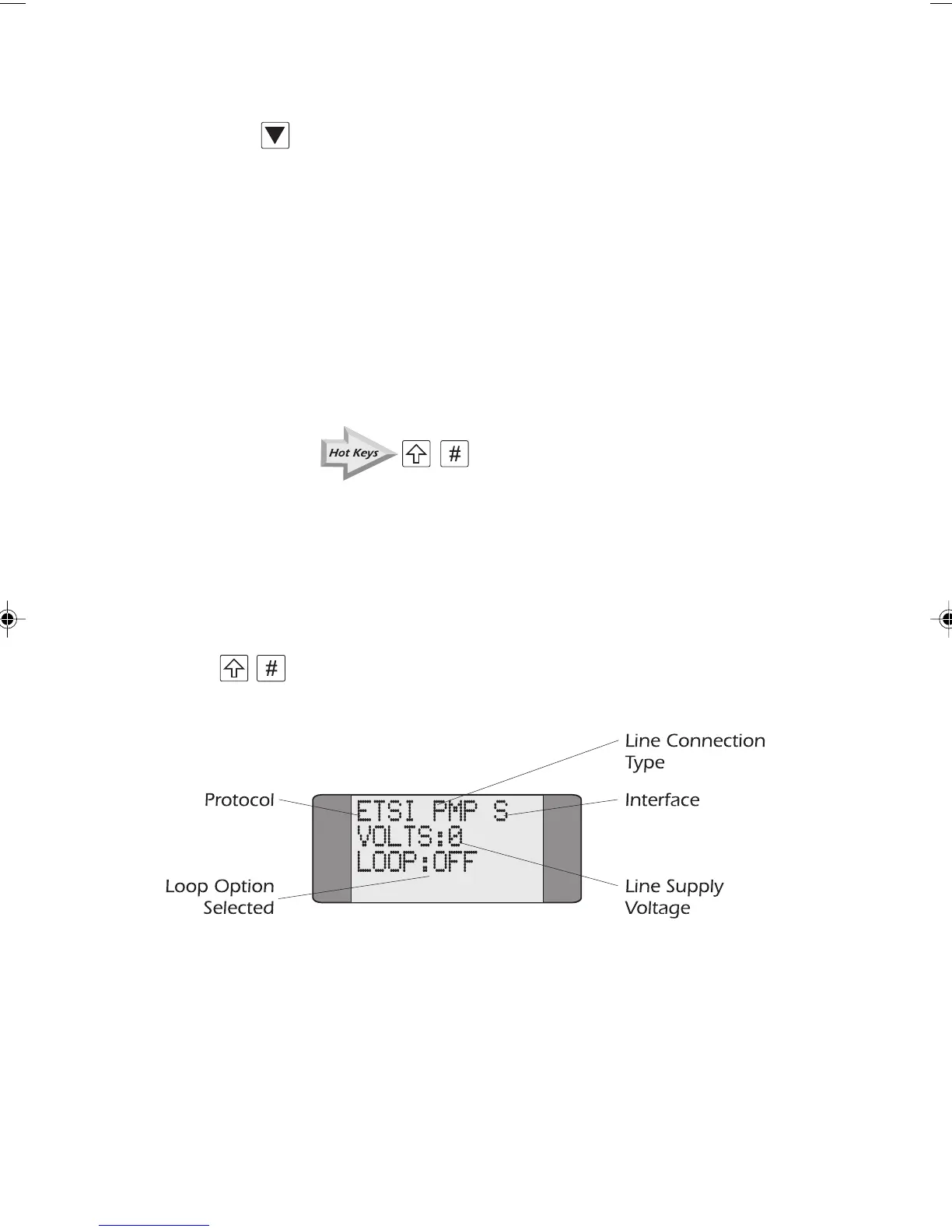
The AuroraPlus Status Check displays the unit's current
settings. It shows the protocol, the line connection type on
layer 2 (i.e. Point-to-Point or Point-to- Multipoint), the
interface, the line supply voltage and the Loop option
selected. You can run this check from any screen.
+ Press SHIFT and HASH (#) to trigger the Status Check. A
screen similar to the following is displayed:
Chap05.P65 01/05/01, 09:1334



 To Next Page