Setting up your AuroraPlus
Issue 5 - 04/01 3-17
Choose the required level. An asterisk (*) appears next to the
current selection.
Press the ENTER key to confirm your choice.
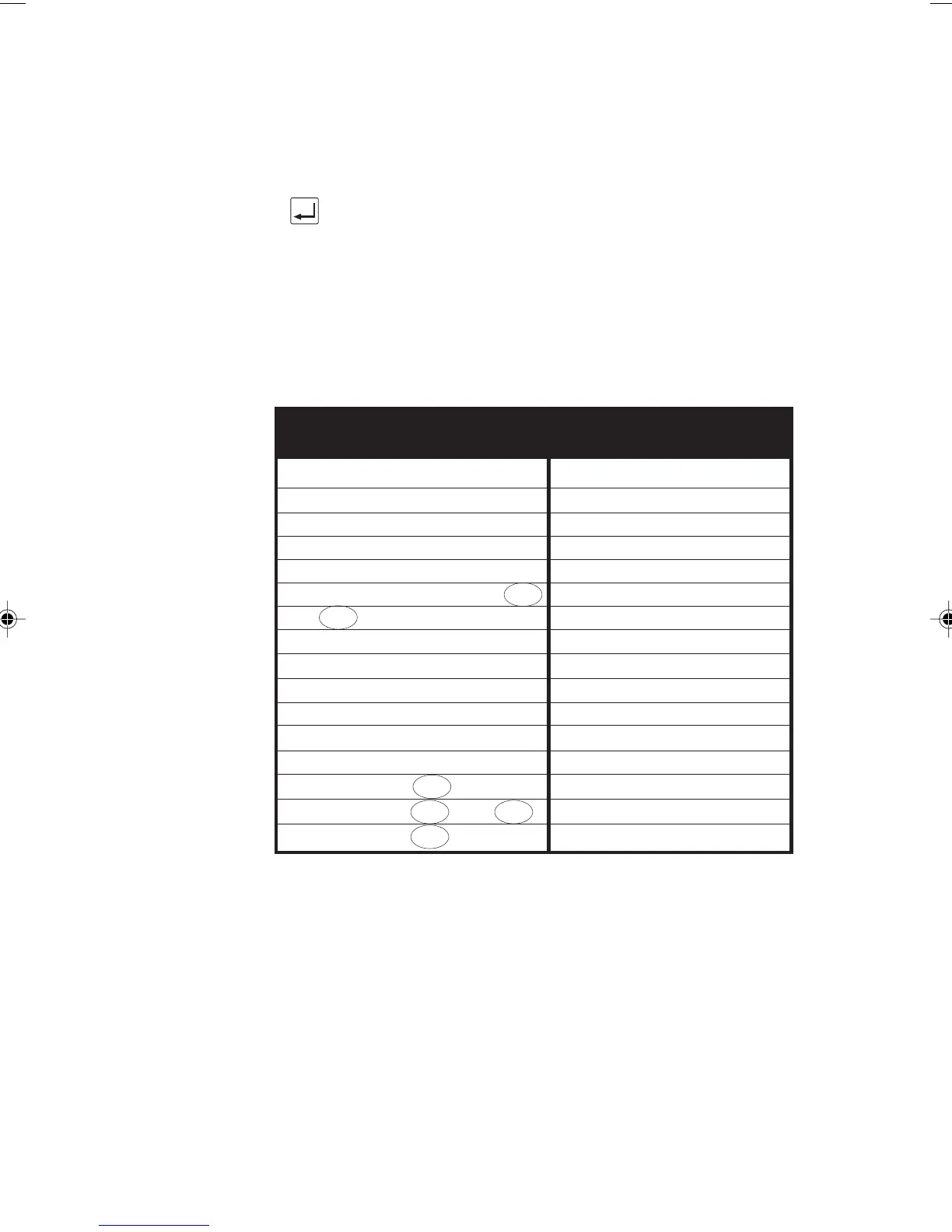
Default Settings
The following table shows the factory default settings for
AuroraPlus. You can reset these defaults using Self Test Facility
code '13' - please refer to Self Test Functions in Chapter 5
for further information.
Factory Default Settings
Protocol ETSI
Bus Configuration Point to Multipoint (PMP)
Service Type Telephony (ISDN-TEL)
B Channel Bx
Encoding A-law
Calling Line Identity (CLI) No Entry
EAZ 0
CPN Sub-address No Entry
Call Redial No Entry
Speed Dialling No Entry
Call Screening Off
CPN Screening No Entry
CLI Screening No Entry
EAZ Screening 0
BERT Duration and 1 minute
BERT Duration 5 minute
ETSI
ETSI
1TR6
1TR6
TPH
1TR6
Chap03.P65 30/04/01, 16:3217



 To Next Page