Trend AuroraPlus User Guide
2-2 429850
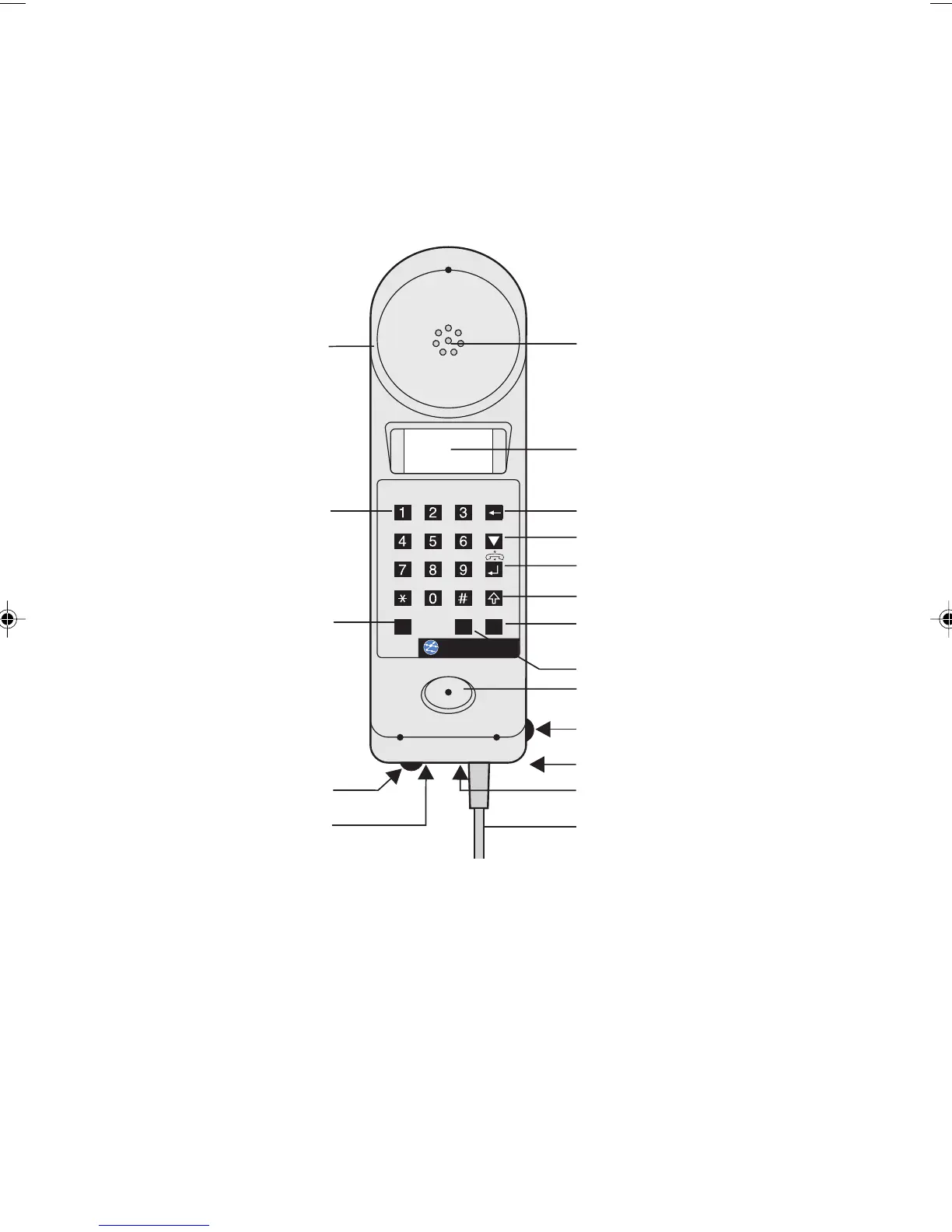
A Look at AuroraPlus
Controls, switches and connections are shown in the
following illustration.
LCD Display
Earpiece
Clear button
Keypad buttons
0...9, & #
*
Loudspeaker Monitor
(optional)
POTS Check switch
Serial Port
Scroll button
Shift button (Yellow arrow)
Termination switch
Enter button
Mouthpiece
S&UorAnalogue
Connection cable
(interchangeable)
Charging socket (optional)
ISDN/POTS switch (optional)
Battery/Charging Switch (optional)
Charging LED (optional)
Change-over
switchU-S
AuroraPlus
Chap02.P65 30/04/01, 16:302



 To Next Page