Using 3D Guidance in the Field 5
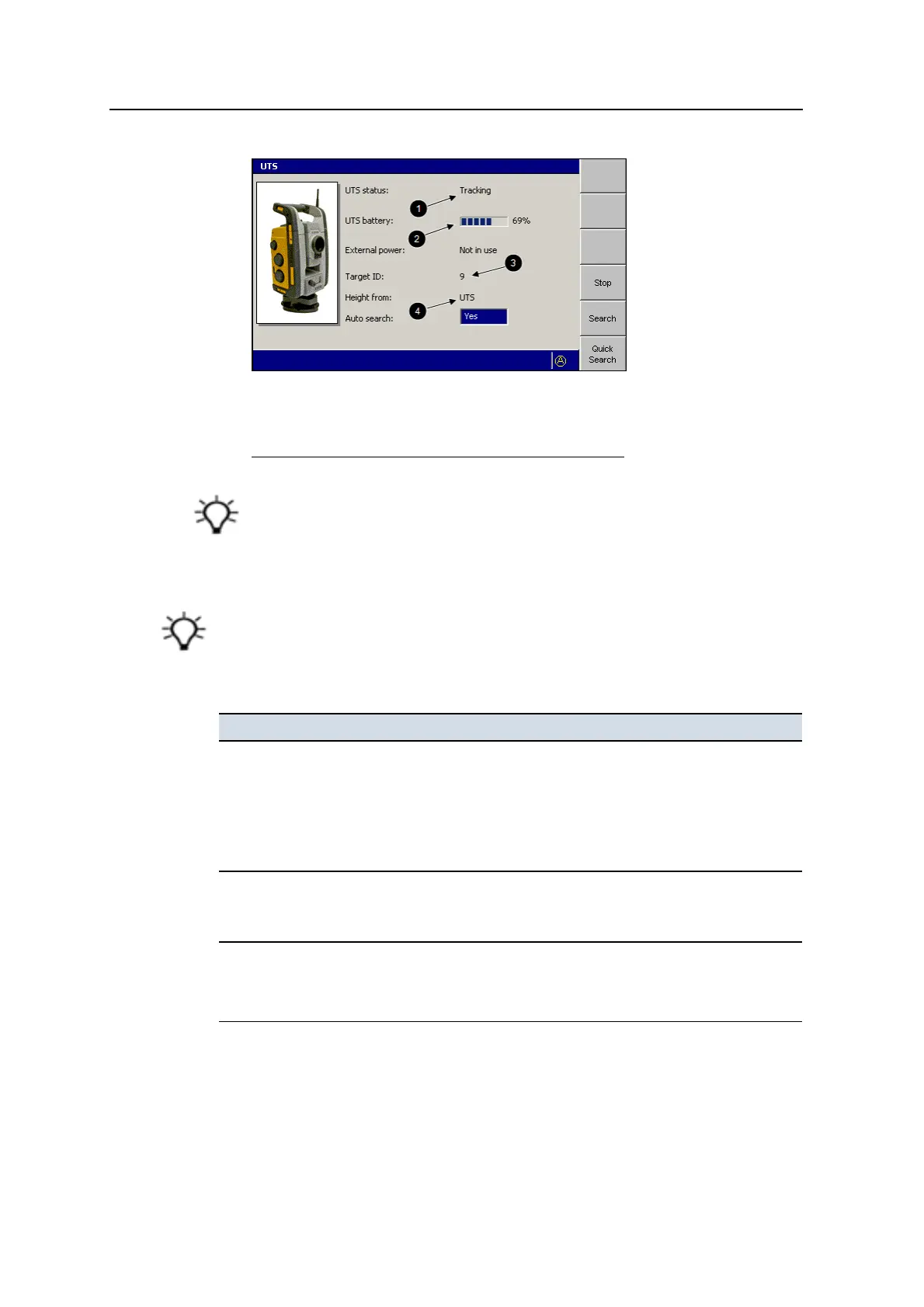
1
UTS instrument status
2
Battery charge
3
Machine target ID
4
Elevation exists on UTS
instrument
Figure 5.2 SPSx30 instrument start up dialog
Tip – If the UTS takes too long to find the target, press = to stop the search and the
UTS start-up.
5.
To confirm the settings, press \; to exit without saving changes, press=. A
guidance screen appears.
Tip – The UTS instrument’s power supply is automatically measured and displayed in the
UTS Battery field. If an external battery is used to power the UTS instrument, the UTS battery
status is not available.
Some common UTS set up problems are as follows:
Problem Action
No
Start
softkey in
UTS
dialog.
The machine data radio has not synchronized with the UTS
instrument data radio. Follow the procedure described in 7.3
Running system diagnostics, to check that the UTS components
are connected and running.
Check that the UTS instrument data radio is turned on.
Check the instrument battery.
Quick search fails
immediately and a full
search begins
The target must be more than 5 m away from the instrument for a
quick search to succeed.
Move the machine.
UTS fails to start Ask your site manager to check that the radio channel, and network if
applicable, are compatible with the instrument radio. Follow the
procedure described in
7.3 Running system diagnostics
, to check
that the UTS components are connected and running.
See 7.3.1 UTS diagnostics for a description of the UTS dialog field values.
GCS900 Grade Control System for Excavators Operator's Manual 117



 To Next Page