Troubleshooting in theField 7
The Data Link screen reports the data radio statistics for the Compact Measurement
Record (CMR) messages received from the base station. Thefields in this screen
are described below:
Field Explanation
Integrity: 100s Percentage of CMR messages that were good in the last 100 seconds.
Integrity: 15min Percentage of CMR messages that were good in the last 15 minutes.
Integrity: 3hrs Percentage of CMR messages that were good in the last 3 hours.
Latency The latency (or age) of the CMR correction used.
GNSS base
station
“Information received” shows that the GNSS base station has broadcast its
position. You need the GNSS base station position to initialize the GNSS
receiver(s) on your machine.
GNSS satellite monitoring
The system provides a tool for monitoring, in real-time, satellite position information
and the quality of the current position solution.
This information is useful in diagnosing problems that may be caused by the
distribution of satellites in the sky (the satellite constellation), such as too few
satellites to calculate an RTK Fixed position solution.
Note – The system does not use data from satellites marked as “unhealthy”, and
does not display their position in the Sky Plot view.
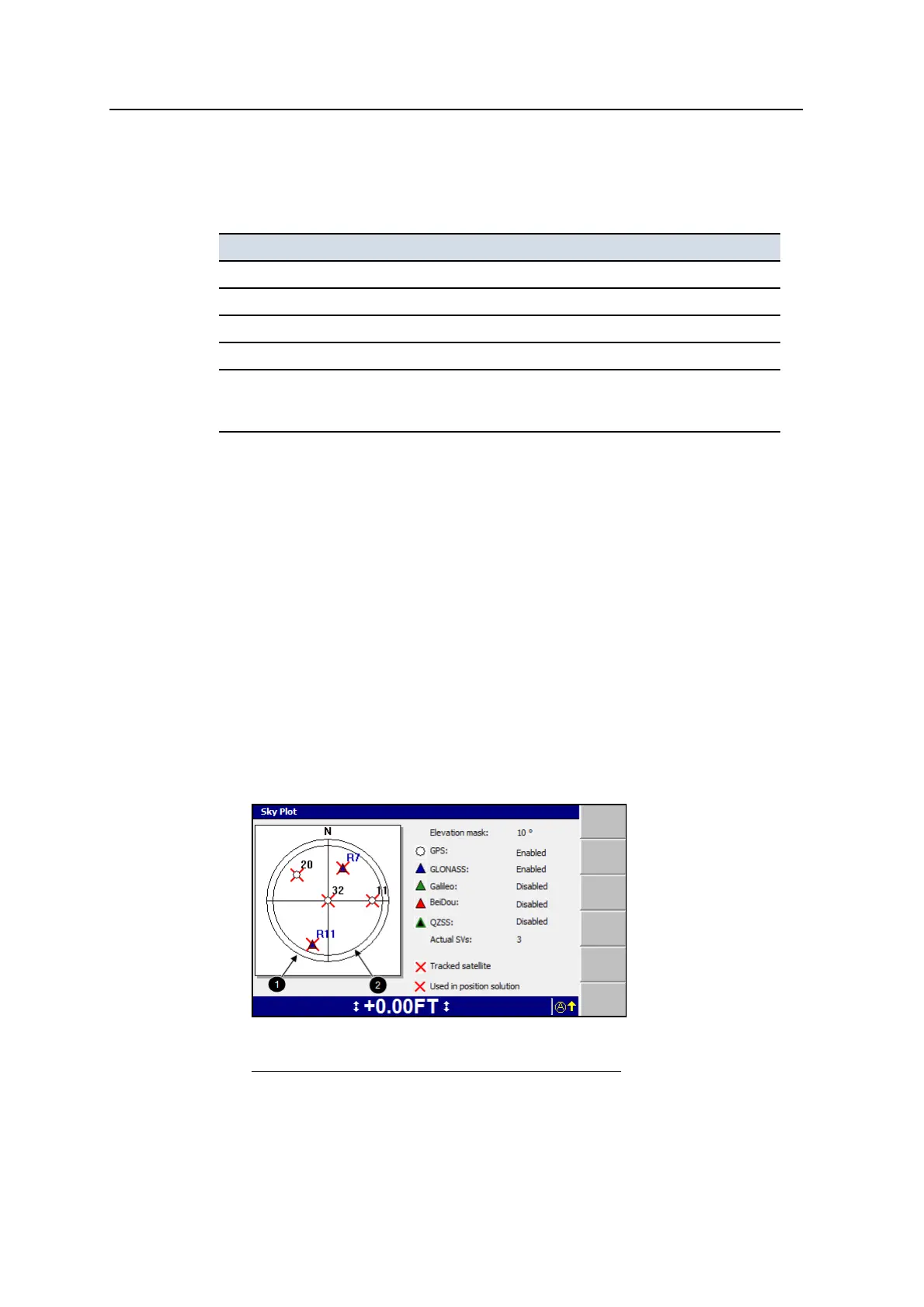
This information is presented in the Sky Plot dialog. To access the Sky Plot dialog:
1. From Setup Menu – Configuration, select Diagnostics.
2. Press GNSS.
3. Press Sky Plot. Satellite data is downloaded from the GNSS receiver(s), and
the Sky Plot dialog planning view appears:
1
Horizon (outer ring)
2
Elevation mask (inner
ring)
Figure 7.1 Sky Plot dialog
GCS900 Grade Control System for Excavators Operator's Manual 163



 To Next Page