Using theControl Box and Lightbars 2
l Cut/Fill pass count
l Radio coverage
l Cross-section view
l Profile view
l Split screen (profile and cross-section) view
l Level (bubble) view
l Text view 1
l Text view 2
To move between guidance screens, press N.
The availability of each screen, and the information the screen contains, changes
with the:
l sensors installed on the machine
l guidance configuration of the system
l operator configuration of the system
l type of design currently loaded
Guidance screen components
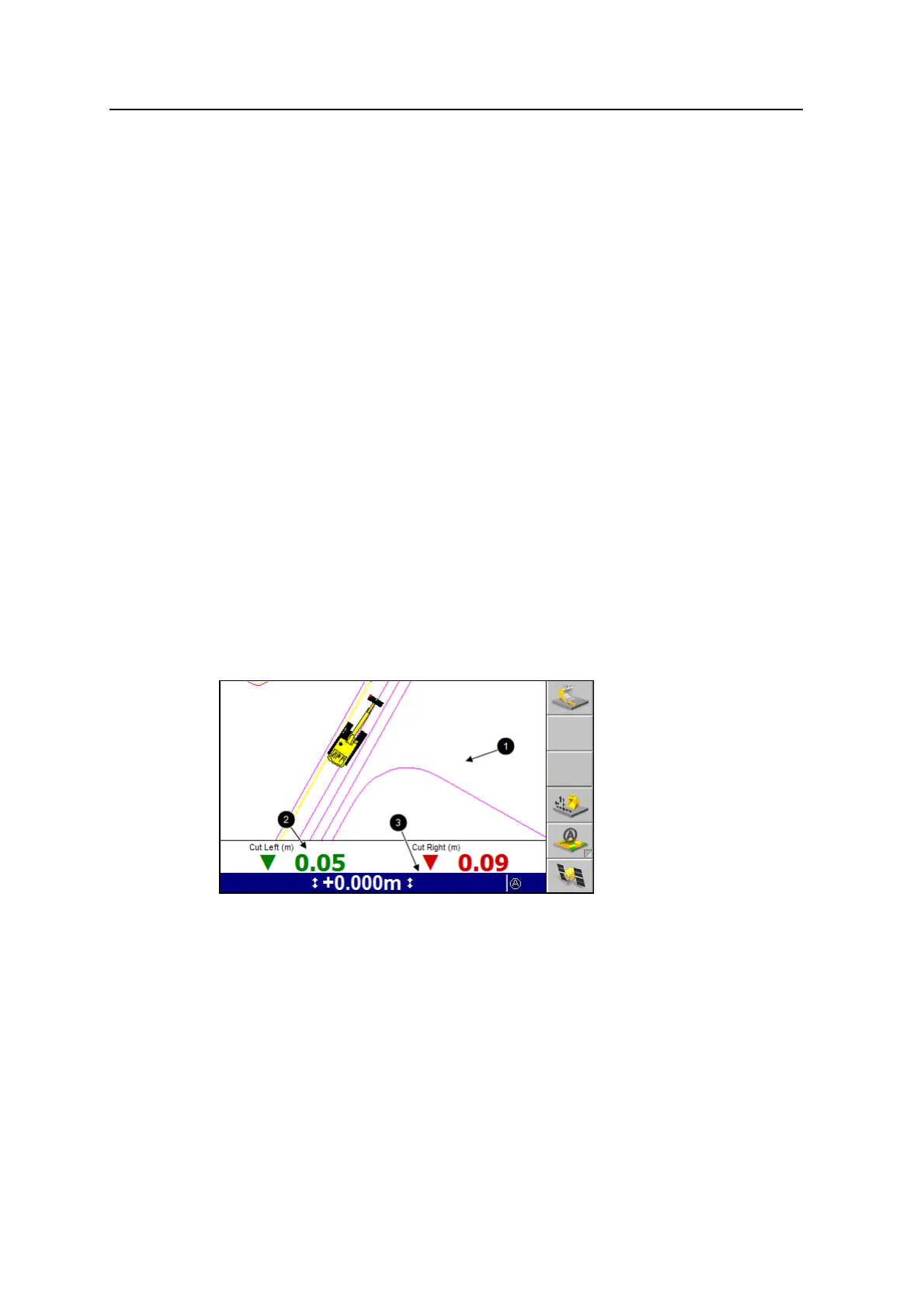
The following figure shows the main components of the guidance screens:
The three main areas of a guidance screen are:
l The guidance view area 1. The guidance view area displays the machine
relative to the surface being worked. There is no guidance view area in the text
screens.
l The optional text information area 2. The text information area lets you
view user-selectable information. In the text screen guidance views, the text
information area uses the guidance view area.
GCS900 Grade Control System for Excavators Operator's Manual 33



 To Next Page