112
Chapter 7: Alerts, Automated Response and Logging
Thischapterdescribestheautomatedresponse,alertgenerationandloggingfeaturesoftheConsoleServer.
ThenewAuto-Responsefacility(inrmwareV3.5.1andlater)extendsonthebasicAlertfacilityavailableinearlierrmware
revisions.WiththenewfacilitytheConsoleServermonitorsselectedserialports,logins,thepowerstatusandenvironmental
monitors and probes for Check Condition triggers. The console server will then initiate a sequence of actions in response to the
triggers.Tocongure,you:
• SetgeneralparametersthenselectandconguretheCheck Conditions i.e. the conditions that will trigger the response
(Section 7.1),then
• SpecifytheTrigger Actionsi.e.sequenceofactionsinitiatedintheeventofthetriggercondition,thenspecifytheResolve
Actionsi.e.actionsperformedwhentriggerconditionshavebeenresolved(Section 7.2)
The Console Servers can also be configured selectively to maintain log records of all access and communications with the
ConsoleServerandwiththeattachedserialdevices,allsystemactivityandahistoryofthestatusofanyattachedenvironmental
monitors,UPSandPDUdevices.TheConsoleServerscanalsologaccessandcommunicationswithnetworkattachedhosts.
• Ifportlogsaretobemaintainedonaremoteserver,thentheaccesspathtothislocationneedstobecongured(Section 7.3)
• Thenyouneedtoactivateandsetthedesiredlevelsofloggingforeachserial(Section 7.4)and/ornetworkport(Section
7.5)and/orpowerandenvironmentdevices(refertoChapter 8)
7.1 Set Up Auto-Response and Configure Check Conditions
WiththeAuto-Responsefacility,asequenceofTriggerActionsisinitiatedintheeventofaspeciedtriggercondition(Check
Condition).SubsequentResolveActionscanalsobeperformedwhenthetriggerconditionhasbeenresolved.
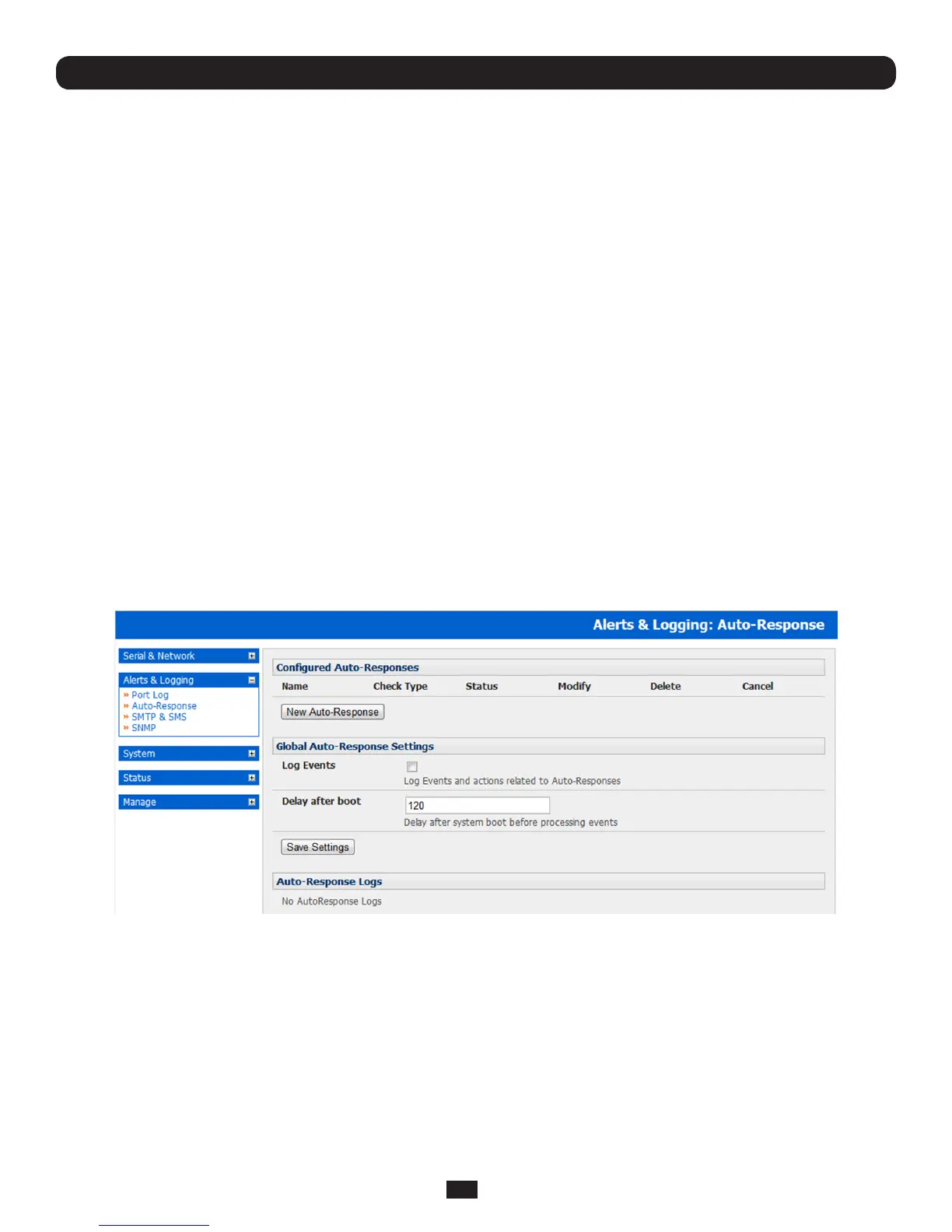
Tocongure,rstsetthegeneralparametersthatwillbeappliedtoallAuto-Responses:
• CheckLogEventsonAlerts&Logging:Auto-ResponsetoenableloggingallAuto-Responseactivities
• CheckDelayafterBoottosetanygeneraldelaytobeappliedafterconsoleserversystemboot,beforeprocessingevents
TocongureanewAuto-Response:
• SelectNewAuto-ResponseintheConguredAuto-Responseeld.YouwillbepresentedwithanewAuto-Response
Settings menu
• EnterauniqueNameforthenewAuto-Response
• SpecifytheResetTimeoutforthetimeinsecondsafterresolutiontodelaybeforethisAuto-Responsecanbetriggeredagain
• CheckRepeatTriggerActionstocontinuetorepeattriggeractionsequencesuntilthecheckisresolved
• EnteranyrequireddelaytimebeforerepeatingtriggeractionsinRepeatTriggerActionDelay.Thisdelaystartsafterthelast
action is queued



 To Next Page