31
3.6 Management Network Configuration
TheB096-048/016ConsoleServerManagementSwitchesandB094-008-2E-M-FConsoleServereachhaveanadditional
networkportthatcanbeconguredasaManagementLANportorasafailover/OOBaccessport.
3.6.1 Enable the Management LAN
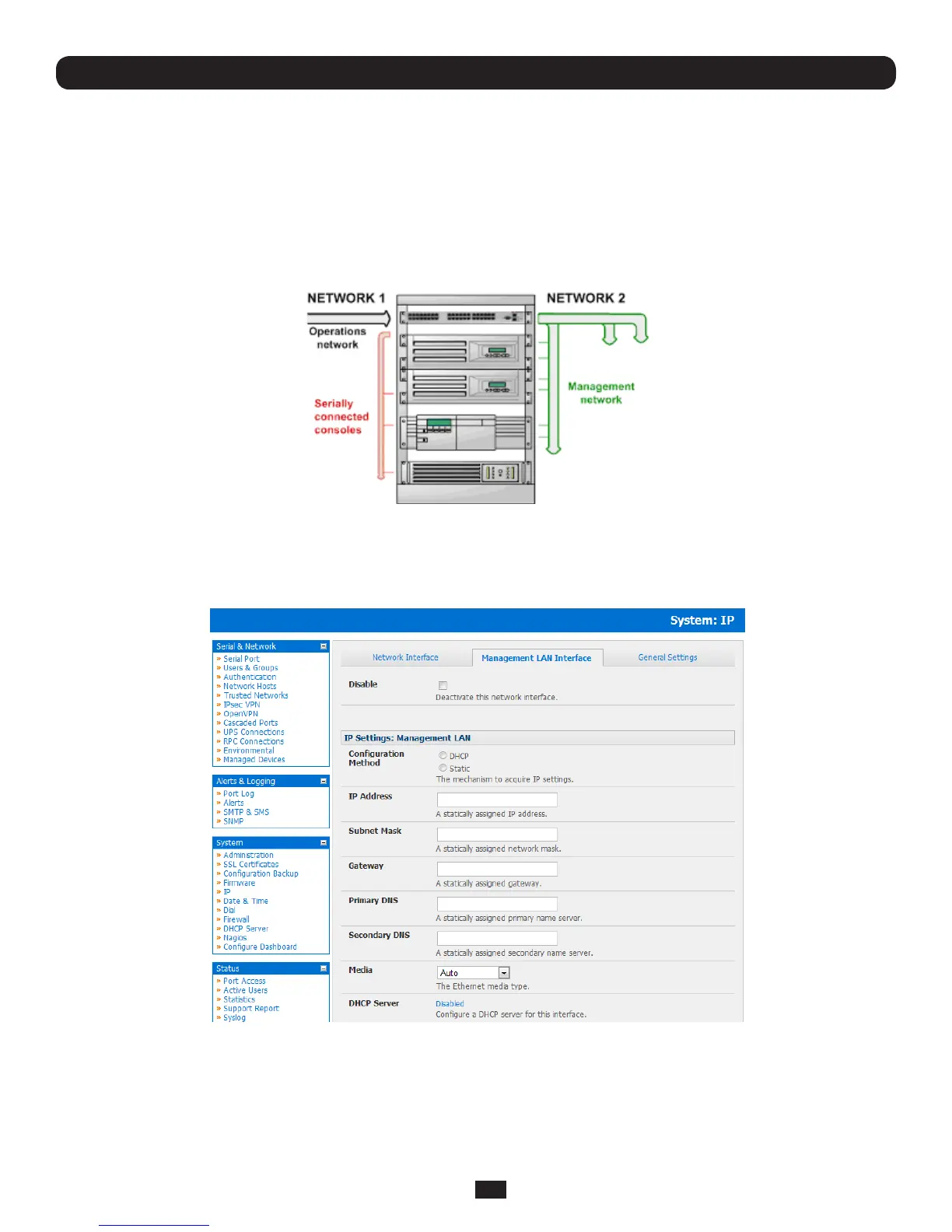
TheB096-048/016ConsoleServerManagementSwitchesandB094-008-2E-M-FConsoleServerhavedualEthernetports
whichcanbeconguredtoprovideamanagementLANgateway.Withthisconguration,theB096-048/016andB094-008-
2E-M-Fproviderewall,routerandDHCPserverfeaturesandyoucanconnectmanagedhoststothismanagementLAN.
Thesefeaturesarealldisabledbydefault.ToconguretheManagementLANgateway:
• SelecttheManagement LAN Interface page on the System: IP menu and uncheck Disable
• ConguretheIP Address and Subnet MaskfortheManagementLAN(butleavetheDNSeldsblank)
• ClickApply
Chapter 3: Initial System Configuration
Note: With the B094-008-2E-M-F, B096-048 and B096-016 the second Ethernet port can be configured as either a
gateway port or it can be configured as an OOB/Failover port - but not both. So ensure you did not allocate the Management
LAN as the Failover Interface when you configured the principal Network connection on the System: IP menu
The management gateway function is now enabled with default firewall and router rules. By default these rules are configured
sotheManagementLANcanonlybeaccessiblebySSHportforwarding.Thisensurestheremoteandlocalconnectionsto
ManagedDevicesontheManagementLANaresecure.



 To Next Page