44
4.2 Add/ Edit Users
TheAdministratorusesthismenuselectiontosetup,editanddeleteusersandtodenetheaccesspermissionsforeachof
these users.
UserscanbeauthorizedtoaccessspeciedConsoleServerserialportsandspeciednetwork-attachedhosts.Theseuserscan
alsobegivenfullAdministratorstatus(withfullcongurationandmanagementandaccessprivileges).
Tosimplifyusersetup,theycanbeconguredasmembersofGroups.TherearetwoGroupssetupbydefault(admin and
user)
1. Membership of the admin group provides the user with full Administrator privileges. The adminuser(Administrator)can
access the Console Server using any of the services which have been enabled in System: Services e.g. if only HTTPS has
been enabled then the Administrator can only access the Console Server using HTTPS. However once logged in they can
reconguretheConsoleServersettings(e.g.toenabledHTTP/Telnetforfutureaccess).Theycanalsoaccessanyof
the connected Hosts or serial port devices using any of the services that have been enabled for these connections. But
again the Administrator can reconfigure the access services for any Host or serial port. So only trusted users should have
Administrator access.
Note: For convenience the SDT Connector “Retrieve Hosts” function retrieves and auto-configures checked serial ports and
checked hosts only, even for admin group users
2. Membership of the user group provides the user with limited access to the Console Server and connected Hosts and
serialdevices.TheseUserscanaccessonlytheManagementsectionoftheManagementConsolemenuandtheyhave
no command line access to the Console Server. They also can only access those Hosts and serial devices that have been
checkedforthem,usingservicesthathavebeenenabled.
3. TheAdministratorcanalsosetupadditionalGroupswithspecicserialportandhostaccesspermissions(sameasUsers).
Howeverusersintheseadditionalgroupsdon’thaveanyaccesstotheManagementConsolemenunordotheyhaveany
command line access to the Console Server itself. Lastly the Administrator can also set up users who are not a member
of any Groups and they will have the same access as users in the additional groups.
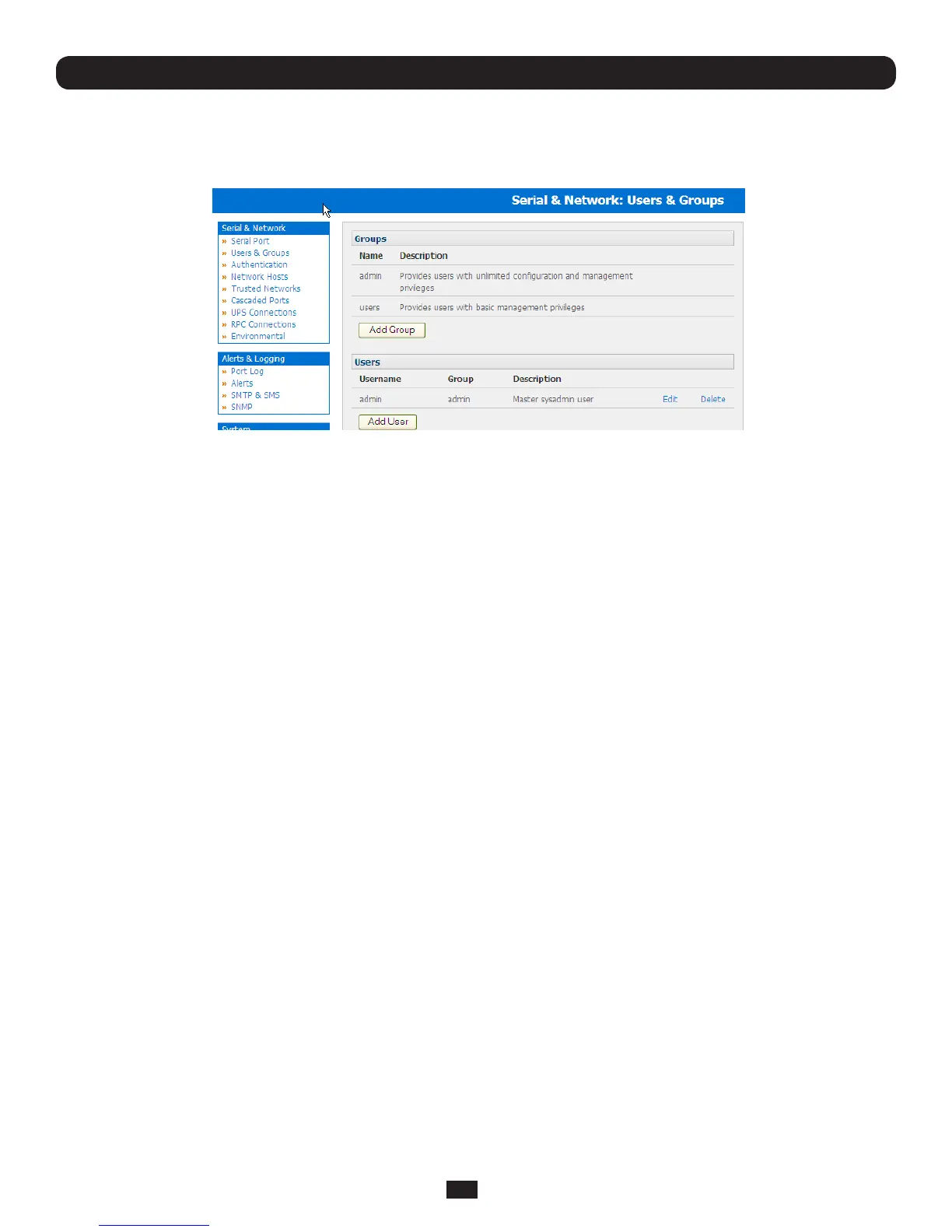
TosetupnewGroupsandnewusers,andtoclassifyusersasmembersofparticularGroups:
• SelectSerial & Network: Users & GroupstodisplaytheconguredGroupsandUsers
• Click Add Group to add a new Group
Chapter 4: Serial Port, Device and User Configuration



 To Next Page