222
Chapter 15: Advanced Configuration
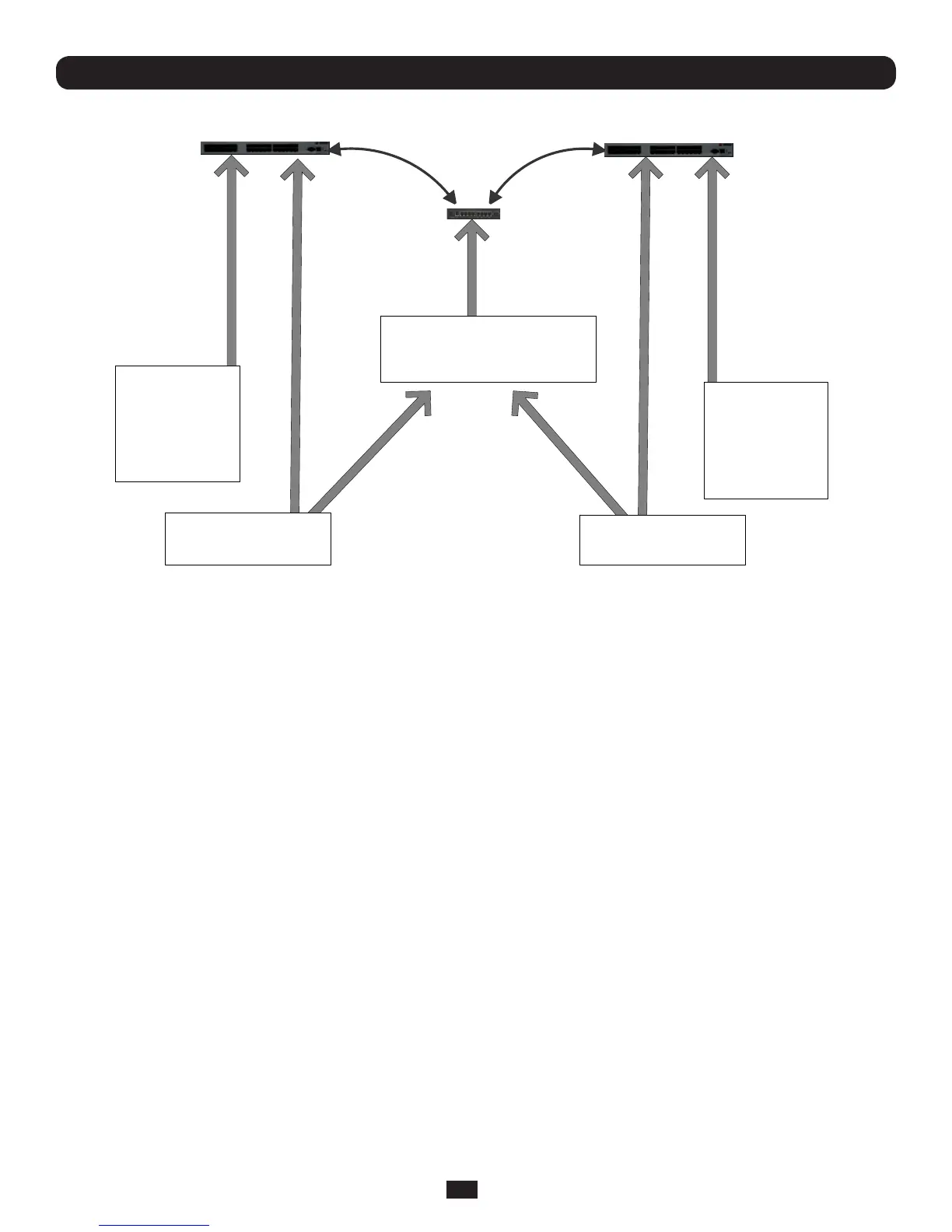
Master
Slave
-----BEGIN RSA
PRIVATE KEY-----
MIIEogIBAAKCAQEA
yIPGsNf5+a0LnPUMc
nujXXPGiQGyD3b79
KZg3UZ4MjZI525sCy
opv4TJTvTK6e8QIYt
GYTByUdI
id_rsa
id_rsa.pub
ssh-rsa
AAAAB3NzaC1yc2Efg4+tG
HlAAA== name@client1
authorized_keys
ssh-rsa AAAAB3NzaC1yc2Efg4+tGHl
AAA== name@client1
ssh-dss AAAAB3NzaZr+OV01C8gdgz
XDg== name@client2
Master
-----BEGIN DSA
PRIVATE KEY-----
MIIBugIBAAKBgQCR
kixjJ0SKuiREXTM
x0PFp9HqBvEg7Ww9
oynY4QNiXj1YU7T
87ITLQiAhn3yp7ZWy
7Z5C3sLF8o46Go
id_dsa
id_dsa.pub
ssh-dss
AAAAB3NzaZr+OV01C8gdgz
XDg== name@client2
MoredocumentationonOpenSSHcanbefoundat:
http://openssh.org/portable.html
http://www.openbsd.org/cgi-bin/man.cgi?query=ssh&sektion=1
http://wwwopenbsd.org/cgi-bin/man.cgi?query=sshd.
15.6.5 Generating public/private keys for SSH (Windows)
This section describes how to generate and configure SSH keys using Windows.
FirstcreateanewuserfromtheConsoleServerManagementConsole(thefollowingexampleusesausercalled"testuser")
makingsureitisamemberofthe"users"group.
If you do not already have a public/private key pair you can generate them now using ssh-keygen, PuTTYgen or a similar tool:
PuTTYgen: http://www.chiark.greenend.org.uk/~sgtatham/putty/download.html
OpenSSH:http://www.openssh.org/
OpenSSH(Windows):http://sshwindows.sourceforge.net/download/
ForexampleusingPuTTYgen,makesureyouhavearecentversionoftheputtygen.exe(availablefrom http://www.chiark.
greenend.org.uk/~sgtatham/putty/download.html)MakesureyouhavearecentversionofWinSCP
(availablefromhttp://winscp.net/eng/download.php)
To generate a SSH key using PuTTY http://sourceforge.net/docs/F02/#clients:
• ExecutethePUTTYGEN.EXEprogram
• SelectthedesiredkeytypeSSH2DSA(youmayuseRSAorDSA)withintheParameters section
• Itisimportantthatyouleavethepassphraseeldblank
• ClickontheGenerate button
• Followtheinstructiontomovethemouseovertheblankareaoftheprograminordertocreaterandomdatausedby
PUTTYGENtogeneratesecurekeys.KeygenerationwilloccuroncePUTTYGENhascollectedsufcientrandomdata
• Createanewle"authorized_keys"(withnotepad)andcopyyourpublickeydatafromthe"Publickeyforpastinginto



 To Next Page