22
Chapter 3: Initial System Configuration
3.2 Administrator Password
Forsecurityreasons,onlytheadministrationusernamedrootcaninitiallylogintoyourConsoleServer.Onlythosepeoplewho
know the root password can access and reconfigure the Console Server itself.
However,anyonewhocorrectlyguessestherootpassword(andthedefaultrootpasswordwhichisdefault)couldgainaccess.
ItisthereforeessentialthatyouenterandconrmanewrootpasswordbeforegivingtheConsoleServeranyaccessto,or
controlof,yourcomputersandnetworkappliances.
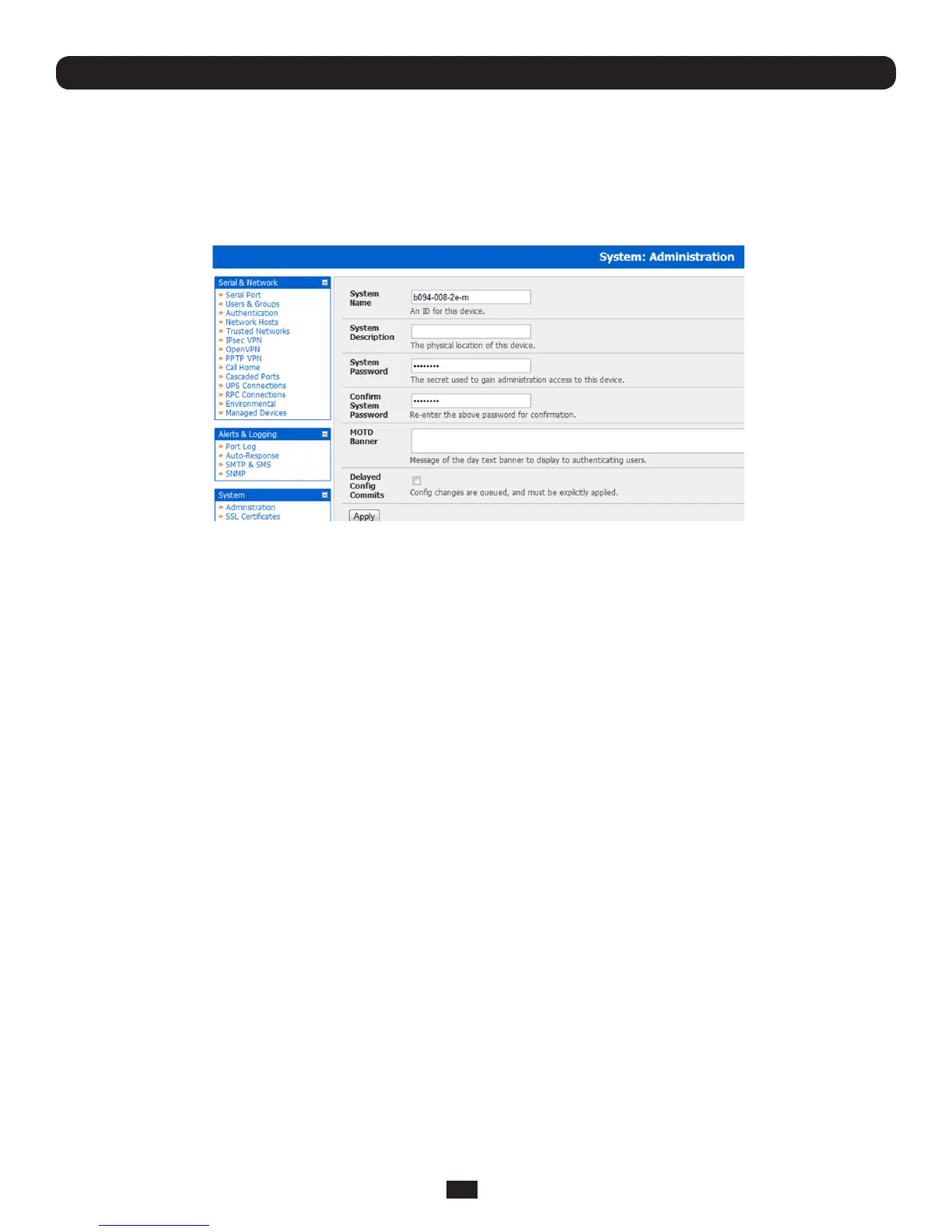
• SelectSystem: Administration
• EnteranewSystemPasswordthenre-enteritinConfirm System Password. This is the new password for root,themain
administrativeuseraccount,soitisimportantthatyouchooseacomplexpassword,andkeepitsafe
• YoumaynowwishtoenteraSystem Name and System DescriptionfortheConsoleServertogiveitauniqueIDand
make it simple to identify
Note: The System Name can contain from 1 to 64 alphanumeric characters (however you can also use the special characters
"-" "_" and "." ). There are no restrictions on the characters that can be used in the System Description or the System
Password (which each can contain up to 254 characters). However, only the first eight Password characters are used to make
the password hash.
• TheMOTDBannercanbeusedtodisplaya“messageoftheday”texttoauthenticatinguserswhenthessh,ftporweb
access the Console Server
• ClickApply. As you have changed the password you will be prompted to log in again. This time use the new password
Note: If you are not confident your Console Server has been supplied with the current release of firmware, you can upgrade.
Refer Upgrade Firmware - Chapter 10
3.2.1 Set up new administrator
ItisalsorecommendedthatyousetupanewAdministratoruserassoonasconvenientandlog-inasthisnewuserforall
ongoingadministrationfunctions(ratherthanroot).
This Administrator can be configured in the admin group with full access privileges through the Serial & Network: Users &
Groups menu(referChapter 4fordetails)



 To Next Page