174
Chapter 13: Management
The Console Server has a small number of ManagereportsandtoolsthatareavailabletobothAdministratorsandUsers:
• Accessandcontrolauthorizeddevices
• Viewserialportlogsandhostlogsforthosedevices
• UseSDTConnectorortheWebTerminaltoaccessseriallyattachedconsoles
• Powercontrol
13.1 Device Management
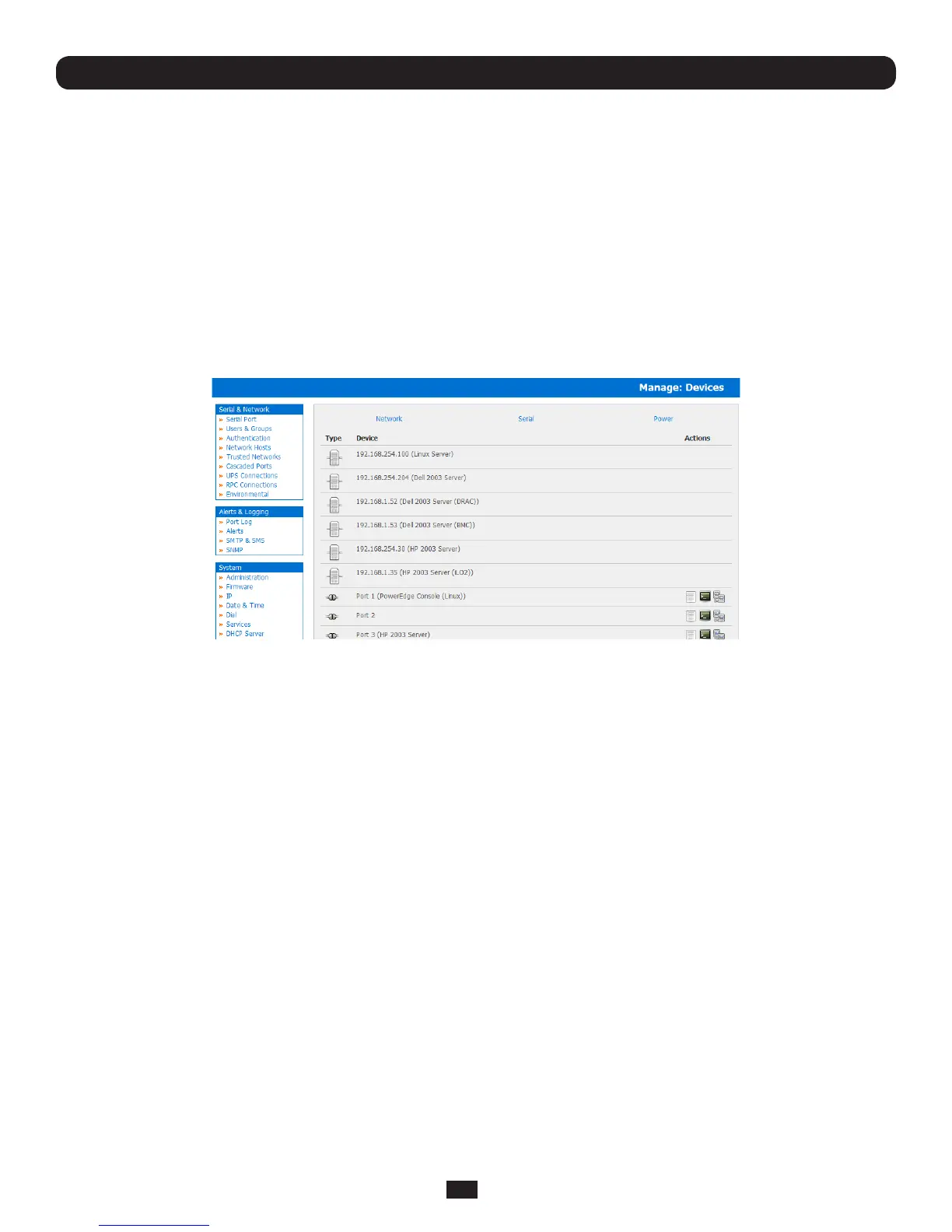
TodisplayalltheconnectedSerialdevices,NetworkHostsandPowerdevices:
• SelectManage: Devices. By selecting the Serial/ Network/ Poweritem,thedisplaywillbereducedtoonlythose
devices
TheusercantakearangeofactionsoneachoftheseSerial/Network/PowerdevicesbyselectingtheAction icon or the related
Manage menu item. Selecting the Manager Power icon or the Manage: Power menu is covered in Chapter 8.
13.2 Port and Host Log Management
AdministratorsandUserscanviewlogsofdatatransferstoconnecteddevices.
• SelectManage: Port Logs and the serial Port # to be displayed
• TodisplayHostlogsselectManage: Host Logs and the Host to be displayed
13.3 Terminal Connection
There are two methods available for accessing the console server command line and devices attached to the console server
serialports,directlyfromawebbrowser:
• TheWebTerminalserviceusesAJAXtoenablethewebbrowsertoconnecttotheconsoleserverusingHTTPorHTTPS,as
aterminal-withouttheneedforadditionalclientinstallationontheuser'sPC
• TheSDTConnectorservicelaunchesapre-installedSDTConnectorclientontheuser'sPCtoestablishsecureSSH
access,thenusespre-installedclientsoftwareontheclientPCtoconnecttotheconsoleserver
Web browser access is available to users who are a member of the admin or users groups.
13.3.1 Web Terminal
The AJAX based Web Terminal service may be used to access the console server command line or attached serial devices.
Note: Any communication using the Web Terminal service using HTTP is unencrypted and not secure. The Web Terminal
connects to the command line or serial device using the same protocol that is being used to browse to the Management
Console, i.e. if you are browsing using an https:// URL (this is the default), the Web Terminal connects using HTTPS.



 To Next Page