25
3.3.2 Dynamic DNS (DDNS) configuration
DynamicDNS(DDNS)enablesaConsoleServerwithadynamicallyassignedIPaddress(thatmaychangefromtimetotime)
to be located using a fixed host or domain name.
• TherststepinenablingDDNSistocreateanaccountwiththesupportedDDNSserviceproviderofyourchoice.
SupportedDDNSprovidersinclude:
o DyNS www.dyns.cx
o dyndns.org www.dyndns.org
o GNUDip gnudip.cheapnet.net
o ODS www.ods.org
o TZO www.tzo.com
o 3322.org (Chinese provider) www.3322.org
UponregisteringwiththeDDNSserviceprovider,youwillselectausernameandpassword,aswellasahostnamethat
youwilluseastheDNSname(toallowexternalaccesstoyourmachineusingaURL).
TheDynamicDNSserviceprovidersallowtheusertochooseahostnameURLandsetaninitialIPaddressto
correspondtothathostnameURL.ManyDynamicDNSprovidersofferaselectionofURLhostnamesavailableforfree
usewiththeirservice.However,withapaidplan,anyURLhostname(includingyourownregistereddomainname)can
be used.
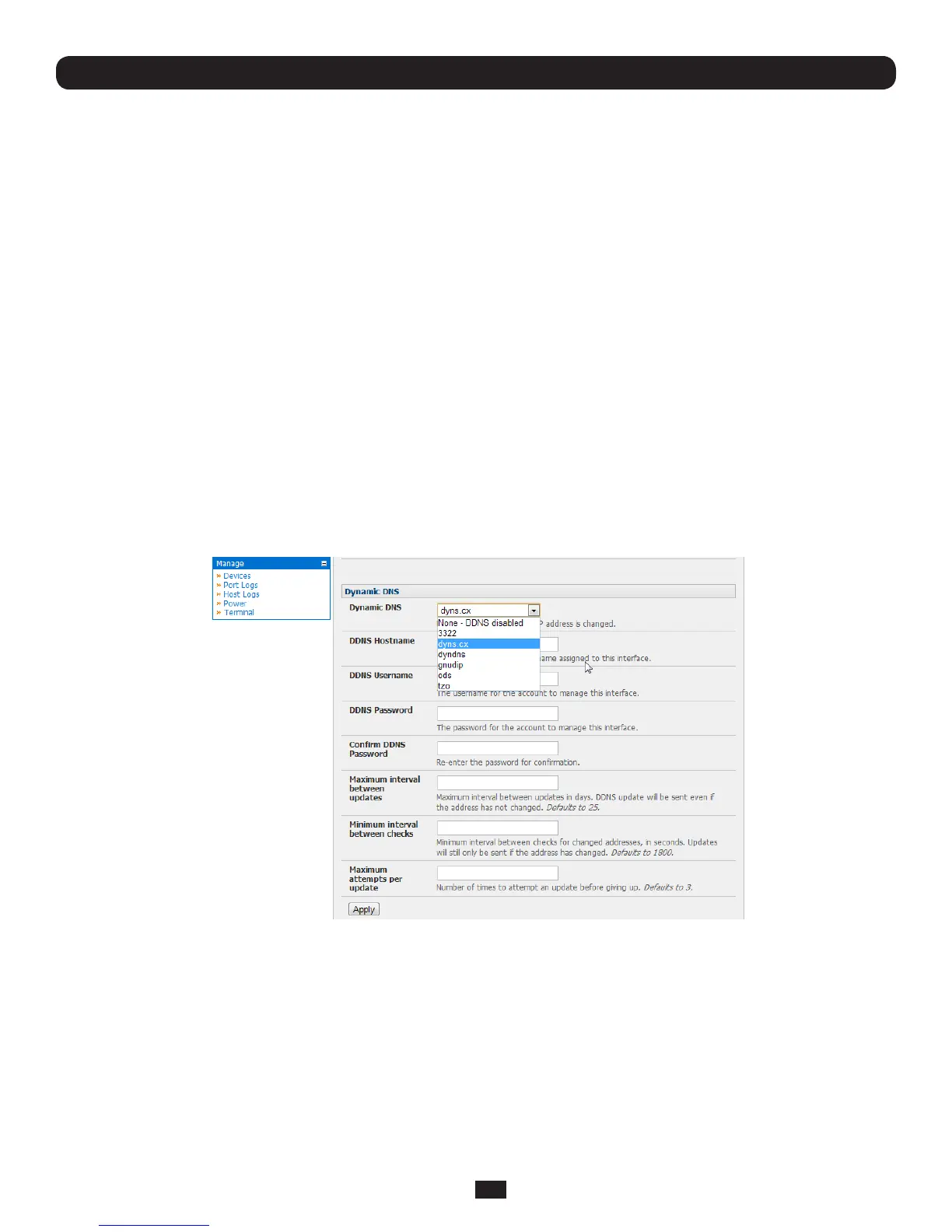
YoucannowenableandcongureDDNSonanyoftheEthernetorcellularnetworkconnectionsontheConsoleServer(by
defaultDDNSisdisabledonallports):
• SelecttheDDNSserviceproviderfromthedropdownDynamic DNS list on the System:IP or System:Dial menu
• InDDNS HostnameenterthefullyqualiedDNShostnameforyourconsoleservere.g.your-hostname.dyndns.org
• EntertheDDNS Username and DDNS PasswordfortheDDNSserviceprovideraccount
• SpecifytheMaximum interval between updates-indays.ADDNSupdatewillbesenteveniftheaddresshasnotchanged
• SpecifytheMinimum interval between checksforchangedaddresses-inseconds.Updateswillstillonlybesentifthe
address has changed
• SpecifytheMaximum attempts per updatei.e.thenumberoftimestoattemptanupdatebeforegivingup(defaultsto3)
Chapter 3: Initial System Configuration



 To Next Page