23
Chapter 3: Initial System Configuration
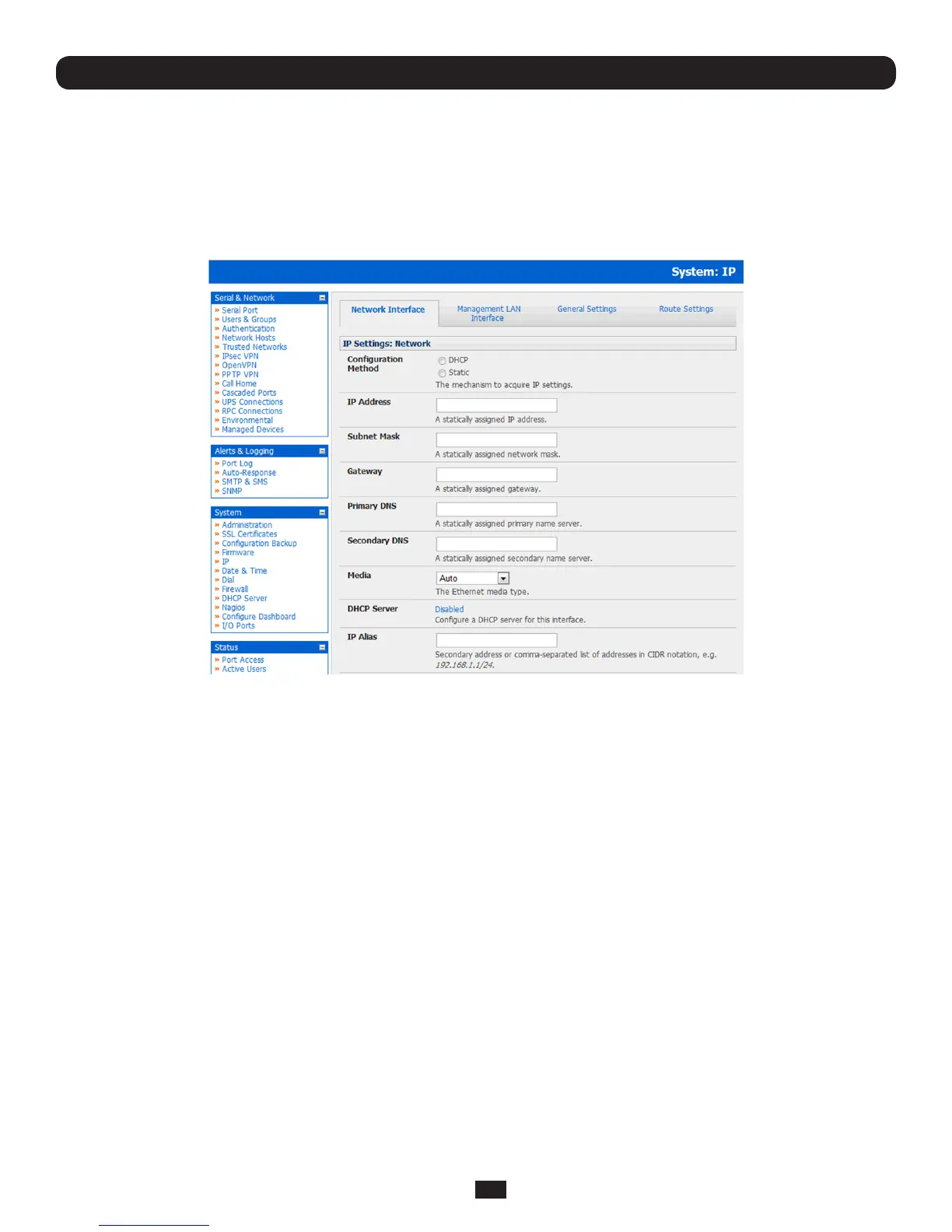
3.3 Network IP Address
It is time to enter an IP address for the principal 10/100LANportontheConsoleServer;orenableitsDHCPclientsothatit
automaticallyobtainsanIPaddressfromaDHCPserveronthenetworktowhichitistobeconnected.
• OntheSystem: IP menu select the Network Interface page then check DHCP or Static for the Configuration Method
• IfyouselectStatic you must manually enter the new IP Address,Subnet Mask,Gateway and DNS server details. This
selectionautomaticallydisablestheDHCPclient
• IfyouselectedDHCPtheConsoleServerwilllookforcongurationdetailsfromaDHCPserveronyourmanagementLAN.
This selection automatically disables any static address. The Console Server MAC address can be found on a label on the
base plate
Note: In its factory default state (with no Configuration Method selected) the Console Server has its DHCP client enabled, so
it automatically accepts any network IP address assigned by a DHCP server on your network. In this initial state, the Console
Server will then respond to both its Static address (192.168.0.1) and its newly assigned DHCP address
• BydefaulttheConsoleServerLANportautodetectstheEthernetconnectionspeed.HoweveryoucanusetheMedia
menutolocktheEthernetto10Mb/sor100Mb/sandtoFullDuplex(FD)orHalfDuplex(HD)
Note: If you have changed the Console Server IP address, you may need to reconfigure your PC/workstation so it has an IP
address that is in the same network range as this new address (as detailed in an earlier note in this chapter)
• ClickApply
• YouwillneedtoreconnectthebrowseronthePC/workstationthatisconnectedtotheConsoleServerbyentering
http://new IP address



 To Next Page