115
Chapter 7: Alerts, Automated Response and Logging
7.1.5 Serial Login/Logout
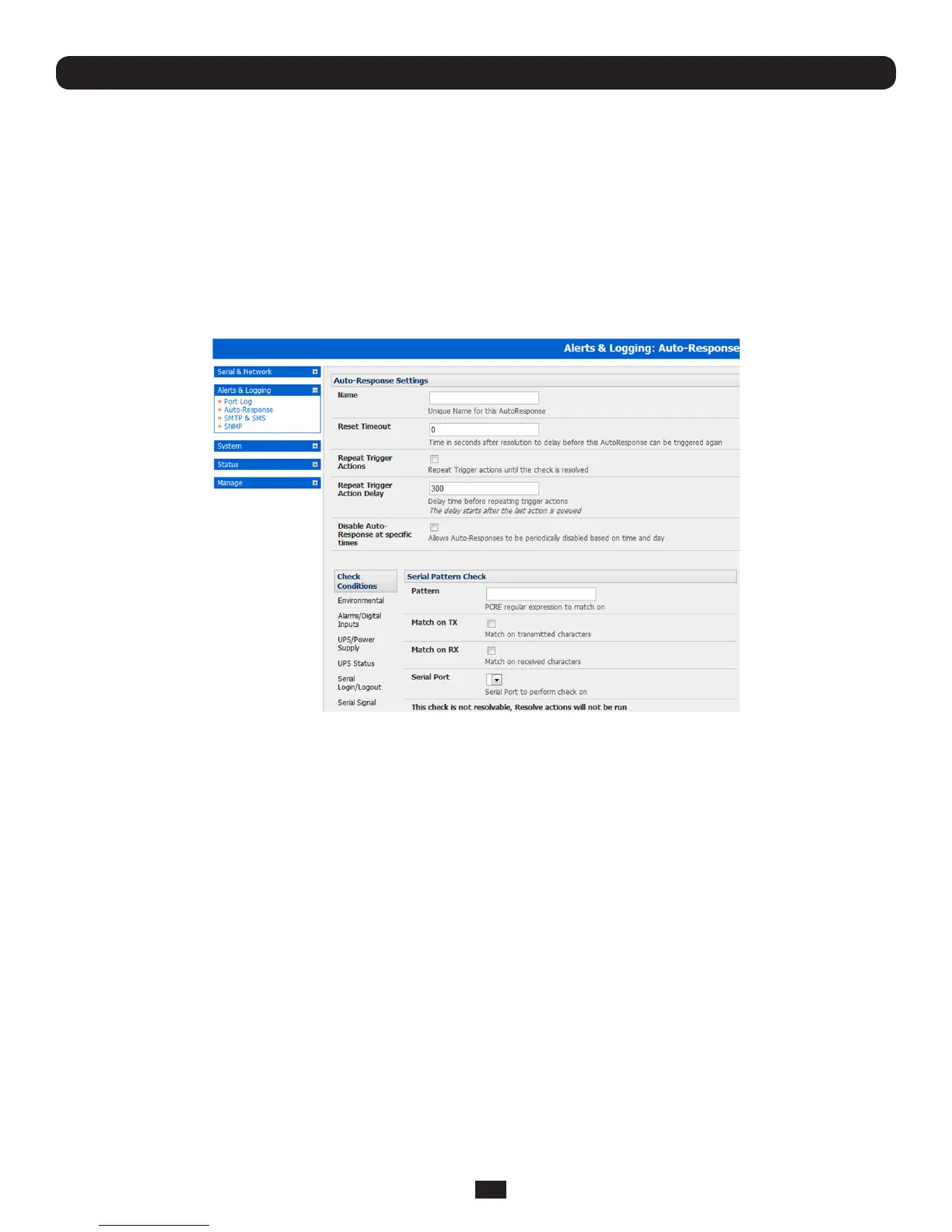
Tomonitorserialportsandcheckforlogin/logoutorpatternmatchesforAuto-Responsetriggersevents:
• ClickonSerialLogin/LogoutastheCheckCondition.ThenintheSerialLogin/LogoutCheckmenuselectTriggeronLogin
(totriggerwhenanyuserlogsintotheserialport)orTriggeronLogoutandspecifySerialPorttoperformcheckon,and/or
• ClickonSerialSignalastheCheckCondition.ThenintheSerialSignalCheckmenuselecttheSignal(CTS,DCD,DSR)
totriggeron,theTriggercondition(eitheronserialsignalchange,orchecklevel)andspecifySerialPorttoperformcheck
on,and/or
• ClickonSerialPatternastheCheckCondition.ThenintheSerialPatternCheckmenuselectthePCREpatterntotrigger
onandtheserialline(TXorRX)andSerialPorttopatterncheckon
• CheckSaveAuto-Response
Note: Before configuring serial port checks in Auto-Response you first must configure the serial port in Console Server mode.
Also, most serial port checks are not resolvable so resolve actions will not be run.
7.1.6 ICMP Ping
TouseapingresultastheAuto-Responsetriggerevent:
• ClickonICMPPingastheCheckCondition
• SpecifywhichAddresstoPing(i.e.IPaddressorDNSnametosendICMPPingto)andwhichInterfacetosendICMPPing
from(e.g.ManagementLANorWirelessnetwork)
• SettheCheckFrequency(i.e.thetimeinsecondsbetweenchecks)andtheNumberofICMPPingpacketstosend
• CheckSaveAuto-Response
7.1.7 Cellular Data
ThischeckmonitorstheaggregatedatatrafcinboundandoutboundthroughthecellularmodemasanAuto-Responsetriggerevent.
• ClickonCellularDataastheCheckCondition
Note: Before configuring cellular data checks in Auto-Response the internal or external USB cellular modem must be
configured and detected by the console server.



 To Next Page