150
Chapter 10: Nagios Integration
10.2.2 Set up distributed Console Servers
Thissectionprovidesabriefwalk-throughonconguringasingleConsoleServertomonitorthestatusofoneattachednetwork
host(aWindowsIISserverrunningHTTPandHTTPSservices)andoneseriallyattacheddevice(theconsoleportofanetwork
router),andtosendalertsbacktotheNagiosserverwhenanadministratorconnectstotherouterorIISserver.
Whilethiswalk-throughprovidesanexample,detailsofthecongurationoptionsaredescribedinthenextsection.Thiswalk-
through also assumes the network host and serial devices are already physically connected to the Console Server. First step is
tosetuptheNagiosfeaturesontheConsoleServer:
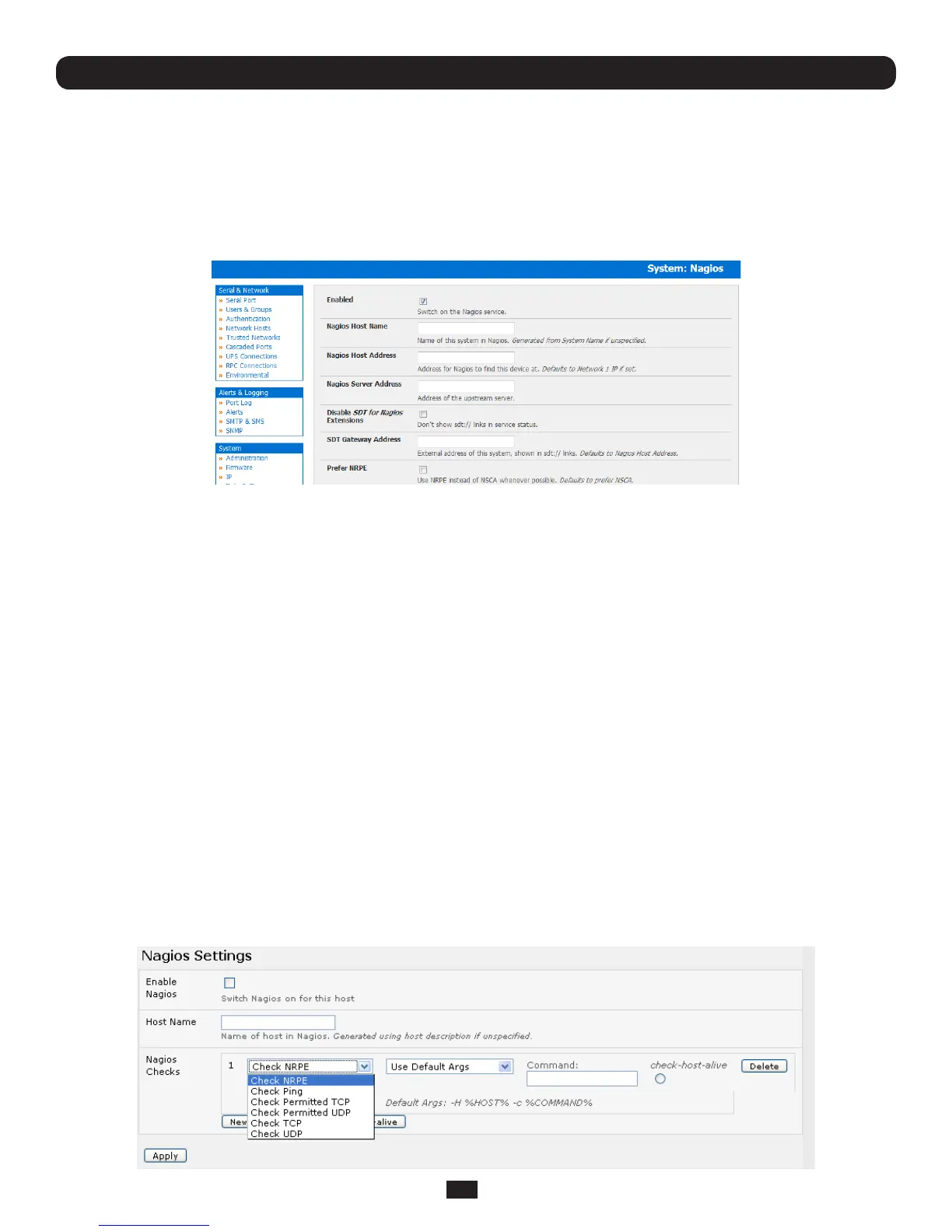
• BrowsetheConsoleServerandselectSystem: NagiosontheConsoleServerManagementConsole.CheckNagios
service Enabled
• EntertheHost Name and the Nagios Host Address(i.e.IPaddress)thatthecentralNagiosserverwillusetocontact
the distributed Console Server
• EntertheIPaddressthatthedistributedConsoleServerwillusetocontactthecentralNagiosserverinNagios Server
Address
• EntertheIPaddressthattheclientsrunningSDTConnectorwillusetoconnectthroughthedistributedConsoleServersin
SDT Gateway address
• CheckPrefer NRPE, NRPE Enabled and NRPE Command Arguments
• CheckNSCA Enabled,chooseanNSCA Encryption Method and enter and confirm an NSCA Secret. Remember these
details as you will need them later on. For NSCA Interval,enter5
• ClickApply.
Next,conguretheattachedWindownetworkhostandspecifytheservicesyouwillbecheckingwithNagios(HTTPand
HTTPS):
• SelectNetwork Hosts from the Serial & Network menu and click Add Host.
• EntertheIP Address/DNS Nameofthenetworkserver,(e.g.:192.168.1.10)andenteraDescription,(e.g.:Windows
2003 IIS Server)
• RemoveallPermitted Services.ThisserverwillbeaccessibleusingTerminalServices,socheckTCP,Port 3389 and log
level 1 and click Add.Itisimportanttoremoveandre-addtheservicetoenablelogging



 To Next Page