30
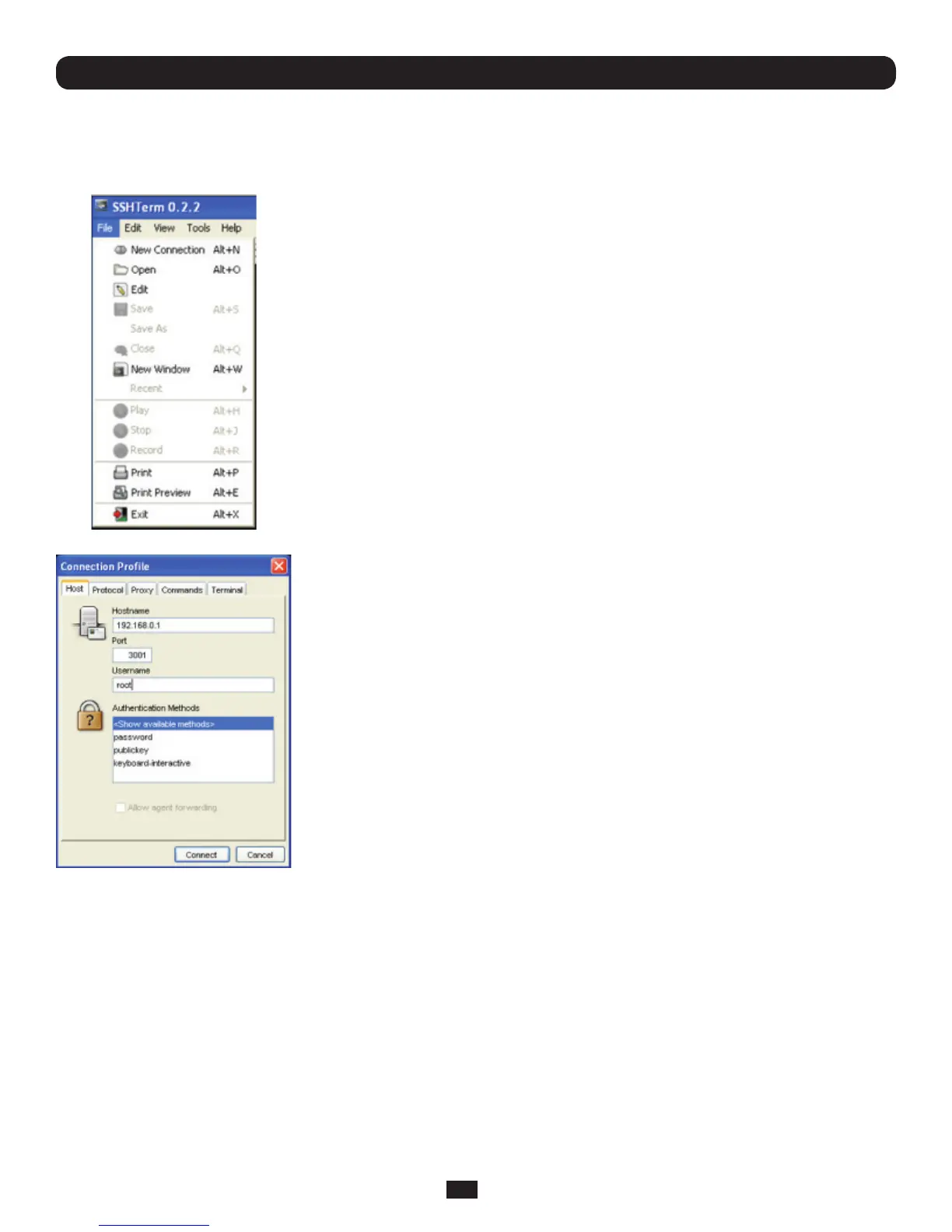
3.5.3 SSHTerm
Another common communications package that may be useful is SSHTerm. This is an open source package that can be
downloadedfromhttp://sourceforge.net/projects/sshtools
• TouseSSHTermforanSSHterminalsessionfromaWindowsClient,simplySelect
the‘File’optionandclickon‘NewConnection’.
• Anewdialogboxwillappearforyour‘ConnectionProle’.Typeinthehostnameor
IPaddress(fortheConsoleServerunit)andtheTCPportthattheSSHsessionwill
use(port22).Thentypeinyourusernameandchoosepasswordauthenticationand
click Connect.
Chapter 3: Initial System Confi guration
• Amessagemayappearaboutthehostkeyngerprint.Youwillneedtoselect‘Yes’
or‘Always’tocontinue.
• Thenextstepispasswordauthentication.Youwillbepromptedforyourusername
and password from the remote system. You will then be logged on to the Console
Server



 To Next Page